
Chevrolet Sonic Repair Manual: Battery Positive and Negative Cable Replacement
- Removal Procedure
-
- Disconnect the negative battery cable. Refer to Battery Negative Cable Disconnection and Connection.
- Remove the fuse block and battery positive cable cover.
- Remove the battery tray. Refer to Battery Tray Replacement.
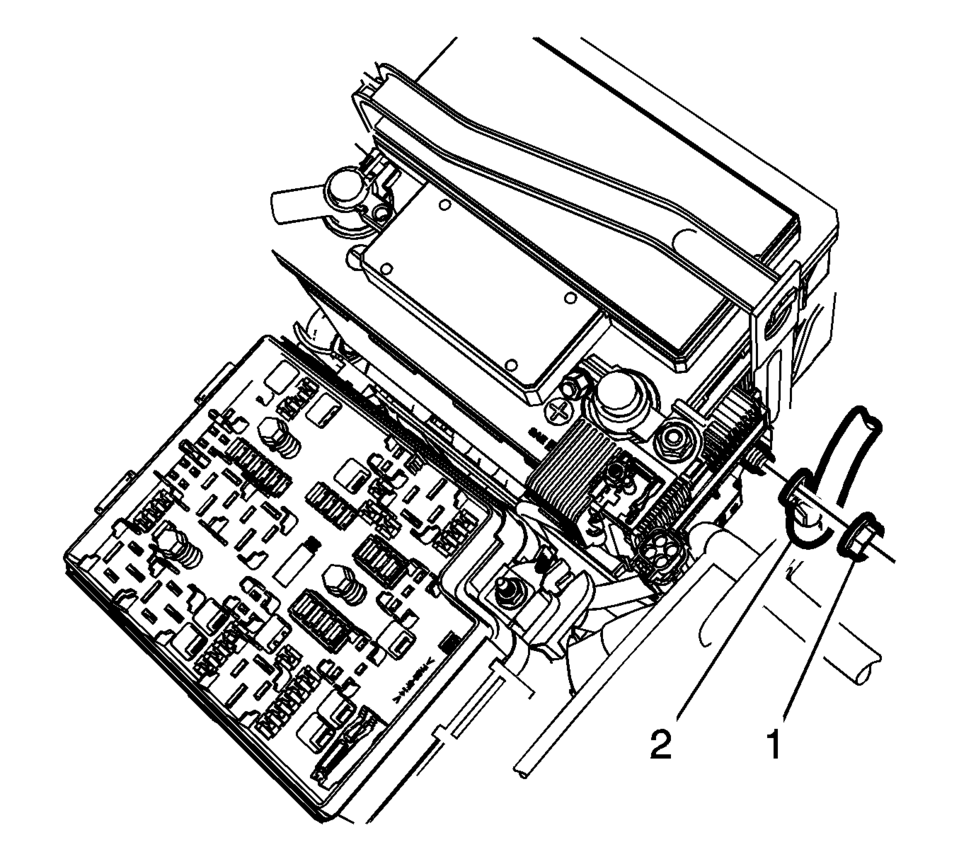
- Remove the battery positive nut (1) and the battery positive cable (2), from the battery positive cable junction block.
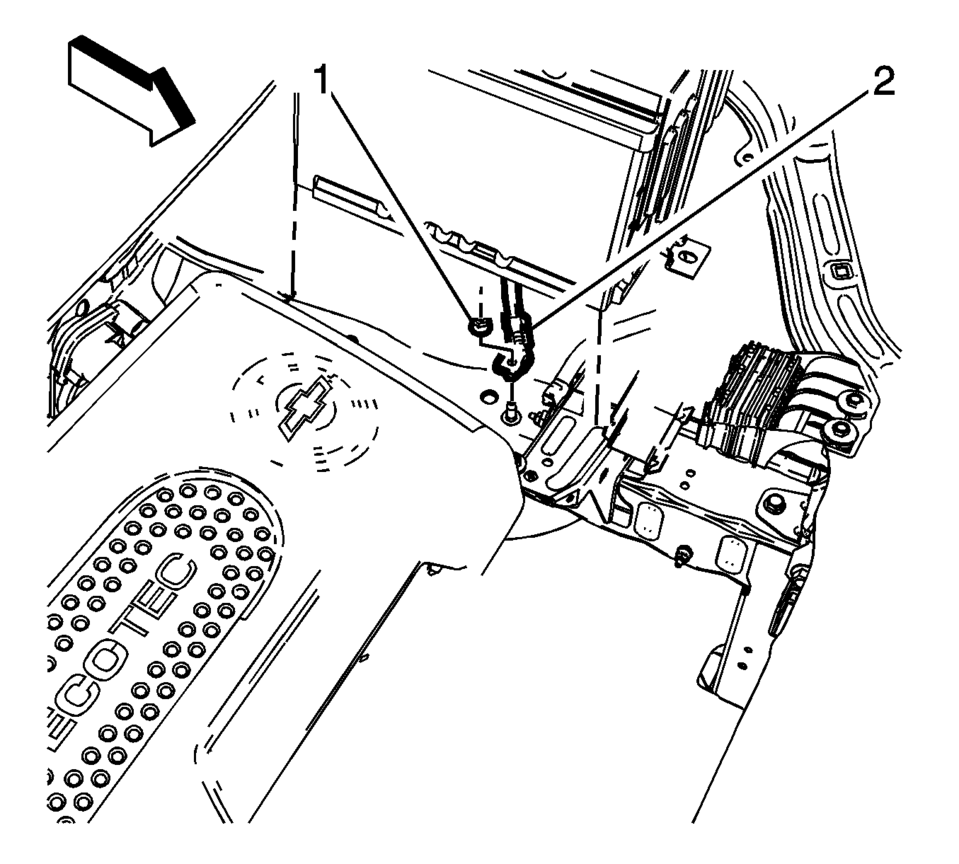
- Remove the battery negative cable nut (1) and the battery negative cable (2), from the chassis frame stud.
- Remove the drivetrain and front suspension frame skid plate. Refer to Drivetrain and Front Suspension Frame Skid Plate Replacement.
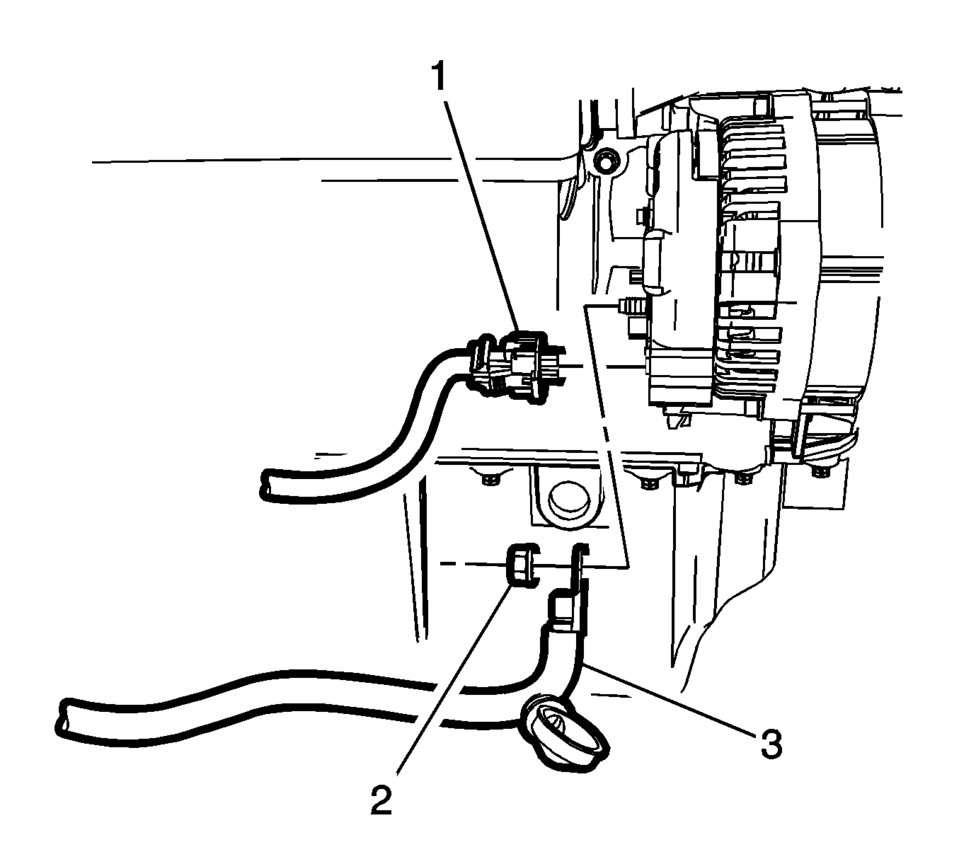
- Remove the battery positive cable nut (2) and the battery positive cable (3), from the back of the generator.
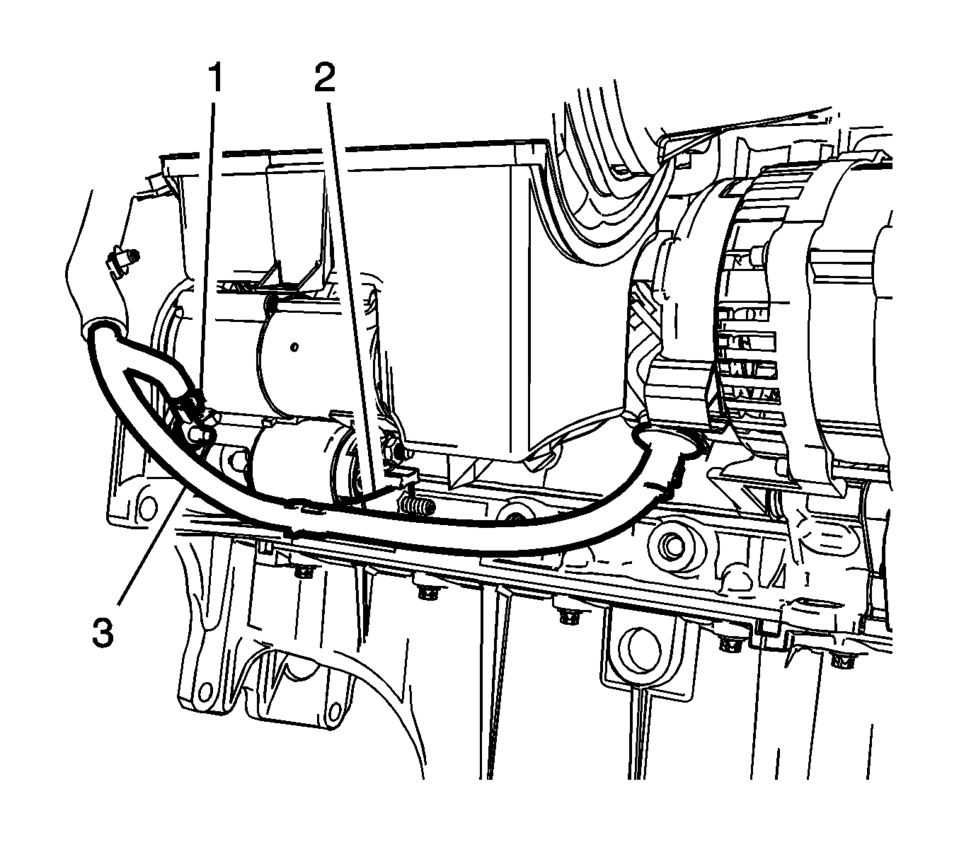
- Remove the battery negative cable stud/nut (1) and the starter solenoid nut (2).
- Remove the battery positive and negative cable (1) from the engine compartment.
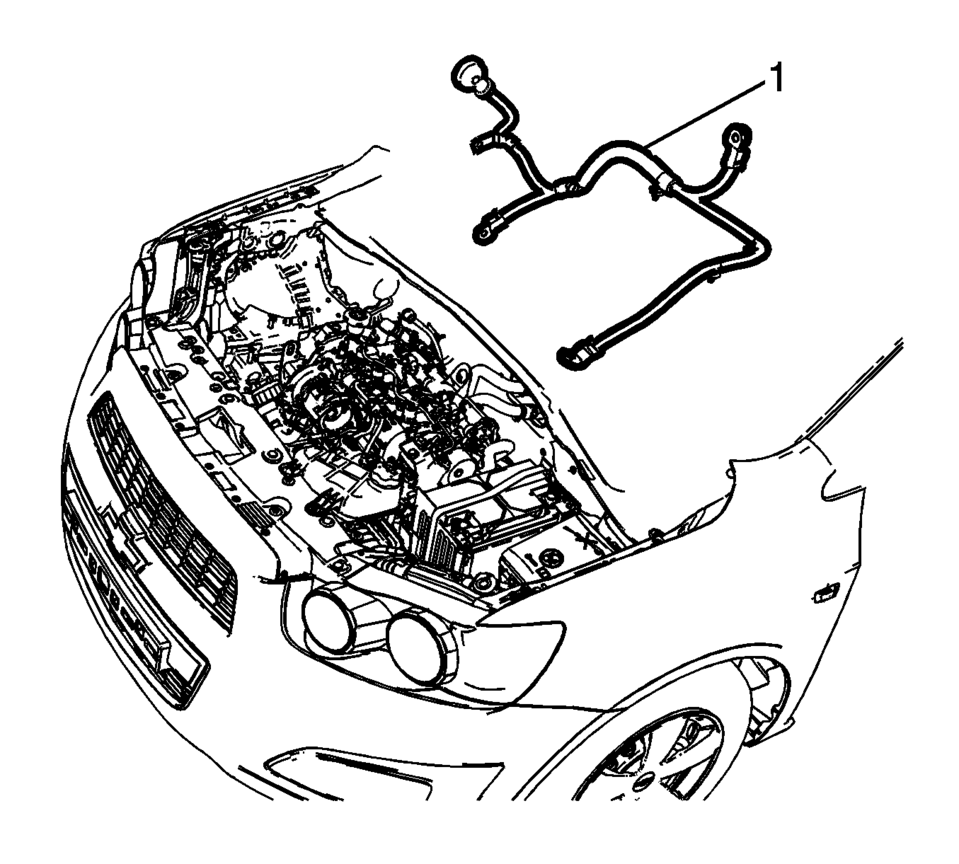
Note:
Visualize the routing of the battery positive and negative cable within the engine compartment.
- Installation Procedure
-
- Install the battery positive cable (3) to the back of the generator
and tighten nut (2) to 20 Y (15 lb ft)
.
- Install the battery positive cable (3) to the starter solenoid and tighten
nut (2) to 12 Y (9 lb ft)
.
- Install the battery negative cable to the starter and tighten the stud/nut (1)
to 25 Y (18 lb ft)
.
- Install the drivetrain and front suspension frame skid plate. Refer to Drivetrain and Front Suspension Frame Skid Plate Replacement.
- Install the battery negative cable nut (1) and the battery negative
cable (2), to the chassis frame stud and tighten to 22 Y (16 lb ft)
.
- Install the battery positive cable (2) to the battery positive cable
extension cable junction block and tighten nut (1) to 12 Y (9 lb ft)
.
- Install the battery tray. Refer to Battery Tray Replacement.
- Connect the negative battery cable. Refer to Battery Negative Cable Disconnection and Connection.
- Install the fuse block and battery positive cable cover.
Caution:
Refer to Fastener Caution.
- Install the battery positive cable (3) to the back of the generator
and tighten nut (2) to 20 Y (15 lb ft)
 Battery Positive Cable Replacement
Removal Procedure
Disconnect the negative battery cable. Refer to Battery Negative Cable
Disconnection and Connection.
Remove the underhood fuse block cover.
Remove the ...
 Battery Replacement
Removal Procedure
Open the hood.
Disconnect the negative battery cable. Refer to Battery Negative Cable
Disconnection and Connection.
Remove the battery retainer bo ...
Other materials:
Front Seat Cushion Outer Trim Panel Replacement
Front Seat Cushion Outer Trim Panel Replacement
Callout
Component Name
Preliminary Procedures
Remove the driver or passenger seat recliner handle. Refer to Front
Seat Back Recliner Handle Replacement
Remove the front seat ...
Selector and Shift Lever Cable Bracket Replacement
Removal Procedure
Remove the battery tray. Refer to
Battery Tray Replacement.
Disconnect the shift lever and selector lever cable
end (1) from the transmission shift lever and selector lever.
Pull the cable retainers (2) to release the shift
le ...
Remote engine start
Basic information
Example
The Nissan Armada remote engine start feature is activated using the dedicated
button on the Intelligent Key (if equipped), allowing the engine to be started conveniently
from outside the vehicle.
This advanced Nissan Armada functionality enhances comfort by en ...

0.0104