
Chevrolet Sonic Repair Manual: Mobile Telephone Microphone Replacement
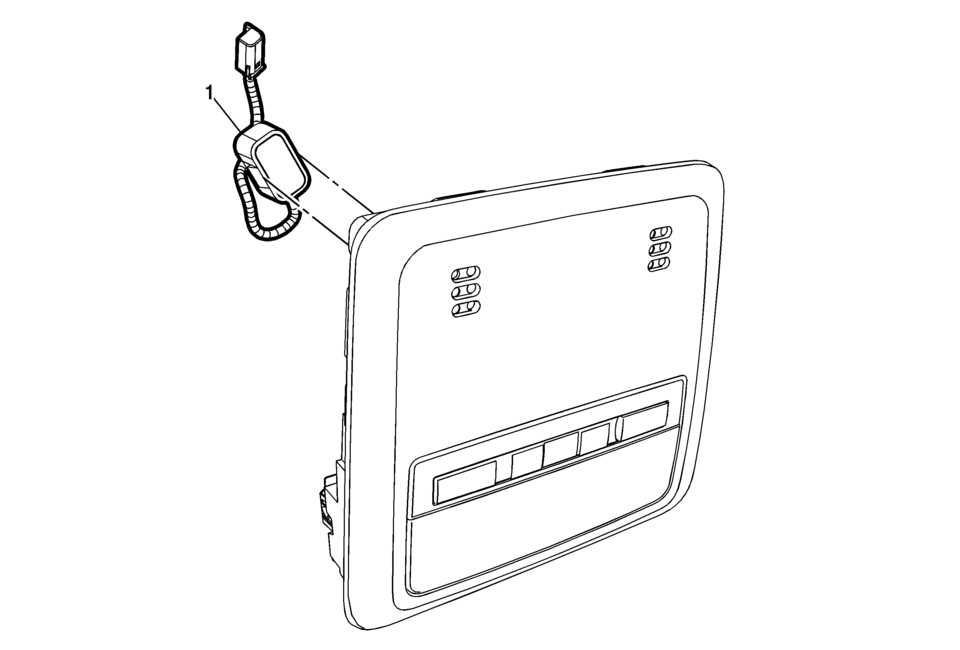
|
Callout |
Component Name |
|---|---|
|
Preliminary Procedure
Remove the dome lamp bezel. Refer to Dome Lamp Bezel Replacement. |
|
|
1 |
Mobile Telephone Microphone Procedure
Disconnect the electrical connector. |
 Communication Interface Module Replacement
Communication Interface Module Replacement
Callout
Component Name
Preliminary Procedure
Remove the instrument panel lower compartme ...
 OnStar Description and Operation
This OnStar® system consists of the following components:
Telematics communication interface control module
OnStar® three button assembly
Microphone
Cellular antenna
Navigation antenna
...
Other materials:
Mirror Adjustment
Exterior Mirrors
Manual Outside Mirrors
Move the control up, down, or side to side to adjust the mirror.
See Manual Mirrors.
Power Outside Mirrors
For vehicles with power outside mirrors:
Select the mirror by moving the selector switch to L for the driver
s ...
Battery Tray Replacement
Battery Tray Replacement
Callout
Component Name
Preliminary Procedures
Remove the battery. Refer to Battery Replacement.
Unclip the engine control module (ECM) bracket from the battery
tray and set aside.
Unclip the ...
Automatic Transmission Range Selector Lever Replacement
Removal Procedure
Set the park brake and chock the wheels.
Disconnect the transmission range selector lever cable
terminal (1) from the transmission manual shift lever pin.
Press the locking tabs inward in order to release
the transmission range selector lev ...

0.0071