
Chevrolet Sonic Repair Manual: Operation
- Radio Controls without Touchscreen
-
The infotainment system is operated by using the pushbuttons, multifunction knobs, menus shown on the display, and steering wheel controls, if equipped.
- Turning the System On or Off
-
- O /VOL (Power/Volume)
-
Press to turn the system on and off.
Automatic Switch-Off
If the infotainment system is on after the ignition is turned off, the system will turn off automatically after 10 minutes.
- Volume Control
-
- O /VOL (Power/Volume)
-
Turn to adjust the volume.
- 5 / > (Phone/Mute)
-
For vehicles with OnStar, press and hold 5 / > to mute the infotainment system. Press and hold 5 / > again, or turn the O /VOL knob to cancel mute.
For vehicles without OnStar, press 5 / > to mute the infotainment system. Press 5 / > again, or turn the O /VOL knob to cancel mute.
- Menu System
-
Controls
The MENU/TUNE knob, MENU/TUNE button, and / BACK button are used to navigate the menu system.
MENU/TUNE Knob:
Turn to:
- Enter the menu system.
- Highlight a menu option.
- Select a value.
MENU/TUNE Button:
Press to:
- Select or activate the highlighted menu option.
- Confirm a set value.
- Turn a system setting on or off.
/ BACK:
Press to:
- Exit a menu.
- Return from a submenu screen to the previous menu screen.
- Delete the last character in a sequence.
Selecting a Menu Option
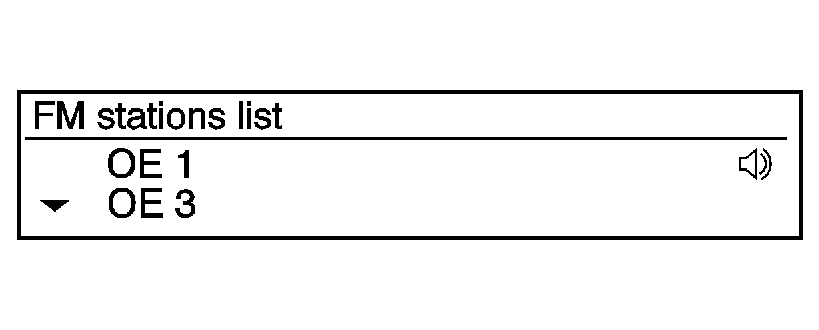
fm stations list oe oe3
- Turn the MENU/TUNE knob to move the highlighted bar.
- Press the MENU/TUNE button to select the highlighted option.
Submenus
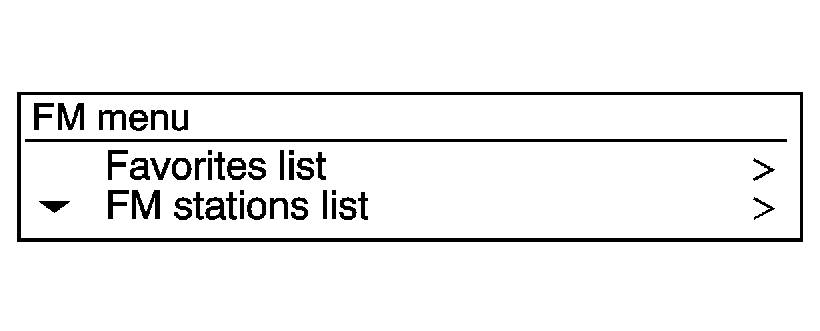
fm menu favorites list fm stations list
An arrow on the right-hand edge of the menu indicates that it has a submenu with other options.
Activating a Setting
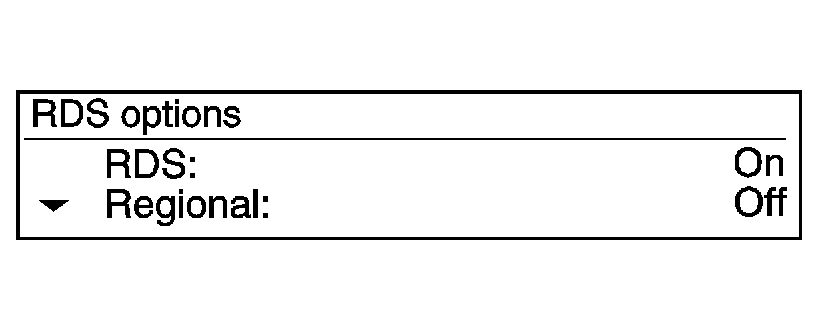
rds options rds: regional:
- Turn the MENU/TUNE knob to highlight the setting.
- Press the MENU/TUNE button to activate the setting.
Entering a Character Sequence
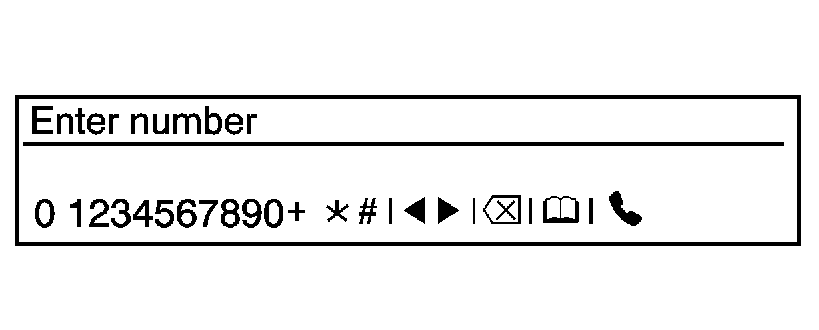
enter number q1234567890+ >k# iiiiii
- Turn the MENU/TUNE knob to highlight the setting.
- Press the MENU/TUNE button to select the character.
- Audio Settings
-
The audio settings can be set for each radio band and each audio player source.
To quickly reset an audio setting value to 0:
- Press the TONE button.
- Select the audio setting.
- Press and hold the MENU/TUNE button until the value changes to 0.
Press the / BACK button to go back to the Tone Settings menu.
Adjusting the Treble, Midrange, and Bass
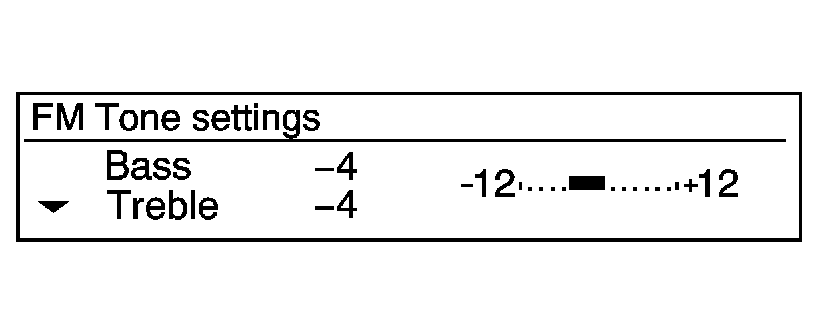
fm tone .......... ..+ treble -4
- Press the TONE button.
- Select Treble, Midrange, or Bass.
- Turn the MENU/TUNE knob to select the value between -12 and +12.
Press the / BACK button to go back to the Tone Settings menu.
Adjusting the Fader and Balance
- Press the TONE button.
- Select Fader or Balance.
- Turn the MENU/TUNE knob to select the value between -15 and +15.
Press the / BACK button to go back to the Tone Settings menu.
Adjusting the EQ (Equalizer)
For vehicles with an equalizer:
- Press the TONE button.
- Select EQ.
- Select the setting for Pop, Rock, Classical, Talk, or Country.
Press the / BACK button to go back to the Tone Settings menu.
- System Settings
-
Configuring the Number of Favorite Pages
fm menu favorites list fm stations list
To configure the number of available favorite pages:
- Press the MENU/TUNE button.
- Select FM menu.
- Select Favorites list.
- Select the number of available favorite pages.
- Press the / BACK button to go back to the System Configuration menu.
Auto Volume
The auto volume feature automatically adjusts the radio volume to compensate for road and wind noise as the vehicle speeds up or slows down, so that the volume level is consistent.
The level of volume compensation can be selected, or the auto volume feature can be turned off.
- Press the MENU/TUNE button.
- Select Radio Settings.
- Select Auto volume control.
- Select the setting.
- Press the / BACK button to go back to the System Configuration menu.
- Radio Controls with Touchscreen
-
The infotainment system is operated by using the pushbuttons, menus shown on the display, and steering wheel controls.
Turning the System On or Off
- O (Power)
-
Press and hold to turn the radio on and off.
Automatic Switch-Off
If the infotainment system has been turned on after the ignition is turned off, the system will turn off automatically after 10 minutes.
Volume Control
- z VOL y (Volume)
-
Press to increase or decrease the volume or press the volume bar.
- > (Mute)
-
Press z VOL y, then press > to mute and unmute the system.
- System Settings
-
Auto Volume
This feature automatically adjusts the radio volume to compensate for road and wind noise.
The level of volume compensation can be selected, or the feature can be turned off.
- Press D.
- Select Settings.
- Select Radio Settings.
- Select the setting by pressing S or T.
- Press 4.
Audio Settings
The audio settings can be set for each radio band and each audio player source.
- Tone Settings
-
Press menu, then tone settings from the AM or FM menu.
- EQ (Equalizer): Press S or T to select a sound style or turn off the sound style.
- Bass, Mid (Midrange), or Treble: Press − or + to change the desired sound style from −12 to +12.
- Fader or Balance: Adjust the front/rear or left/right speakers.
- Reset: Restore the settings back to default settings.
Press OK to exit Tone Settings.
 Infotainment
Determine which radio the vehicle has and read the following pages to become
familiar with its features.
Warning: Taking your eyes off the road for extended periods could
cause a crash resul ...
 Overview (AM-FM Radio)
45tune<=backtoneseekl>klseekpushmenu101112131415
FAV 1-2-3 (Favorites)
Radio: Opens the favorites list.
O /VOL (Power/Volume)
Turns the system on or off and adjusts the vol ...
Other materials:
Front Side Door Window Replacement
Front Side Door Window Replacement
Callout
Component Name
Warning: Refer to Glass and Sheet Metal Handling Warning.
Preliminary Procedures
Remove the front side door trim panel. Refer to Front Side Door
Tr ...
Instrument Panel Lower Airbag Replacement - Passenger Side
Instrument Panel Lower Airbag Replacement - Passenger Side
Callout
Component Name
Warning: Refer to SIR Inflator Module Handling and Storage
Warning.
Warning: Refer to SIR Warning.
Preliminary Procedu ...
Clutch Pedal Position Sensor Replacement
Removal Procedure
Remove the instrument panel lower trim pad cover.
Refer to Instrument Panel Lower Trim Pad Cover Replacement.
Remove the clutch pedal position sensor bolt (2).
Remove the clutch pedal position sensor (1).
Disconnect the clu ...

0.0076