
Chevrolet Sonic Repair Manual: Timing Belt Installation
Special Tools
- EN-6333 Locking Pin
- EN-6340 Locking Tool
For equivalent regional tools, refer to Special Tools.
- Turn the crankshaft in the direction of engine rotation, by the crankshaft balancer bolt, to cylinder 1 TDC of combustion stroke.
- Prepare the right half of the EN-6340 locking tool .
- Remove the 2 bolts (2).
- Detach the front panel (1) from the EN-6340 locking tool - right.
- The spot type marking (4) on the intake camshaft adjuster does not correspond to the groove of the EN-6340 locking tool - left (1) during this process, but must be somewhat above.
- The spot type marking (3) on the exhaust camshaft adjuster must correspond to the groove on EN-6340 locking tool - right (2).
- Insert the EN-6340 locking tool - left (1) and the EN-6340 locking tool - right (2) in the camshaft adjuster.
- Insert the timing belt (1).
- Apply tension to the timing belt tensioner (2) in the direction of the arrow, using an Allen key (1).
- Remove the EN-6333 locking pin (3).
- Release tension on timing belt tensioner.
- Remove the EN-6340 locking tool .
- Check position of the camshaft sprocket.
- Turn crankshaft 720° in the direction of engine rotation by the crankshaft balancer bolt.
- Insert EN-6340 locking tool into camshaft sprockets.
- Check the crankshaft position.

Note:
The timing belt drive gear and oil pump housing must align.
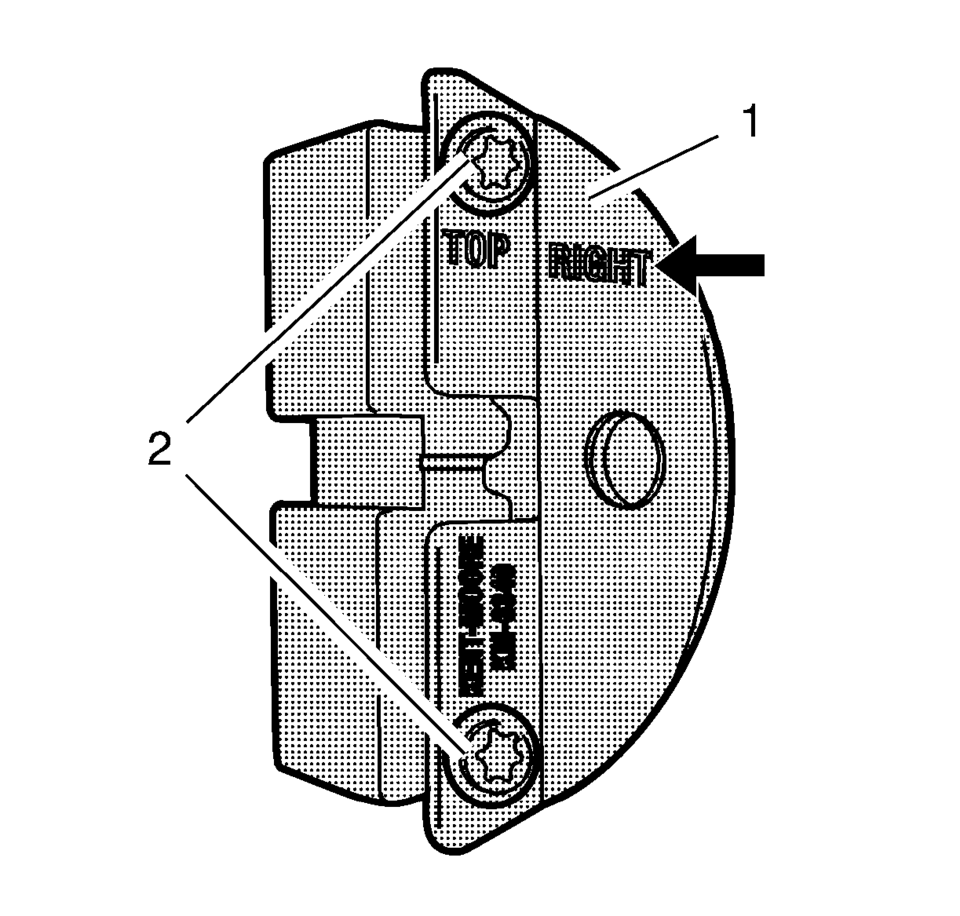
Note:
The right half of the EN-6340 locking tool can be recognized by the lettering right, arrow, on the tool.
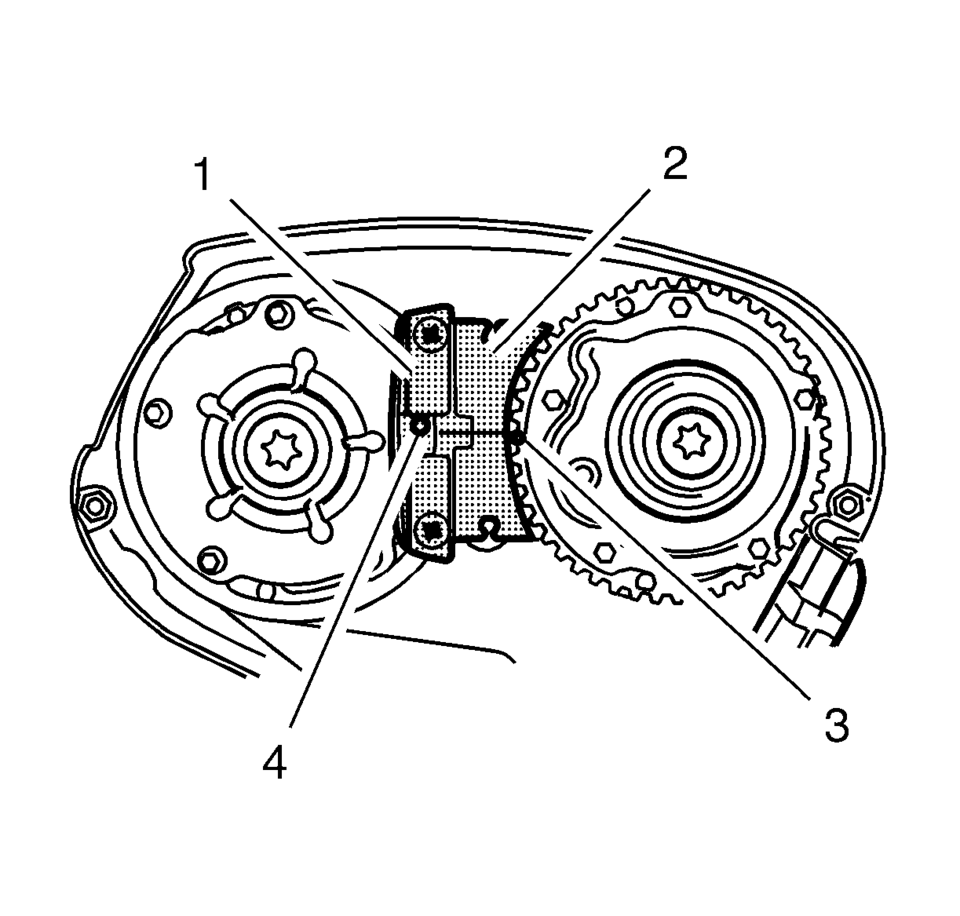
Note:
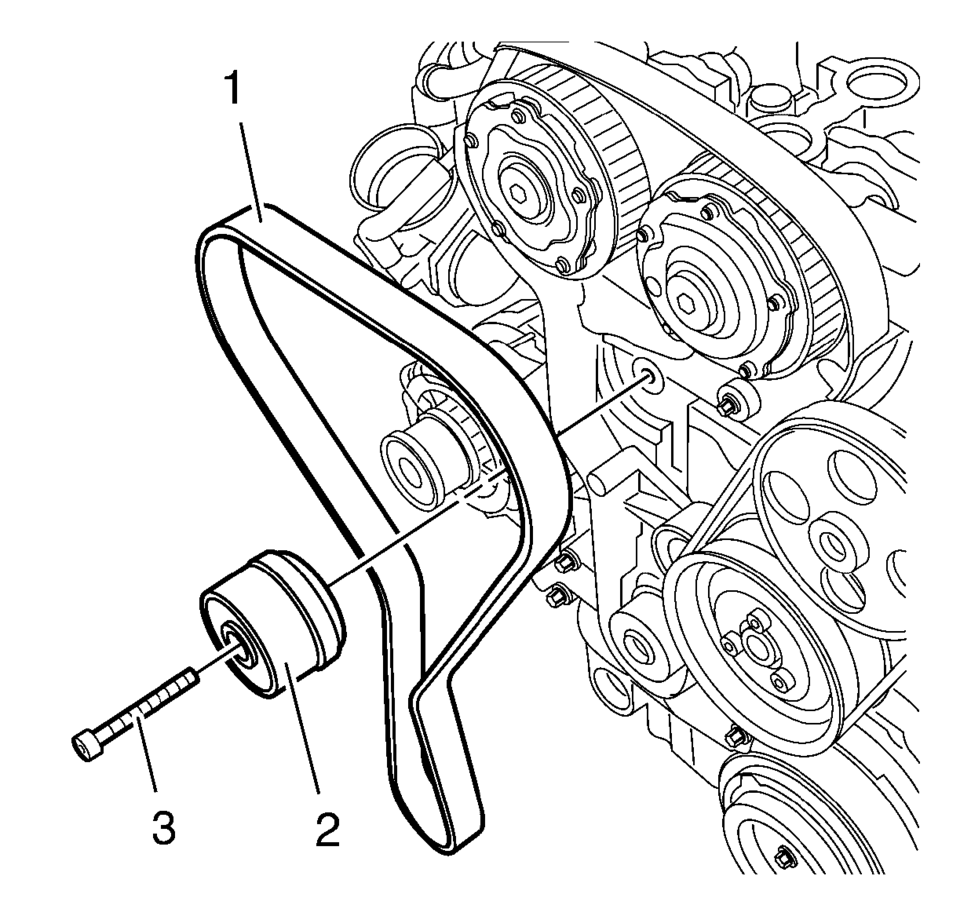
Note:
Observe direction of rotation.
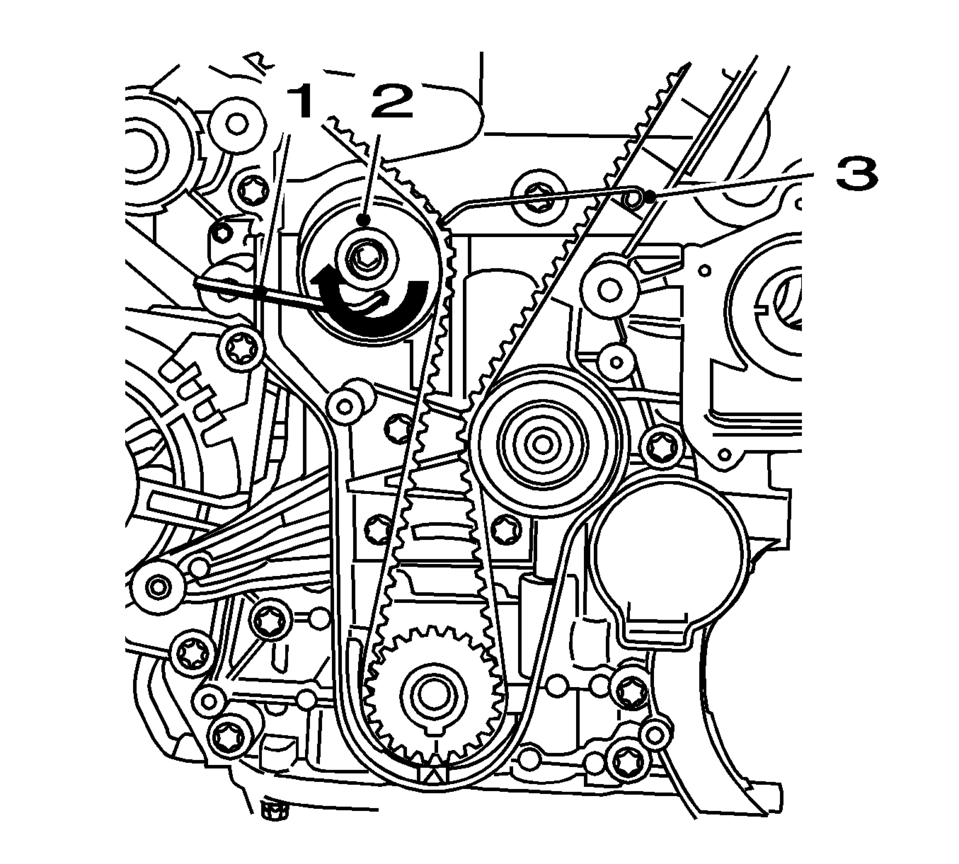
Note:
The timing belt tensioner moves automatically to the correct position.
Note:
Note the marking on the camshaft sprocket.
Note:
The timing belt drive gear and oil pump housing must align.
 Timing Belt Inspection
Special Tools
EN-6340 Locking Tool
EN-6628-A Locking Tool
For equivalent regional tools, refer to Special Tools.
Removal Procedure
Remove the timing belt upper front cover. Ref ...
 Timing Belt Lower Front Cover Installation
Caution: Refer to Fastener Caution.
Install the timing belt cover (1) and tighten the 4 timing belt lower front cover
bolts (2) to 6 Y (53 lb in ...
Other materials:
Thrust Angles Description
The front wheels aim or steer the vehicle. The rear wheels control tracking.
This tracking action relates to the thrust angle (3). The thrust angle is the path
that the rear wheels take. Ideally, the thrust angle is geometrically aligned with
the body centerline (2).
In the i ...
Piston and Connecting Rod Disassemble
Remove the piston with connection rod. Refer to Piston, Connecting Rod,
and Bearing Removal.
Note: Note installation position of the piston in respect of the
connection rod.
Detach the piston from the connection rod.
Note: Do not damage the bore.
Remove ...
Electronic Park Lock Description and Operation
If the vehicle is equipped with automatic transmission and a floor mounted console
gear shift, it has an electronic park lock system (EPL). The EPL system purpose
is to prevent the ignition key from being turned to the OFF position when the transmission
is in any position other than PARK and t ...

0.0096