
Chevrolet Sonic Repair Manual: Battery Replacement
- Removal Procedure
-
- Open the hood.
- Disconnect the negative battery cable. Refer to Battery Negative Cable Disconnection and Connection.
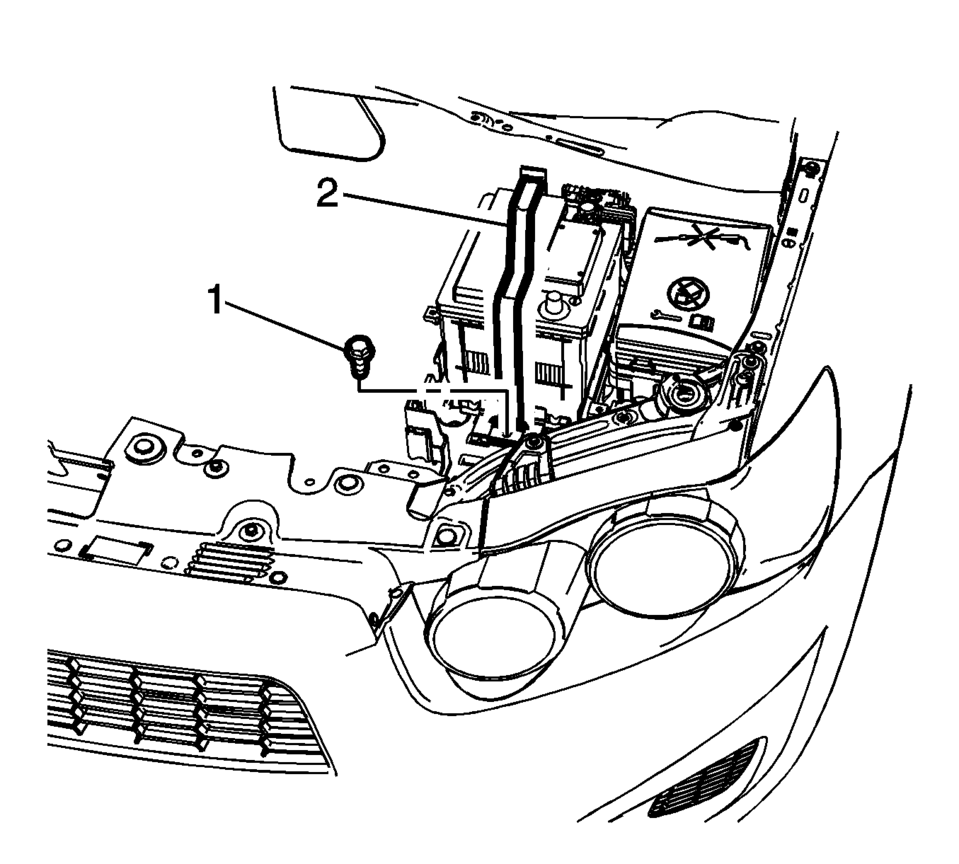
- Remove the battery retainer bolt (1) and the battery retainer (2).
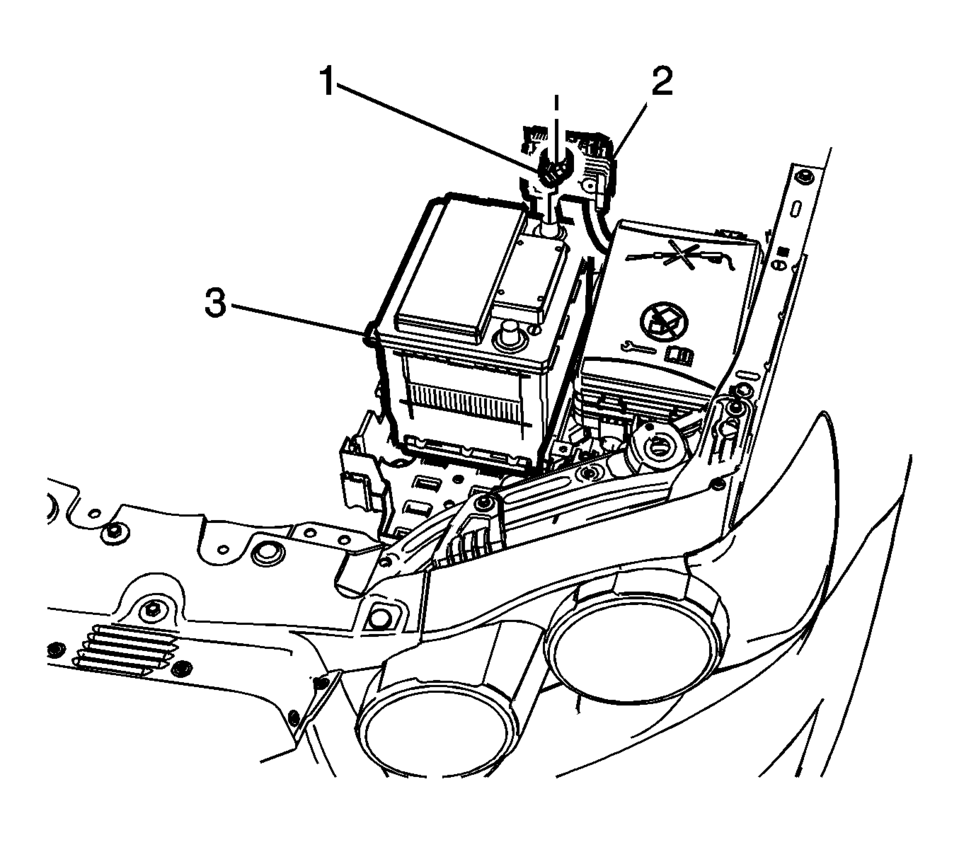
- Loosen the battery positive cable junction bolt (1).
- Remove the battery positive cable with the junction block (2) from the battery.
- Remove the battery (3) from the battery tray floor.
- Installation Procedure
-
- Install the battery (3) to the battery tray floor..
- Install the battery positive cable with junction block (2) to the battery (3).
- Install the battery retainer (2).
- Tighten the battery retainer bolt (1) to 22 Y (16 lb ft)
.
- Connect the negative battery cable. Refer to Battery Negative Cable Disconnection and Connection.
Caution:
Refer to Fastener Caution.
 Battery Positive and Negative Cable Replacement
Removal Procedure
Disconnect the negative battery cable. Refer to Battery Negative Cable
Disconnection and Connection.
Remove the fuse block and battery positive cable cover.
...
 Communication Interface Module Battery Replacement
Communication Interface Module Battery Replacement
Callout
Component Name
Preliminary Procedure
Remove the instrument panel low ...
Other materials:
Roadside Assistance Program
For U.S.-purchased vehicles, call 1-800-243-8872; (Text Telephone (TTY): 1-888-889-2438).
For Canadian-purchased vehicles, call 1-800-268-6800.
Service is available 24 hours a day, 365 days a year.
Calling for Assistance
When calling Roadside Assistance, have the following information ready:
...
Battery Positive Cable Replacement
Removal Procedure
Disconnect the negative battery cable. Refer to Battery Negative Cable
Disconnection and Connection.
Remove the underhood fuse block cover.
Remove the battery positive nut (1) and the battery positive cable (2),
from the underhood fus ...
Types of tires
Basic information
WARNING
When replacing tires on your Nissan Armada, always ensure that all four
tires are identical in type (for example: Summer, All Season, or Snow) as well
as in construction.
Using mismatched tires can negatively impact vehicle stability, handling,
and safety ...

0.0048