
Chevrolet Sonic Repair Manual: Body Control Module Replacement
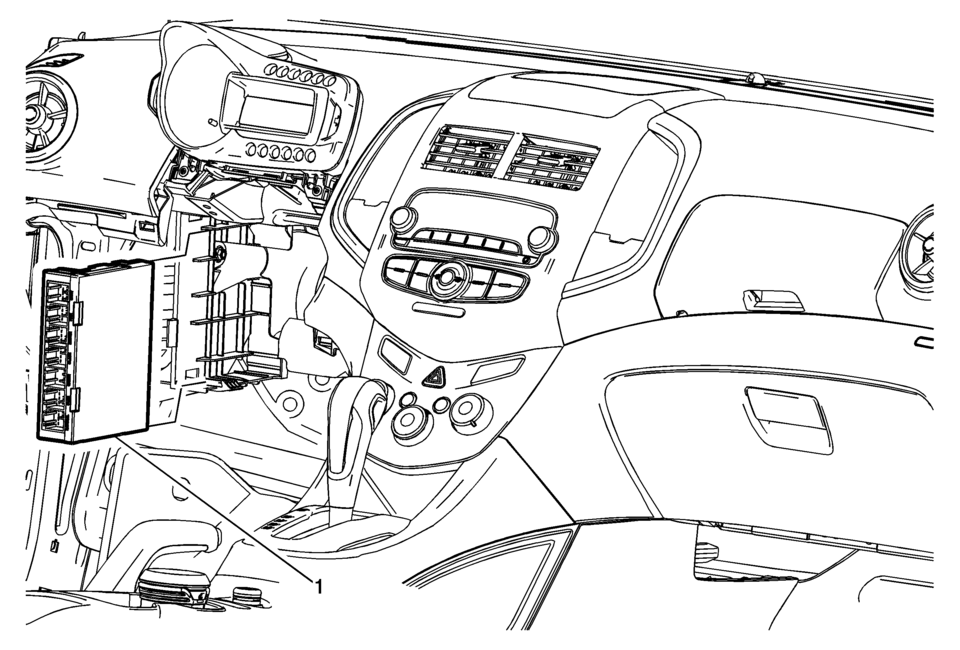
|
Callout |
Component Name |
|---|---|
|
Preliminary Procedure
Remove the instrument panel lower trim pad cover. Refer to Instrument Panel Lower Trim Pad Cover Replacement |
|
|
1 |
Body Control Module Procedure
|
 Body Control Module Programming and Setup
Note:
DO NOT program a control module unless directed to by a service procedure
or a service bulletin. If the control module is not properly configured
with the correct calibration s ...
 Body Control System Description and Operation
The body control system consists of the body control module (BCM), communications,
and various input and outputs. Some inputs, outputs and messages require other modules
to interact with the BCM. ...
Other materials:
Radio Controls with Touchscreen
The infotainment system is operated by using the pushbuttons, menus shown on
the display, and steering wheel controls.
Turning the System On or Off
(Power): Press and hold to turn
the radio on and off.
Automatic Switch-Off
If the infotainment system has been turned on after the ignition is ...
Radio Controls with Touchscreen
Audio Source Menu
VOL
(Volume): Press to increase or decrease
the volume.
(Power): Press and hold to turn the
system on and off.
(Home Page): Press to enter the Home
Page. ...
Driving recorder system interface
Touch "
"
on the Launch Bar to access the applications menu.
Select the "Dash Cam" key to open the Nissan Armada driving recorder interface.
The "Dash Cam" shortcut can also be configured within the home screen of the
Nissan Armada touchscreen display for quicker ...

0.0083