
Chevrolet Sonic Repair Manual: Body Side Frame Rocker Reinforcement Replacement
- Removal Procedure
-
- Disable the SIR system. Refer to SIR Disabling and Enabling.
- Disconnect the negative battery cable. Refer to Battery Negative Cable Disconnection and Connection.
- Remove all related panels and components.
- Repair as much of the damage as possible to factory specifications. Refer to Dimensions - Body.
- Remove the sealers and anti-corrosion materials from the repair area, as necessary. Refer to Anti-Corrosion Treatment and Repair.
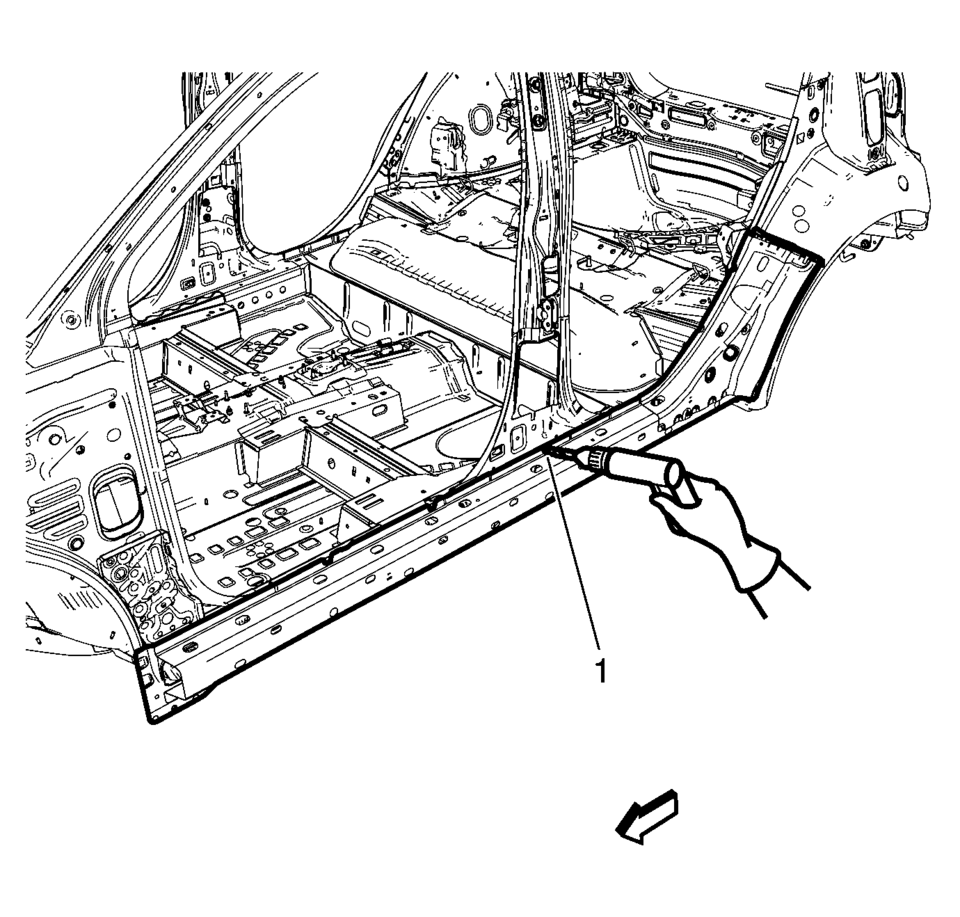
- Locate and mark all the necessary factory welds of the body side frame rocker reinforcement.
- Drill all factory welds (1). Note the number and location of welds for installation of the service assembly.
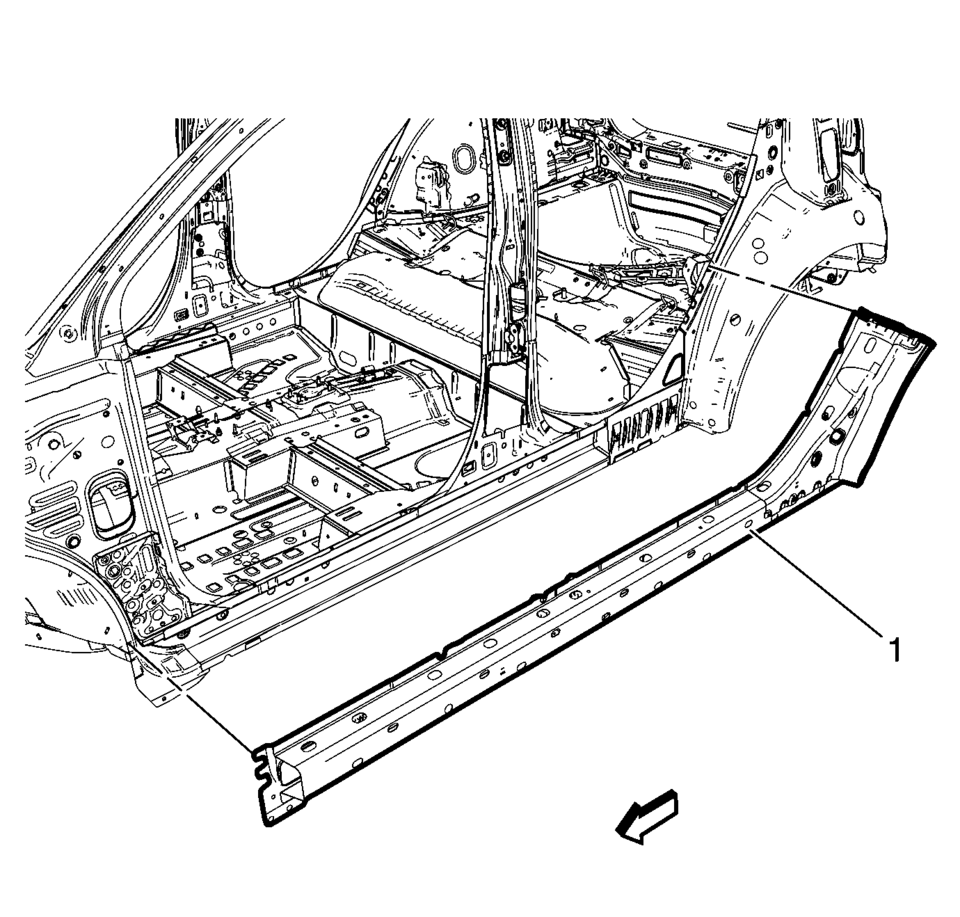
- Remove the damaged body side frame rocker reinforcement (1).
Warning:
Refer to Approved Equipment for Collision Repair Warning.
Warning:
Refer to Glass and Sheet Metal Handling Warning.
Note:
The body side frame rocker reinforcement is made of Ultra High Strength Dual Phase Steel and should be replaced only at factory joints. Repairing or sectioning of this part is not recommended. Refer to Ultra High Strength Dual Phase Steel.
..
- Installation Procedure
-
- Align the body side frame rocker reinforcement.
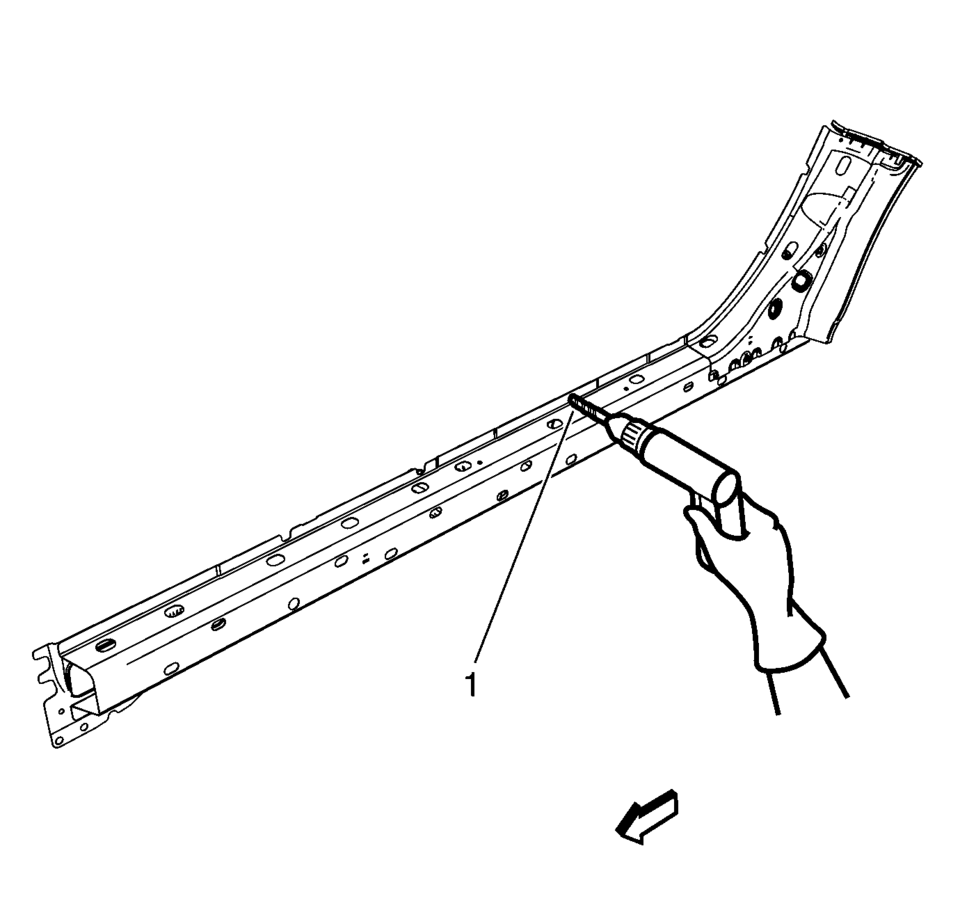
- Drill a 8?€‰mm (5/16?€‰in)
holes for plug welding along the edges of the quarter outer panel (1) as noted from the original panel.
- Clean and prepare the attaching surfaces for welding.
- Position the body side frame rocker reinforcement on the vehicle (1).
- Verify the fit of the body side frame rocker reinforcement.
- Clamp the body side frame rocker reinforcement into position.
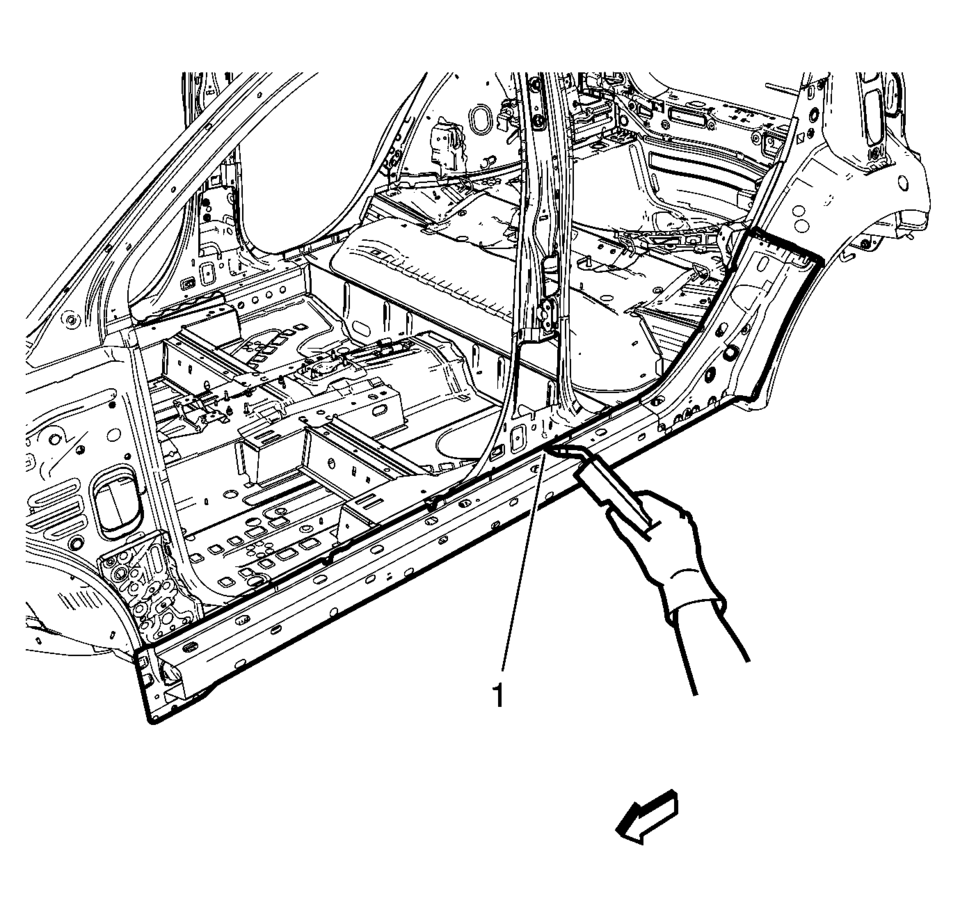
- Plug the weld accordingly (1).
- Apply the sealers and anti-corrosion materials to the repair area, as necessary. Refer to Anti-Corrosion Treatment and Repair.
- Paint the repaired area. Refer to Basecoat/Clearcoat Paint Systems.
- Install all related panels and components.
- Connect the negative battery cable. Refer to Battery Negative Cable Disconnection and Connection.
- Enable the SIR system. Refer to SIR Disabling and Enabling.
(\ ..

 Driver or Passenger Seat Back Cushion Frame Replacement
Driver or Passenger Seat Back Cushion Frame Replacement
Callout
Component Name
Preliminary Procedures
Remove the driver or passenge ...
Other materials:
Evaporative Emission Canister Replacement
Removal Procedure
Raise and support the vehicle. Refer to Lifting and Jacking the Vehicle.
Remove the EVAP canister cover fasteners (1) and cover (2).
Warning: Do not breathe the air through the EVAP component
tubes or hoses. The fuel vapors inside t ...
Lane Change Assist (ProPILOT Assist 2.1)
Basic information
Lane Change Assist in the Nissan Armada is an advanced feature of ProPILOT Assist
2.1, designed to support the driver during lane changes under appropriate conditions.
Before using this system, it is recommended to fully understand the ProPILOT Assist
functionality and its o ...
How to turn off the VDC system
The Nissan Armada should normally be driven with the Vehicle Dynamic Control
(VDC) system activated, as it plays a critical role in maintaining stability, traction,
and overall vehicle control in a wide range of driving conditions.
However, in certain situations—such as when the Nissan Armada ...

0.0084