
Chevrolet Sonic Repair Manual: Brake Fluid Level Indicator Switch Replacement
- Removal Procedure
-
- Disconnect the brake fluid level indicator switch electrical connector.
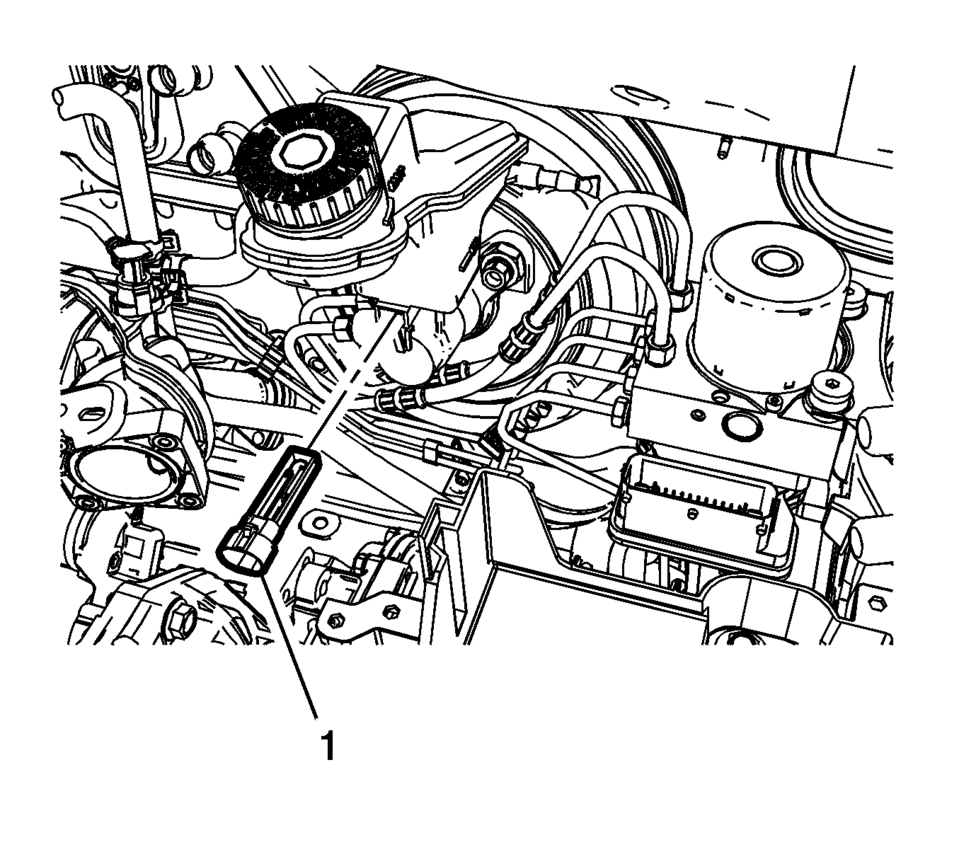
- Using a small, flat-bladed tool, lift the locking tab on the underside of the brake fluid level indicator switch (1) and remove the switch.
- Inspect the master cylinder reservoir for damage and replace, if necessary. Refer to Master Cylinder Reservoir Replacement.
- Installation Procedure
-
- Install the master cylinder reservoir, if removed. Refer to Master Cylinder Reservoir Replacement.
- Install the brake fluid level indicator switch (1) by pressing the switch firmly into the brake master cylinder reservoir.
- Connect the brake fluid level indicator switch electrical connector.
 Automatic Transmission Control Indicator Opening Cover Replacement
Automatic Transmission Control Indicator Opening Cover Replacement
Callout
Component Name
Preliminary Procedure
Remove the fron ...
 Brake System Warning Light
The vehicle brake system consists of two hydraulic circuits. If one circuit is
not working, the remaining circuit can still work to stop the vehicle. For normal
braking performance, both circuits ...
Other materials:
Liftgate Window Replacement
Special Tools
BO-24402-A Glass Sealant Remover (Cold Knife)
BO-39032 Stationary Glass Removal Tool
Use an adhesive that is approved by GM
For equivalent regional tools, refer to Special Tools
Removal Procedure
Warning: Refer to Cracked Window Warning.
Note ...
Front Seat Cushion Inner Trim Panel Replacement
Front Seat Cushion Inner Trim Panel Replacement
Callout
Component Name
1
Driver or Passenger Seat Inner Recliner Finish Cover Cap
Procedure
Use a flat-bladed tool to release the cap from the recliner cover.
...
Automatic Transmission Fluid Pressure Test Hole Plug Replacement
Automatic Transmission Fluid Pressure Test Hole Plug Replacement
Callout
Component Name
1
Fluid Pressure Test Plug
Caution: Refer to Component Fastener
Tightening Caution.
Tighten
12 Y (106& ...

0.0097