
Chevrolet Sonic Repair Manual: Brake Shoe Replacement (J93, J94)
- Removal Procedure
-
- Raise and support the vehicle. Refer to Lifting and Jacking the Vehicle.
- Remove the tire and wheel assembly. Refer to Tire and Wheel Removal and Installation.
- Remove the brake drum. Refer to Brake Drum Replacement.
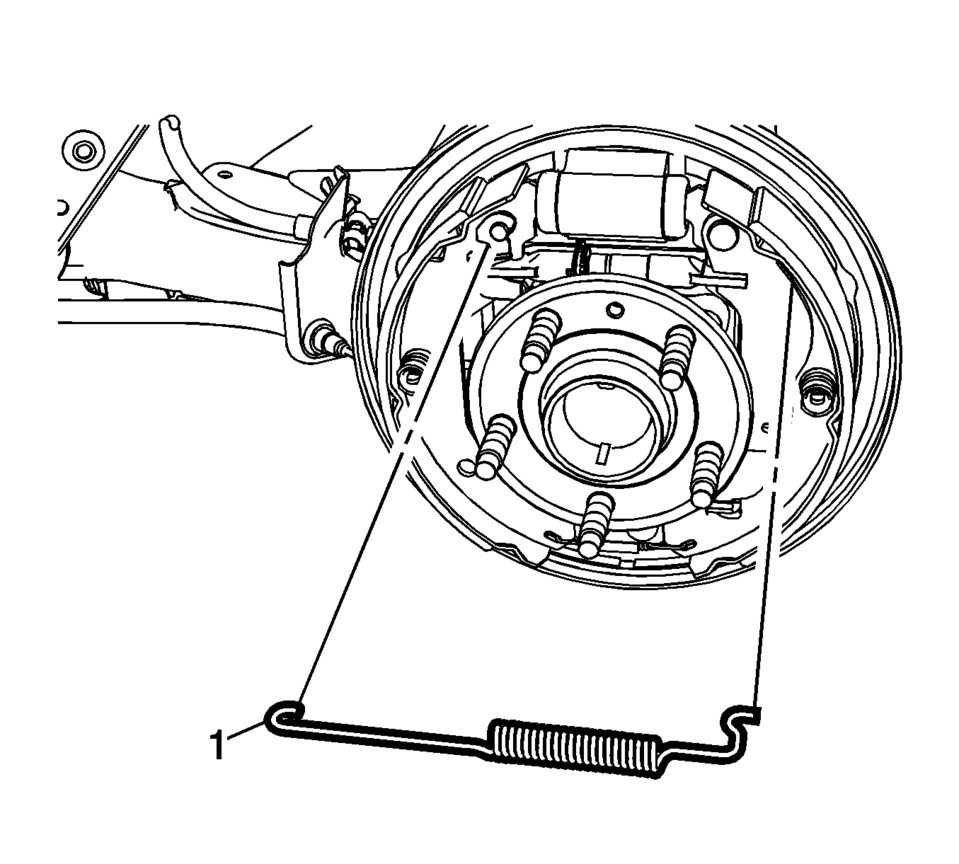
- Remove the upper brake shoe return spring (1).
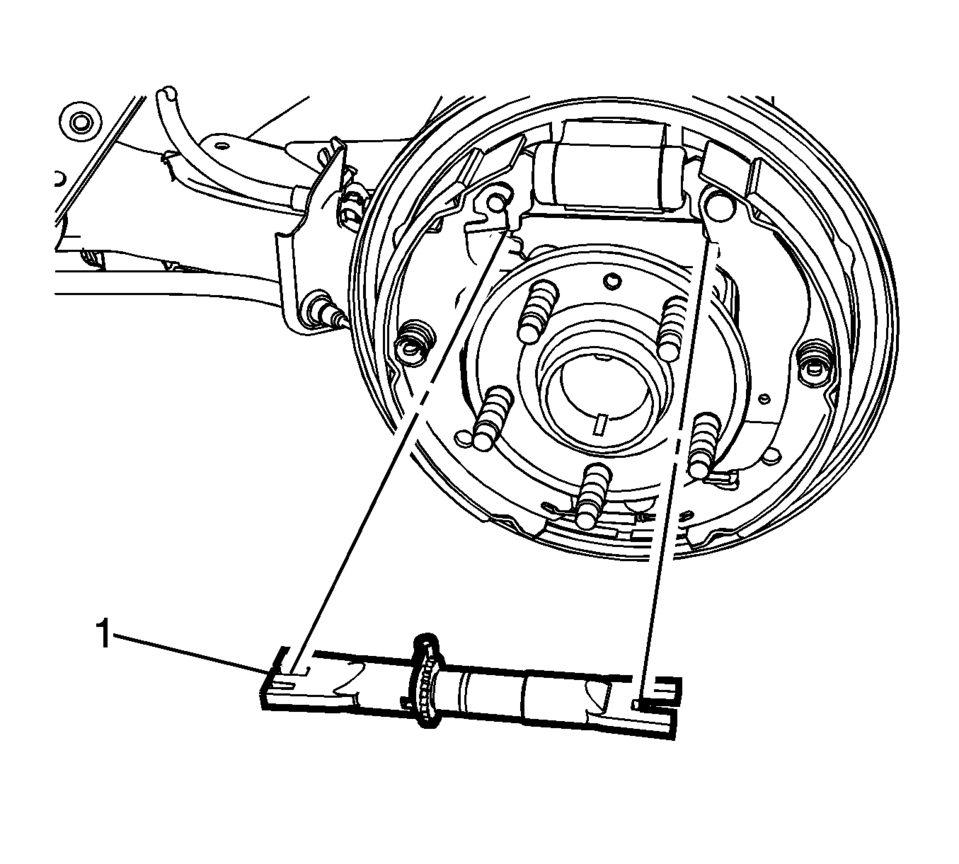
- Remove brake shoe adjuster (1).
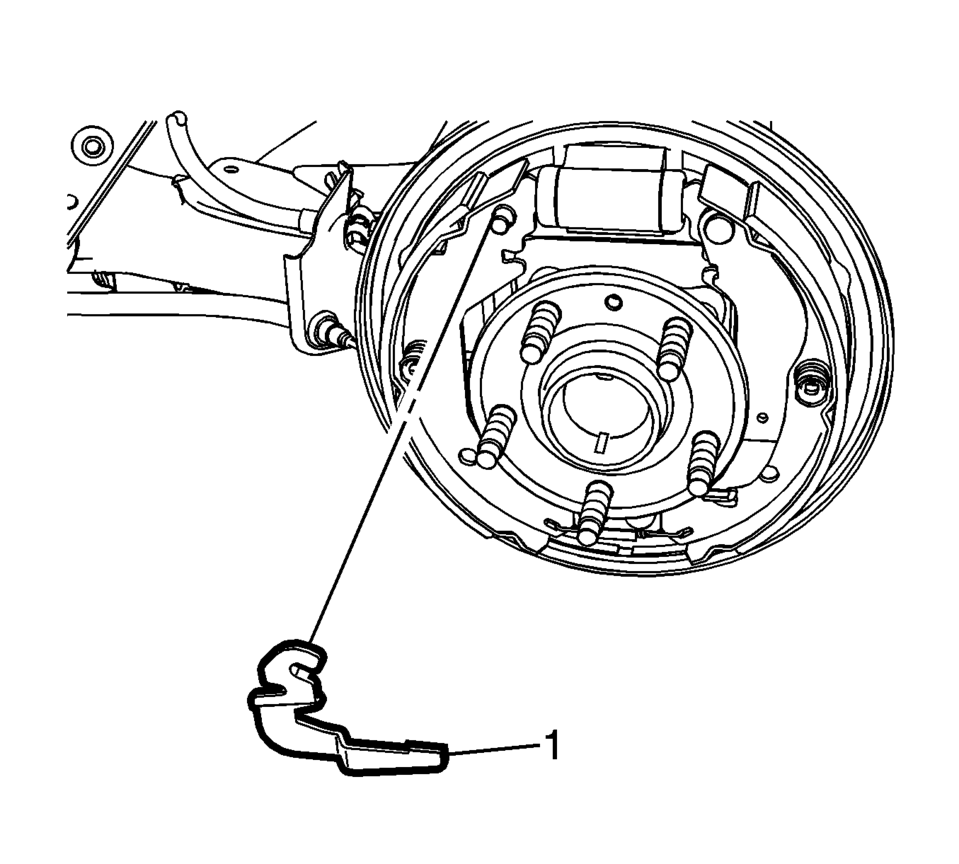
- Remove the brake shoe adjuster actuator lever (1).
- Remove the brake shoe hold down spring and cup assemblies (1) by compressing the spring and rotating the assembly 1/4 turn.
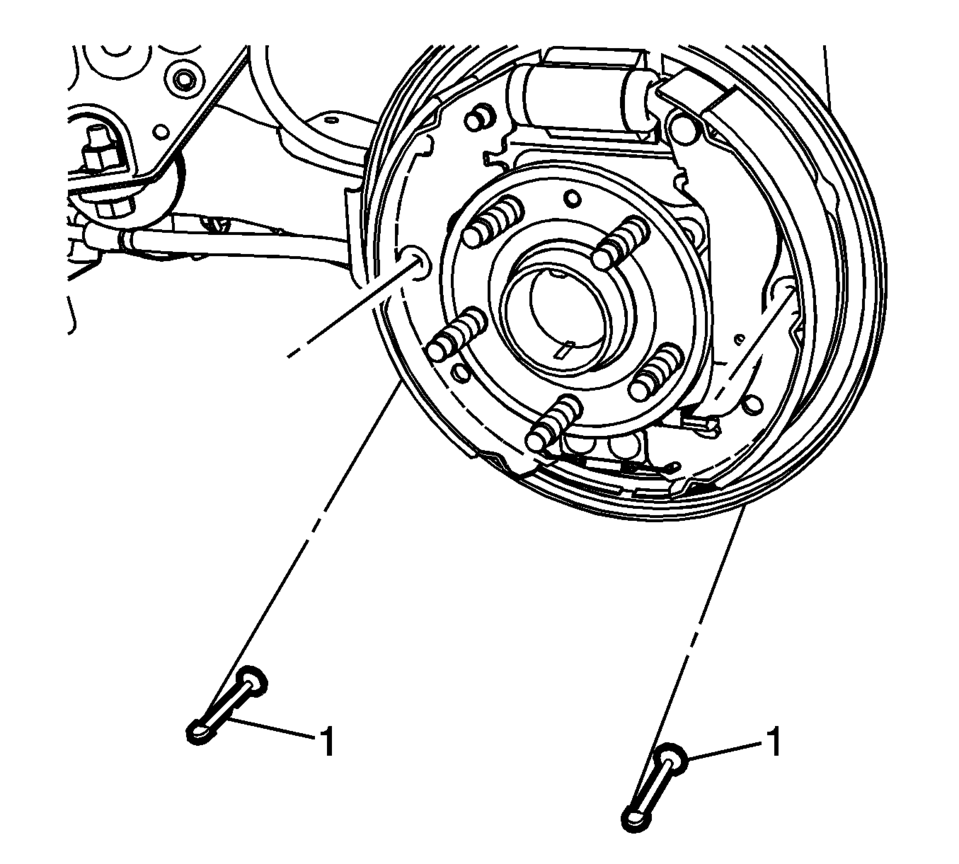
- Remove the hold down spring and cup assembly pins (1).
- Spread the top of the brake shoe assembly (1) and lift the assembly over the wheel hub.
- Release the park brake actuator lever from the park brake cable eyelet.
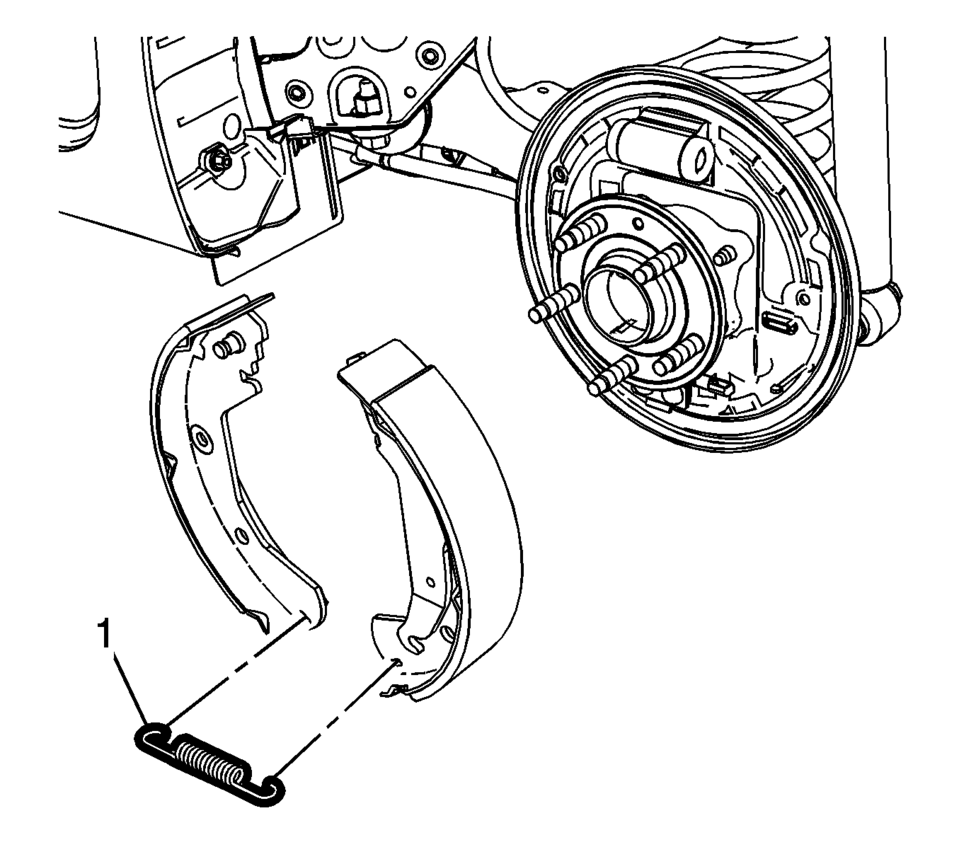
- Remove the lower brake shoe return spring (1).
- Inspect the drum brake hardware and replace any components, as necessary. Refer to Drum Brake Hardware Inspection.
Warning:
Refer to Brake Dust Warning.
Note:
Always replace brake shoes in axle sets.


- Installation Procedure
-
- Clean the drum brake backing plate of any dirt and debris.
- Apply a light coat of high temperature brake lubricant to the brake drum backing plate shoe contact surfaces.
- Install the lower brake shoe return spring (1).
- Install the park brake actuator lever to the park brake cable eyelet.
- Spread the top of the brake shoe assembly (1) and lift the assembly over the wheel hub.
- Position the brake shoe assembly to the drum brake backing plate.
- Install the hold down spring and cup assembly pins (1).
- Install the brake shoe hold down spring and cup assemblies (1) by compressing the spring and rotating the assembly 1/4 turn.
- Install the brake shoe adjuster actuator lever (1).
- Install brake shoe adjuster (1).
- Install the upper brake shoe return spring (1).
- Adjust the drum brakes. Refer to Drum Brake Adjustment.
- Install the brake drum. Refer to Brake Drum Replacement.
- Install the tire and wheel assembly. Refer to Tire and Wheel Removal and Installation.
 Special Tools
Illustration
Tool Number/Description
CH 21177
J 21177-A
Drum to Brake Shoe Clearance Gauge
...
 Hydraulic Brakes
...
Other materials:
Delayed Locking
This feature delays the actual locking of the doors until five seconds after
all doors are closed. Delayed locking can only be turned on when the Unlocked Door
Anti Lockout feature has been turned off.
When is pressed on the driver or
passenger door power lock switch while the door is open, ...
Dinghy Towing All except RS Model with Automatic Transmission
When dinghy towing a vehicle with an automatic transmission, the vehicle should
be run at the beginning of each day and at each RV fuel stop for about five minutes.
This will ensure proper lubrication of transmission components.
To dinghy tow the vehicle from the front with all four wheels on ...
Exhaust Front Pipe Replacement (LUV,LUW)
Removal Procedure
Warning: Refer to Exhaust Service Warning.
Remove the drivetrain and front suspension frame skid plate. Refer to
Drivetrain and Front Suspension Frame Skid Plate Replacement.
Disconnect the heated oxygen sensor-2. Refer to Heated Oxygen Sensor
Rep ...

0.0074