
Chevrolet Sonic Repair Manual: Clutch and Differential Housing Cleaning and Inspection
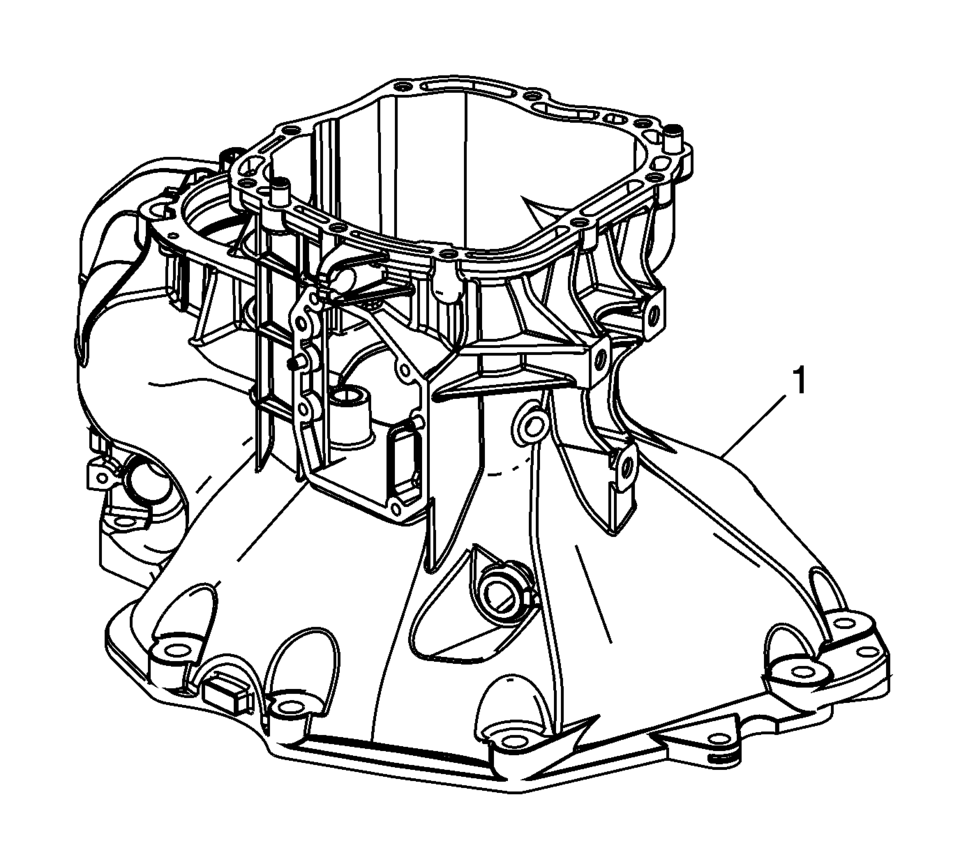
- Clean the clutch housing (1) with a suitable solvent. Air dry all the parts.
- Inspect the clutch housing for the following conditions:
Warning:
Wear safety glasses to avoid injury when using compressed air or any cleaning solvent. Bodily injury may occur if fumes are inhaled or if skin is exposed to chemicals.
- Cracks
Replace the clutch housing if cracks are found.
- Scratches
- Burrs
- Nicked mounting surfaces
- Damaged sealing surfaces
- Damaged front or rear bearing bores
- Damaged alignment pins
 Clutch and Differential Housing Assemble
Special Tools
R-0007761 Universal Handle for Pullers and Installers
R-0407009 Countershaft Front Bearing Driver
R-0407010 Input Shaft Needle Bearing Puller and Driver
R-0407014 Gearshift De ...
 Clutch and Differential Housing Disassemble
Special Tools
M-680770 Universal Sliding Mallet
R-0007758 Holding Fixture
R-0407008 Counter Shaft Bearing Remover
R-0407010 Input Shaft Needle Bearing Puller and Driver
R-0407013 Gearshi ...
Other materials:
Outside Rearview Mirror Remote Control Switch Replacement
Outside Rearview Mirror Remote Control Switch Replacement
Callout
Component Name
Preliminary Procedure
Remove the front side door widow switch bezel. Refer to Front Side Door
Window Switch Bezel Replacement.
...
Engine Block Disassemble
Remove the cylinder head locating (1, 2).
Remove the oil pressure switch (1).
Remove the knock sensor bolt (2) and the knock sensor (1).
Clean the thread.
Remove the oil flow check valve (1).
Remove the oil pressure rel ...
The C300 competes well on fuel economy
Title: "2023 Mercedes-Benz C300: A Detailed Look at Efficiency, Interior, and Customization Options"
The 2023 Mercedes-Benz C300 presents a compelling choice for luxury sedan enthusiasts, offering a blend of performance, efficiency, and customizable features. Here's a breakdown of wh ...

0.0061