
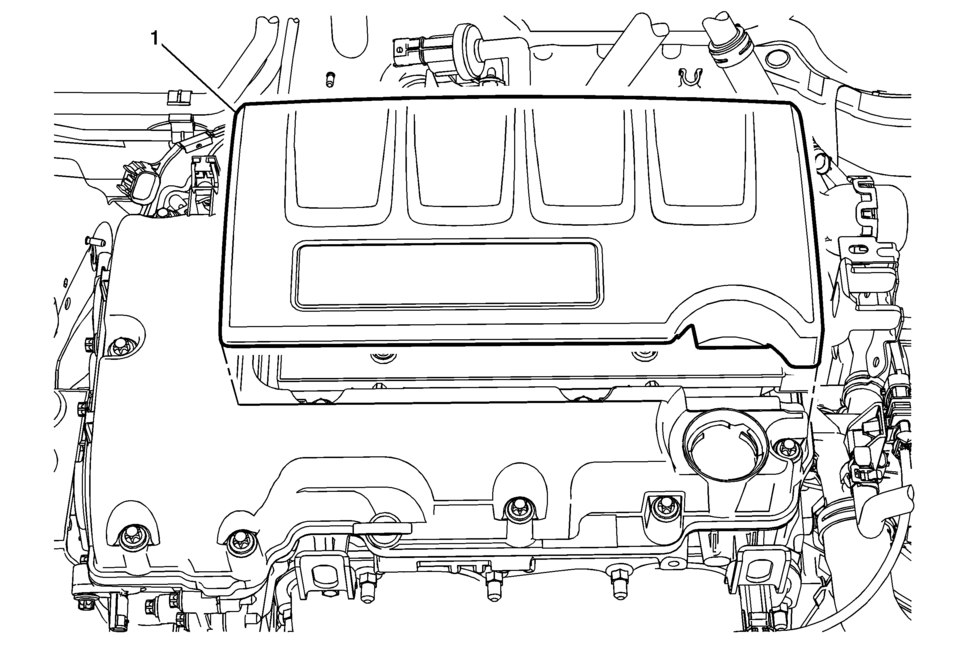
Chevrolet Sonic Repair Manual: Engine Cover Replacement
|
Callout |
Component Name |
|---|---|
|
1 |
Engine Cover Procedure Use a suitable tool to first unclip the front of the cover, then rotate the cover backward and pull upward to remove. |
 Engine Component Description
Cylinder Block
The cylinder hollow frame structured in–line 4 cylinder. The block has 5 crankshaft
bearings with the thrust bearing located on the third bearing from the fron ...
 Engine Flywheel Installation
Special Tools
EN-652 Flywheel Holder
EN-45059 Torque Angle Sensor Kit
For equivalent regional tools, refer to Special Tools.
Clean the thread in the crankshaft.
Install the crank ...
Other materials:
Rear Side Door Window Regulator Motor Replacement
Rear Side Door Window Regulator Motor Replacement
Callout
Component Name
Warning: Refer to Glass and Sheet Metal Handling Warning.
Preliminary Procedure
Remove the rear side door window regulator. Refer to Rear ...
Roof Rear Header Panel Replacement (5HB)
Removal Procedure
Warning: Refer to Approved Equipment for Collision Repair
Warning.
Disable the SIR system. Refer to SIR Disabling and Enabling.
Disconnect the negative battery cable. Refer to Battery Negative Cable
Disconnection and Connection.
Remove all ...
Throttle Body Assembly Replacement
Removal Procedure
Disconnect the throttle body wiring harness connector.
Remove the charge air cooler outlet air hose from
the throttle body. Refer to Charge Air Cooler Outlet
Air Hose Replacement.
Remove the 4 throttle body fasteners (3).
Remo ...

0.0095