
Chevrolet Sonic Repair Manual: Engine Front Cover and Oil Pump Disassemble
- Engine Front Cover Disassemble
-
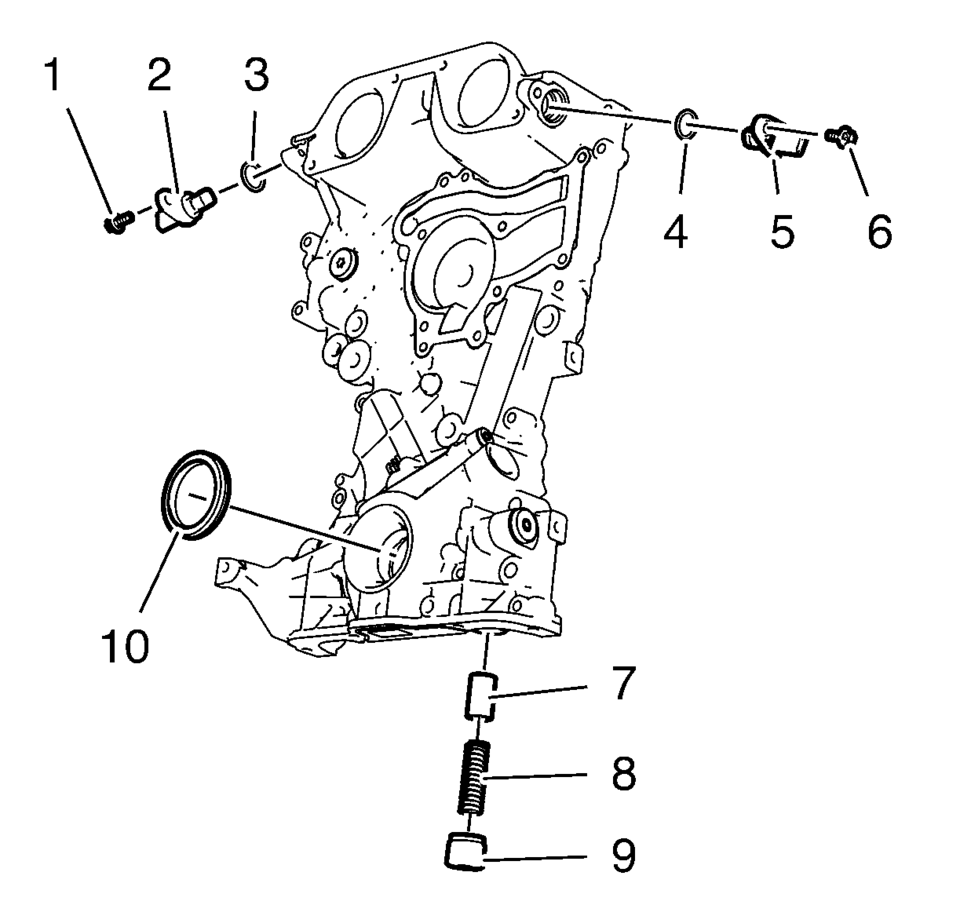
- Remove the intake camshaft position sensor bolt (1).
- Remove the intake camshaft position sensor (2) and the seal ring (3).
- Remove the exhaust camshaft position sensor bolt (6).
- Remove the exhaust camshaft position sensor (5) and the seal ring (4).
- Remove the oil pressure relief valve (7, 8 and 9)
- Remove the crankshaft front oil seal (10).
- Oil Pump Removal
-
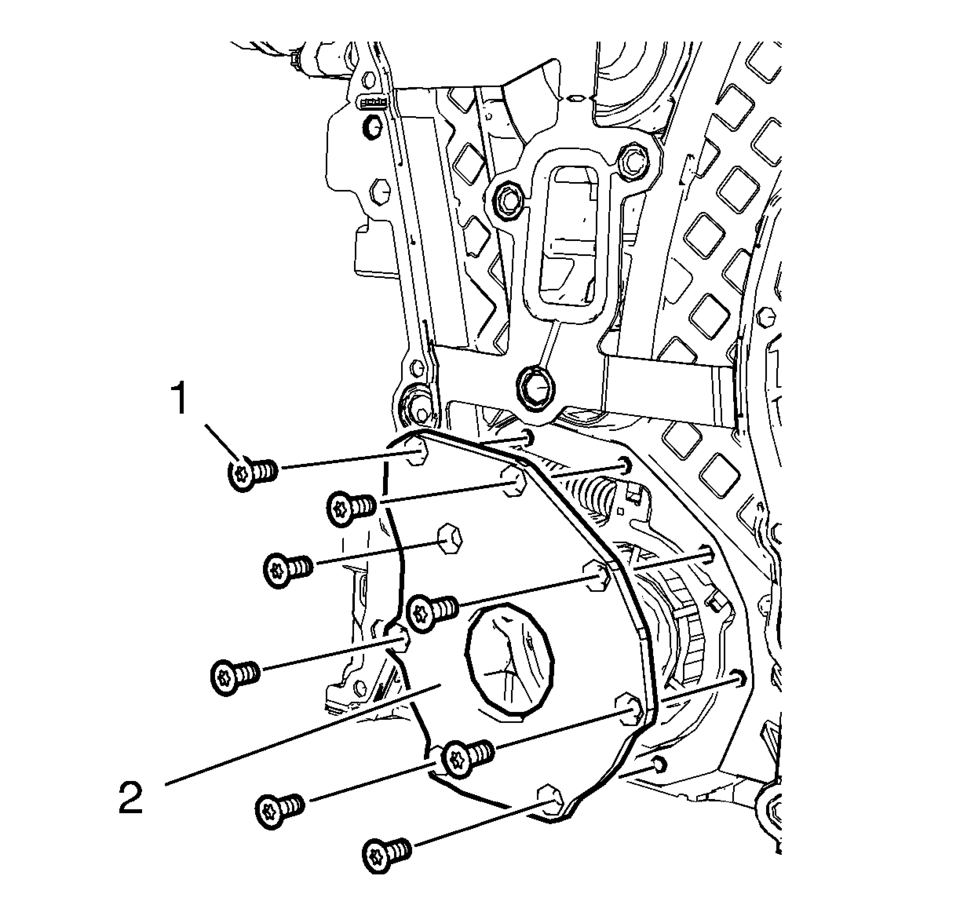
- Remove the 8 oil pump cover bolts (1).
- Remove the oil pump cover (2).
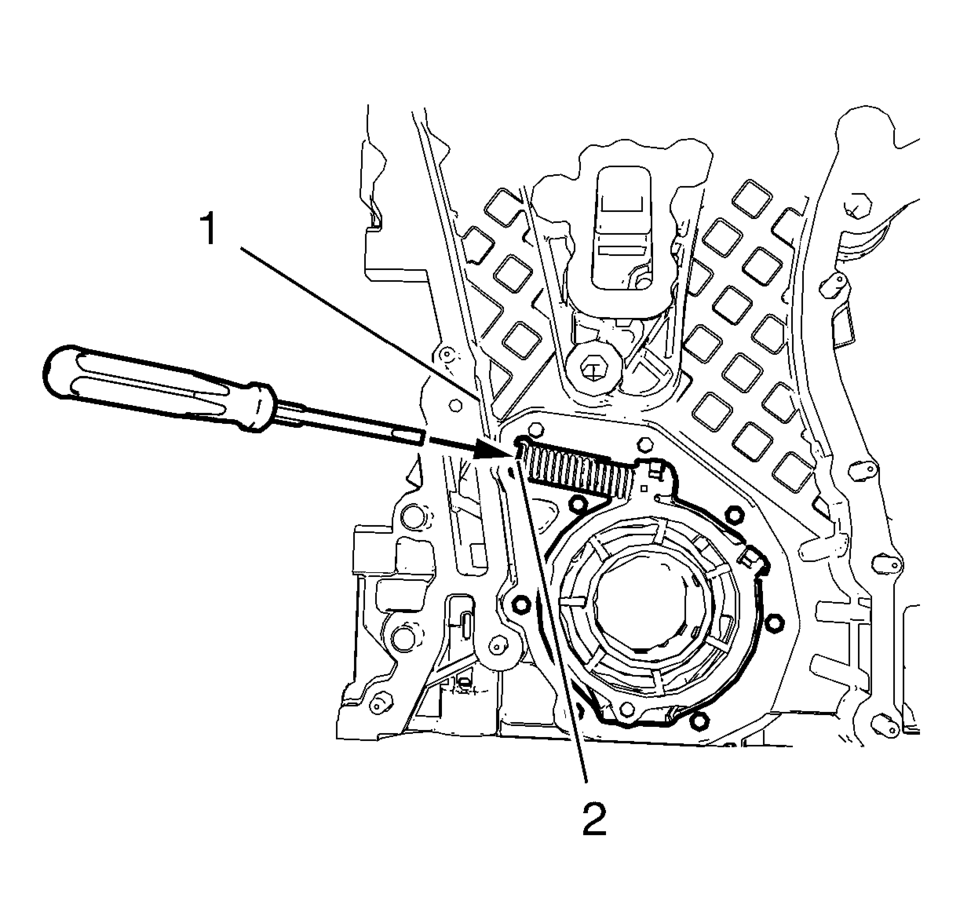
- Protect the engine front cover edge (1) with a suitable piece of plastic.
- Compress the oil pump slide spring with a screw driver and remove the oil pump slide spring along with the oil pump slide spring pin.
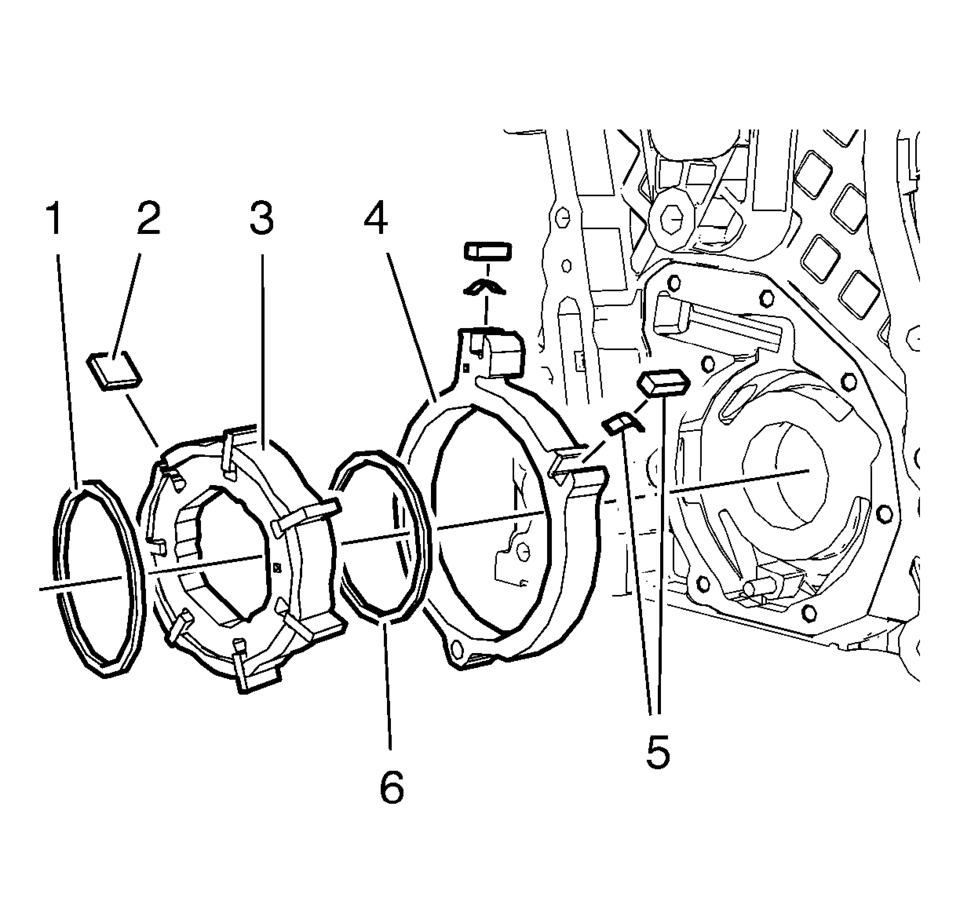
- Remove the oil pump components in the following order:
- Outer oil pump vane ring (1).
- Oil pump vane rotor (3) and the 7 oil pump vanes (2).
- Inner oil pump vane ring (6).
- Oil pump slide (4) and the 2 oil pump slide seals with the 2 oil pump slide seal springs (5).
Warning:
Before removing the spring, cover the spring with a towel to prevent the spring from flying and possibly causing damage or personal injury.
Note:
Position a screw driver between the oil pump slide spring windings (2).
Note:
Mind the installation position of the oil pump components.
 Engine Front Cover and Oil Pump Cleaning and Inspection
Engine Front Cover Cleaning Procedure
Clean the engine front cover sealing surface.
Warning: Wear safety glasses when using compressed air in
order to prevent eye injury. ...
 Engine Front Cover and Oil Pump Installation
Special Tools
EN-952 Fixing Pin
EN-953-A Fixing Tool
EN-49977-100 Transmitter Disc Fixation
EN-49977-200 Fixing Tool
For equivalent regional tools, refer to Special Tools.
...
Other materials:
OnStar Description and Operation
This OnStar® system consists of the following components:
Telematics communication interface control module
OnStar® three button assembly
Microphone
Cellular antenna
Navigation antenna
Bluetooth® antenna (If equipped)
Back up battery (If equipped)
This system also interfaces wi ...
General Description
The factory installed tires are designed to operate satisfactorily with loads
up to and including the full rated load capacity when these tires are inflated to
the recommended pressures.
The following factors have an important influence on tire life:
Correct tire pressures
Correct wheel ...
Exhaust System Replacement
Removal Procedure
Special Tools
CH-6614 Chain Pipe Cutter
For equivalent regional tools, refer to Special Tools.
Warning: Refer to Protective Goggles and Glove Warning
Warning: Refer to Exhaust Service Warning.
Raise and support the vehicle. Refer to Lifting ...

0.0112