
Chevrolet Sonic Repair Manual: Fluid Cooler Inlet Hose Replacement
- Removal Procedure
-
- Remove the battery tray. Refer to Battery Tray Replacement
- Remove the front bumper fascia opening lower cover. Refer to Front Bumper Fascia Opening Lower Cover Replacement
- Remove the front wheelhouse liner inner front extension. Refer to Front Wheelhouse Liner Inner Front Extension Replacement
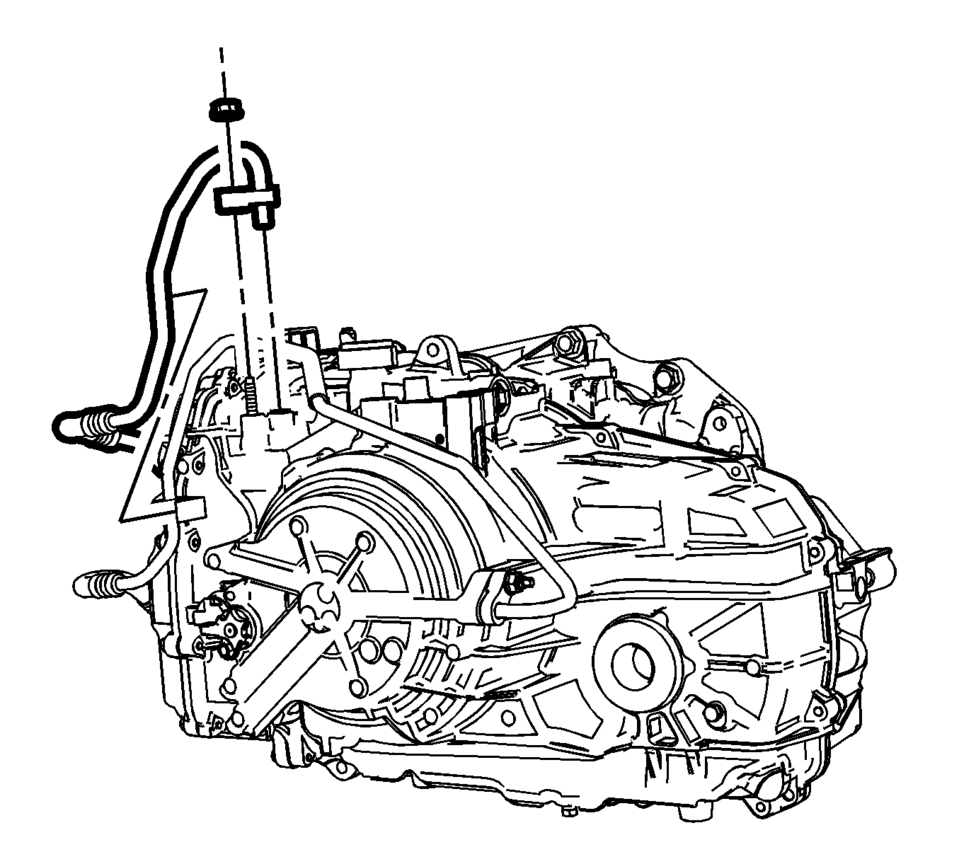
- Remove the trans fluid cooler nut.
- Remove and unclip the trans fluid cooler hose from the transmission.
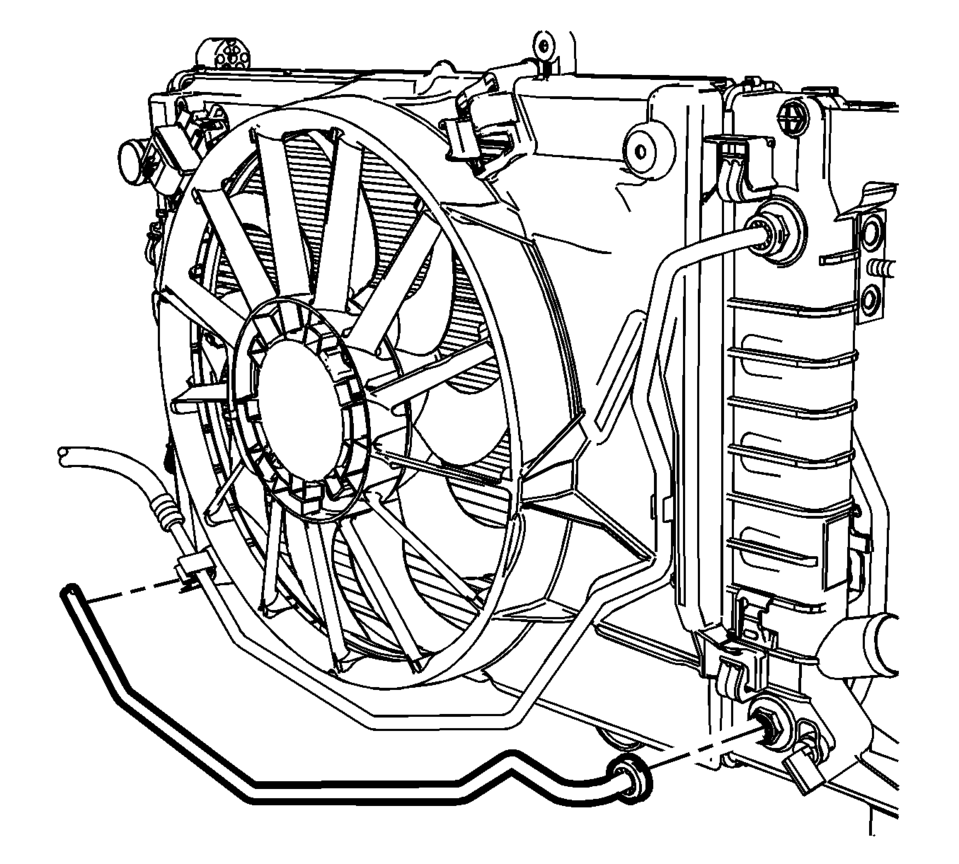
- Remove the transmission fluid cooler hose from the radiator. Refer to Transmission Fluid Cooler Hose/Pipe Quick-Connect Fitting Disconnection and Connection
- Unclip the transmission fluid cooler hose from fan shroud and remove from vehicle.
- Installation Procedure
-
- Inspect the seals for cracks, cuts or damage. Replace if necessary.
- Install the transmission fluid cooler hose to the radiator. Refer to Transmission Fluid Cooler Hose/Pipe Quick-Connect Fitting Disconnection and Connection
- Clip the transmission fluid cooler hose to the fan shroud.
- Install and clip the trans fluid cooler hose to the transmission.
- Install the trans fluid cooler nut and tighten to
22 Y (17 lb ft)
.
- Install the front wheelhouse liner inner front extension. Refer to Front Wheelhouse Liner Inner Front Extension Replacement
- Install the front bumper fascia opening lower cover. Refer to Front Bumper Fascia Opening Lower Cover Replacement
- Install the battery tray. Refer to Battery Tray Replacement
- Adjust the transmission fluid level.
- Inspect for fluid leaks.
Caution:
Refer to Fastener Caution

 Fluid Cooler Outlet Hose Replacement
Removal Procedure
Remove the front bumper fascia opening lower cover.
Refer to Front Bumper Fascia Opening Lower Cover
Replacement
Remove the front wheelhouse liner inner fron ...
Other materials:
Automatic Transmission Fluid
How to Check Automatic Transmission Fluid
It is not necessary to check the transmission fluid level. A transmission fluid
leak is the only reason for fluid loss. If a leak occurs, take the vehicle to your
dealer and have it repaired as soon as possible.
There is a special procedure for checkin ...
Engine Front Cover and Oil Pump Cleaning and Inspection
Engine Front Cover Cleaning Procedure
Clean the engine front cover sealing surface.
Warning: Wear safety glasses when using compressed air in
order to prevent eye injury.
Caution: To ensure proper engine lubrication, clean clogged
or contaminated oil g ...
Differential lock mode switch
The rear differential lock (DIFF-LOCK) in the Nissan Armada is designed to distribute
engine torque evenly between the left and right rear wheels, ensuring balanced traction
in demanding driving conditions.
When the Nissan Armada becomes stuck in challenging environments such as sand,
sno ...

0.0053