
Chevrolet Sonic Repair Manual: Front Brake Shield Replacement
- Removal Procedure
-
- Raise and support the vehicle. Refer to Lifting and Jacking the Vehicle.
- Remove the front tire and wheel assembly. Refer to Tire and Wheel Removal and Installation.
- Remove the front brake rotor. Refer to Front Brake Rotor Replacement.
- Remove the front brake shield bolts (1).
- Remove the front brake shield (1).
Warning:
Refer to Brake Dust Warning.
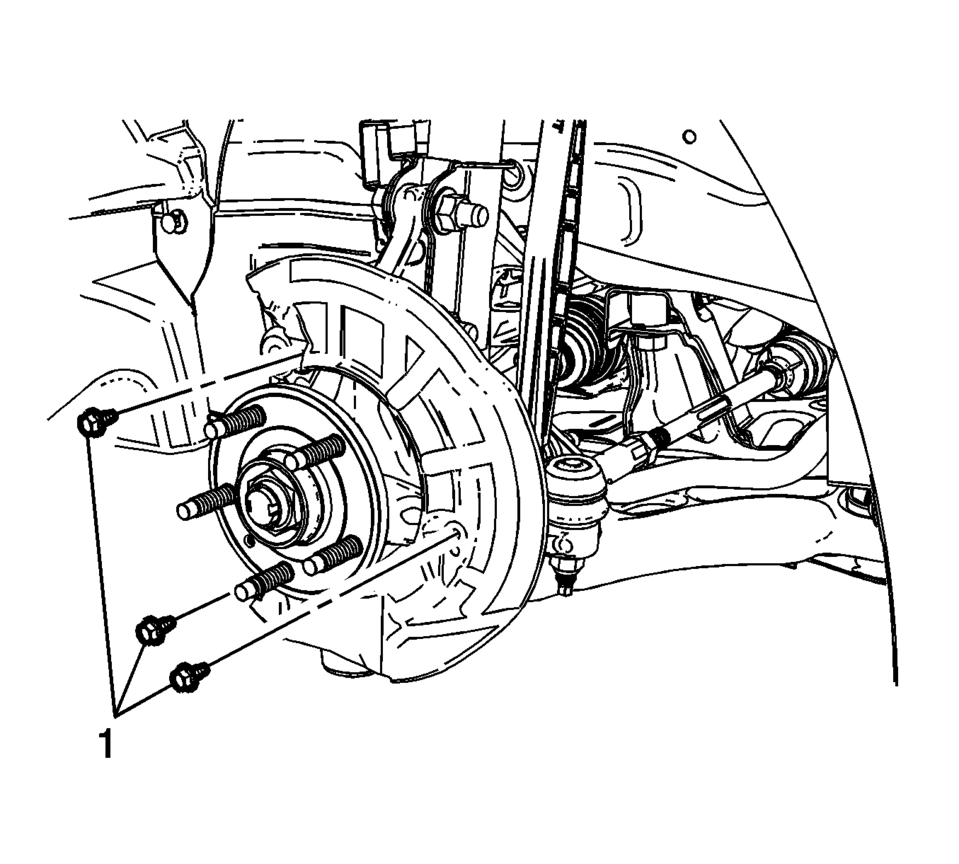
pin.
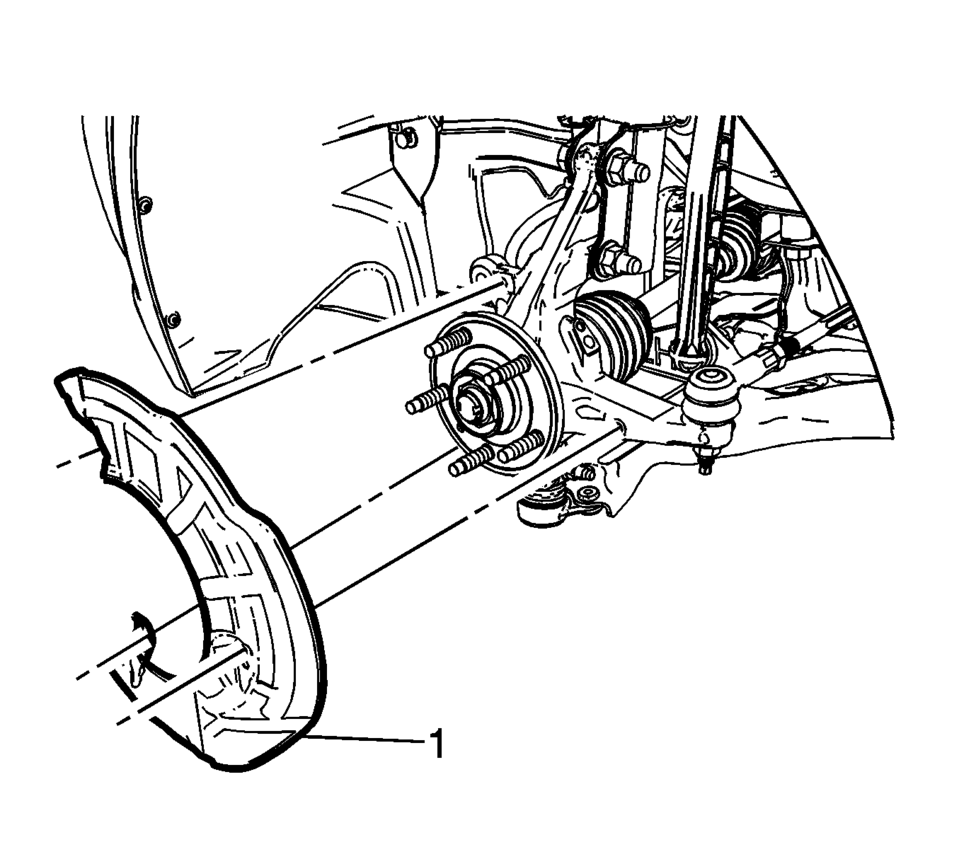
- Installation Procedure
-
- Install the front brake shield (1).
- Install the front brake shield bolts (1) and tighten to 9 Y (80 lb in)
.
- Install the front brake rotor. Refer to Front Brake Rotor Replacement.
- Install the tire and wheel assembly. Refer to Tire and Wheel Removal and Installation.
pin.
Caution:
Refer to Fastener Caution.
 Front Brake Rotor Replacement
Special Tools
CH-41013 Rotor Resurfacing Kit
CH-42450-A Wheel Hub Resurfacing Kit
For equivalent regional tools, refer to Special Tools.
Removal Procedure
Warning: Refer to Bra ...
 Front Disc Brake Mounting and Hardware Inspection
Warning: Refer to Brake Dust Warning.
Inspect the fluid level in the brake master cylinder reservoir.
If the brake fluid level is midway between the maximum-full point and the
...
Other materials:
Drum Brake System Description and Operation
System Component Description
The drum brake system consists of the following:
Drum Brake Shoes
Applies mechanical output force, from hydraulic brake wheel cylinders,
to friction surfaces of brake drums.
Brake Drums
Uses mechanical output force applied to fric ...
Tire and Wheel Assembly Runout Measurement - On-Vehicle
Raise and support the vehicle.
Closely inspect each tire for proper and even bead seating.
If any of the tire beads were not properly or evenly seated, reseat the
tire bead, then proceed to step 4. Refer to Tire and Wheel Removal and Installation.
Wrap the circumferenc ...
Front Wheel Drive Shaft Seal Replacement - Left Side
Front Wheel Drive Shaft Seal Replacement - Left Side
Callout
Component Name
Preliminary Procedures
Raise and support the vehicle. Refer to Lifting and Jacking the
Vehicle.
Remove the left wheel drive shaft. Refer to Front ...

0.0056