
Chevrolet Sonic Repair Manual: Front Wheel Drive Shaft Seal Replacement - Left Side
Special Tools
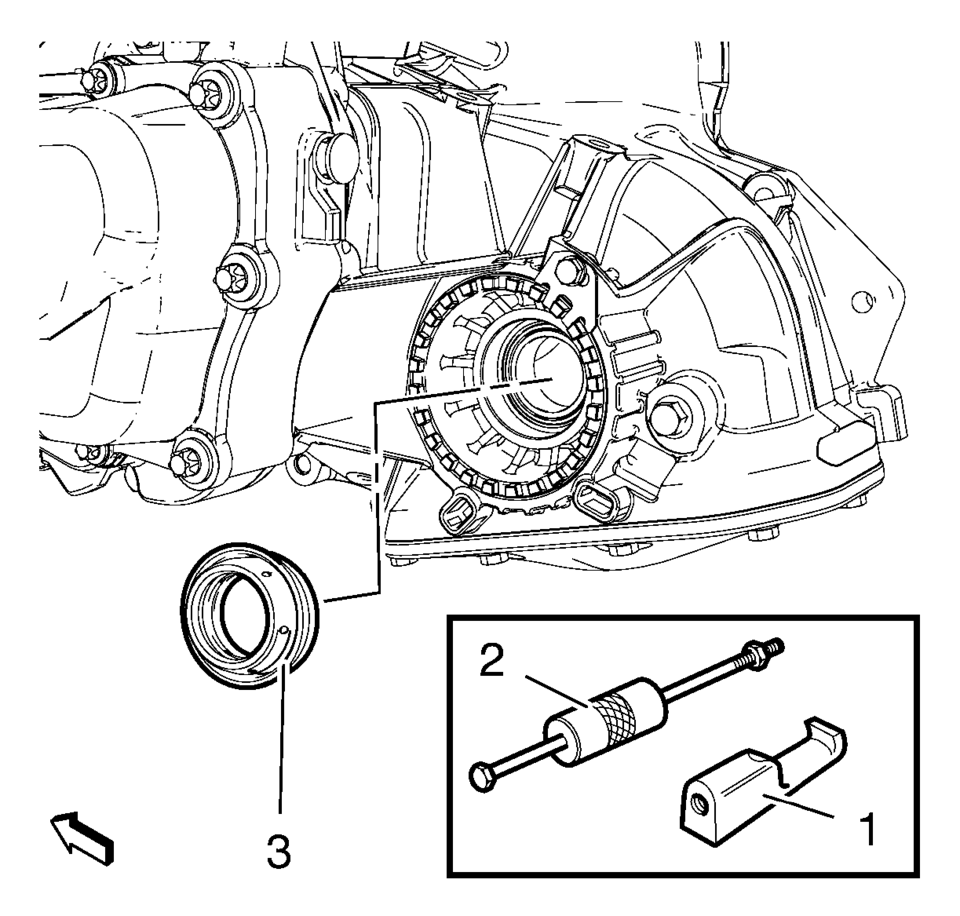
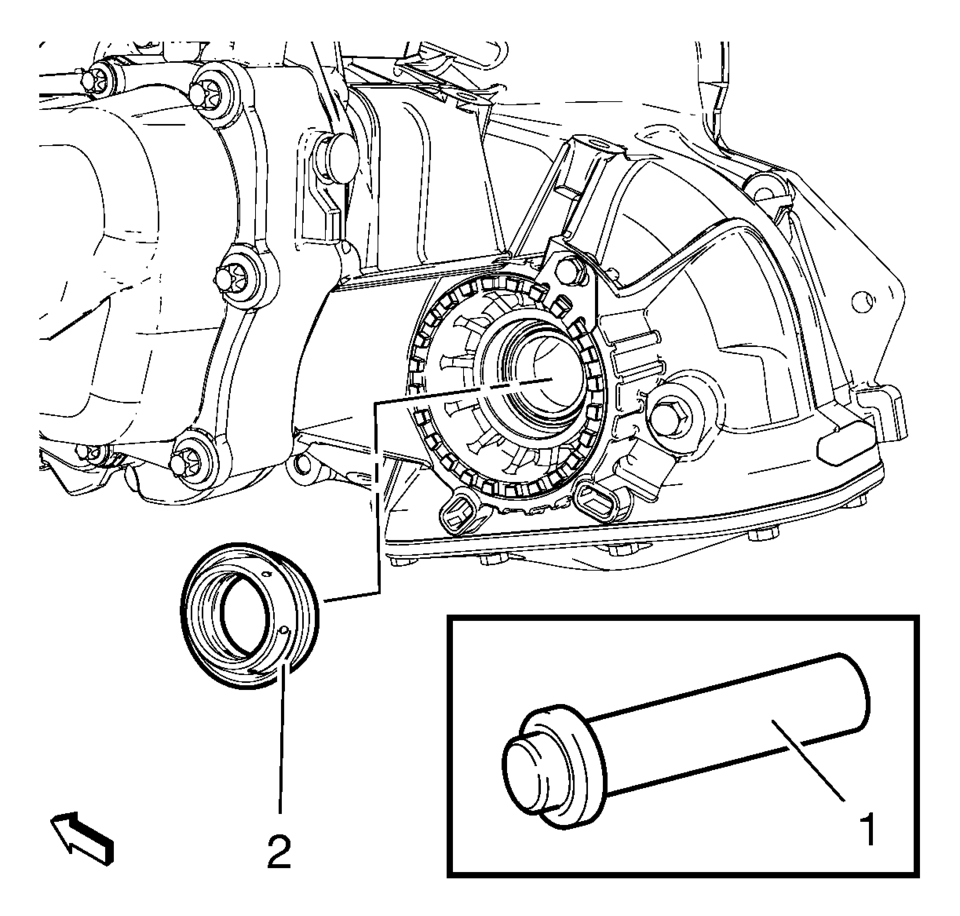
- DT-446 Installer Drift
- DT-7004 Slide Hammer
- DT-23129 Universal Seal Remover
For equivalent regional tools, refer to Special Tools.
- Removal Procedure
-
- Raise and support the vehicle. Refer to Lifting and Jacking the Vehicle.
- Remove the front suspension skid plate, if equipped. Refer to Drivetrain and Front Suspension Frame Skid Plate Replacement.
- Remove the left wheel drive shaft from the transmission. Refer to Front Wheel Drive Shaft Replacement.
- Remove the left front wheel drive shaft oil seal (3) using the DT-7004 hammer and the DT-23129 remover(1).
- Installation Procedure
-
- Coat the NEW left front wheel drive shaft oil seal (2) with transmission fluid.
- Install the NEW left front wheel drive shaft oil seal (2) using the DT-446 drift and hammer (1).
- Install the left wheel drive shaft. Refer to Front Wheel Drive Shaft Replacement.
- Install the front suspension skid plate, if equipped. Refer to Drivetrain and Front Suspension Frame Skid Plate Replacement.
- Lower the vehicle.
 Front Wheel Drive Shaft Seal Replacement - Left Side
Front Wheel Drive Shaft Seal Replacement - Left Side
Callout
Component Name
Preliminary Procedures
Raise and support the vehicle. R ...
 Front Wheel Drive Shaft Seal Replacement - Left Side
Front Wheel Drive Shaft Seal Replacement - Left Side
Callout
Component Name
Preliminary Procedure
Raise and support the vehicle. Re ...
Other materials:
Retained Accessory Power (RAP)
These vehicle accessories may be used for up to 10 minutes after the engine is
turned off:
Audio System
Power Windows
Sunroof
The power windows and sunroof will continue to work for up to 10 minutes or until
any door is opened.
The radio will work when the key is in ON/RUN or ACC/ACC ...
OnStar Description and Operation
This OnStar® system consists of the following components:
Telematics communication interface control module
OnStar® three button assembly
Microphone
Cellular antenna
Navigation antenna
Bluetooth® antenna (If equipped)
Back up battery (If equipped)
This system also interfaces wi ...
Rear Compartment Floor Panel Carpet Replacement (Sedan)
Rear Compartment Floor Panel Carpet Replacement
Callout
Component Name
1
Rear Compartment Floor Panel Carpet Assembly
...

0.0069