
Chevrolet Sonic Repair Manual: Front Wheel Drive Shaft Seal Replacement - Right Side
Special Tools
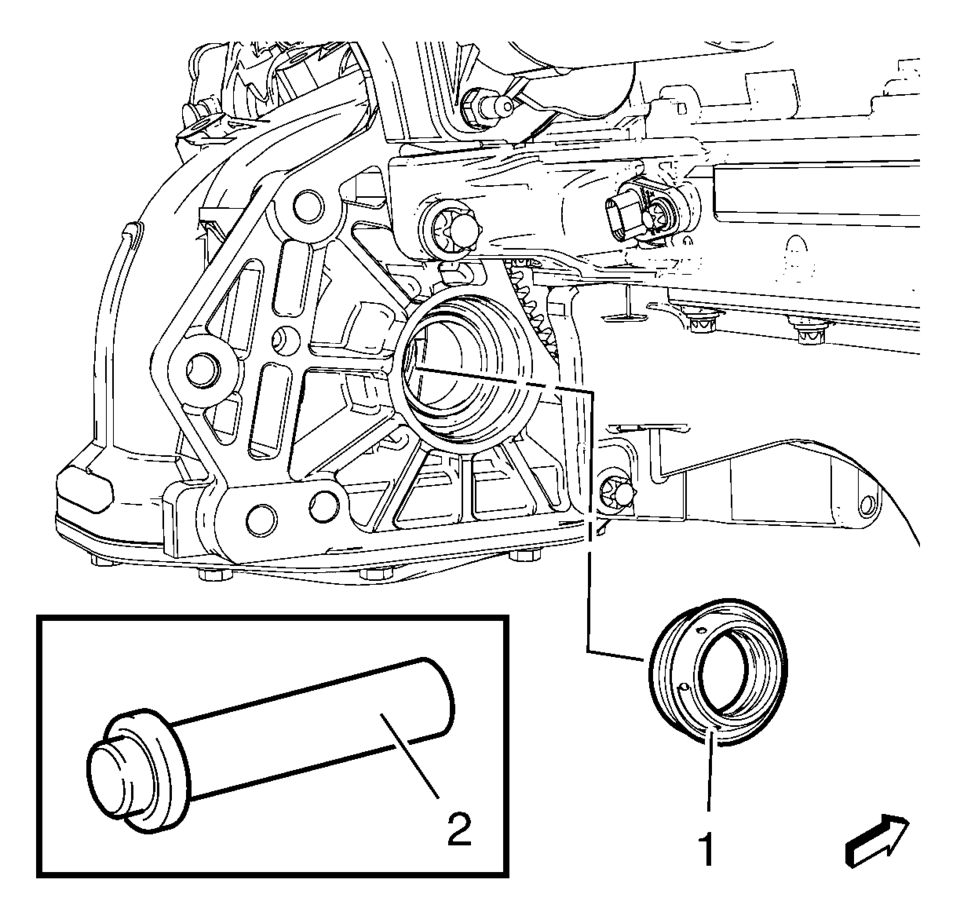
- DT-446 Installer Drift
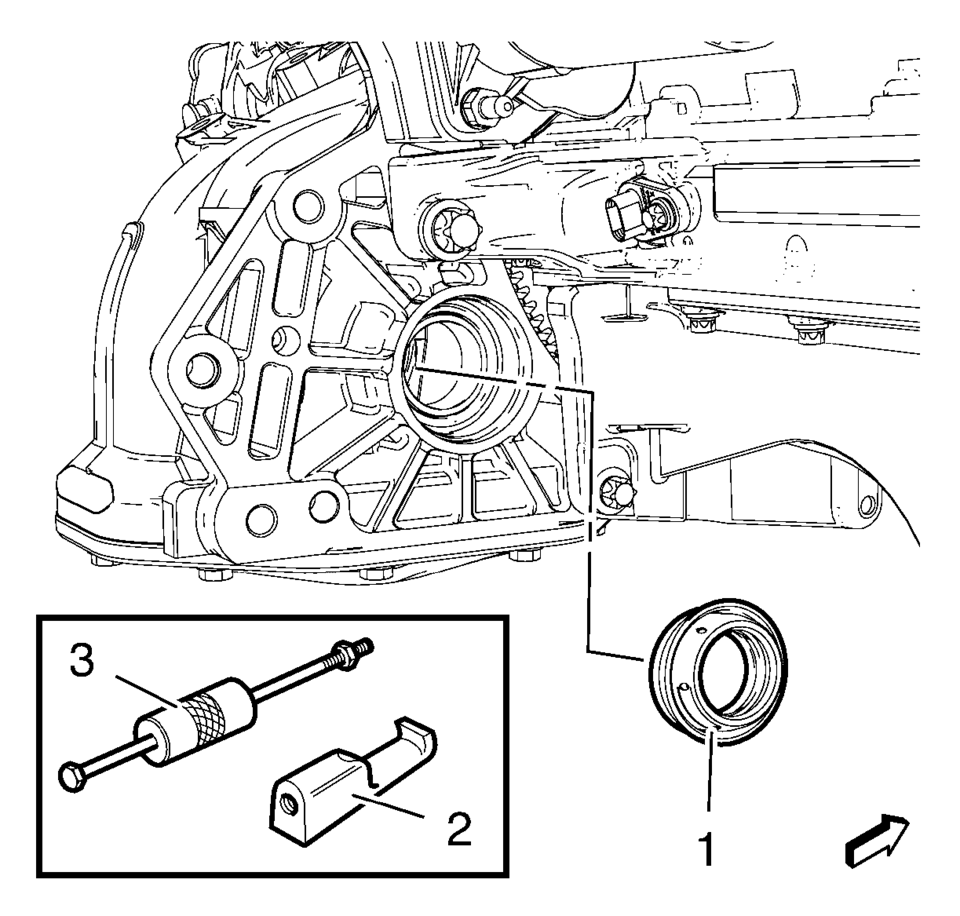
- DT-7004 Slide Hammer
- DT-23129 Universal Seal Remover
For equivalent regional tools, refer to Special Tools.
- Removal Procedure
-
- Raise and support the vehicle. Refer to Lifting and Jacking the Vehicle.
- Remove the front suspension skid plate, if equipped. Refer to Drivetrain and Front Suspension Frame Skid Plate Replacement.
- Remove the right wheel drive shaft from the transmission. Refer to Front Wheel Drive Shaft Replacement.
- Remove the right front wheel drive shaft oil seal (1) using the DT-7004 hammer and the DT-23129 remover (2).
- Installation Procedure
-
- Coat the NEW right front wheel drive shaft oil seal (1) with transmission fluid.
- Install the NEW right front wheel drive shaft oil seal (1) using the DT-446 drift and hammer (2).
- Install the wheel drive shaft. Refer to Front Wheel Drive Shaft Replacement.
- Install the front suspension skid plate, if equipped. Refer to Drivetrain and Front Suspension Frame Skid Plate Replacement.
- Lower the vehicle.
 Front Wheel Drive Shaft Seal Replacement - Right Side
Front Wheel Drive Shaft Seal Replacement - Right Side
Callout
Component Name
Preliminary Procedures
Raise and support the vehicle. ...
 Front Wheel Drive Shaft Seal Replacement - Right Side
Front Wheel Drive Shaft Seal Replacement - Right Side
Callout
Component Name
Preliminary Procedures
Raise and support the vehicle. ...
Other materials:
Special Tools
Illustration
Tool Number/ Description
CH-24319-B
CH-43631
J-24319-B
J-43631
Ball Joint Remover
CH-50559
Wheel Hub / Bearing Remover / Installer Kit
CH-5 ...
Rear Compartment Lid Hinge Torque Rod Replacement
Rear Compartment Lid Hinge Torque Rod Replacement
Callout
Component Name
Warning: Refer to Hood Hold-Open Device Warning.
Preliminary Procedure
Open and support the rear compartment lid.
Special Tools
BO-125 ...
Transmission Case Assemble (Gen 2)
Special Tools
3-9506289 Universal Adapter
J-840733 Driver
R-0007758 Holding Fixture
R-0007761 Universal Handle
R-0007770 Holding Fixture Adapter Plates
T-9804669 Seal Installer
T-0307000 Extractor and Driver Fixture
For equivalent regional tools, refer to Special Tools.
...

0.0062