
Chevrolet Sonic Repair Manual: Generator Removal
- Remove the 2 generator bolts (2).
- Remove the generator (1).
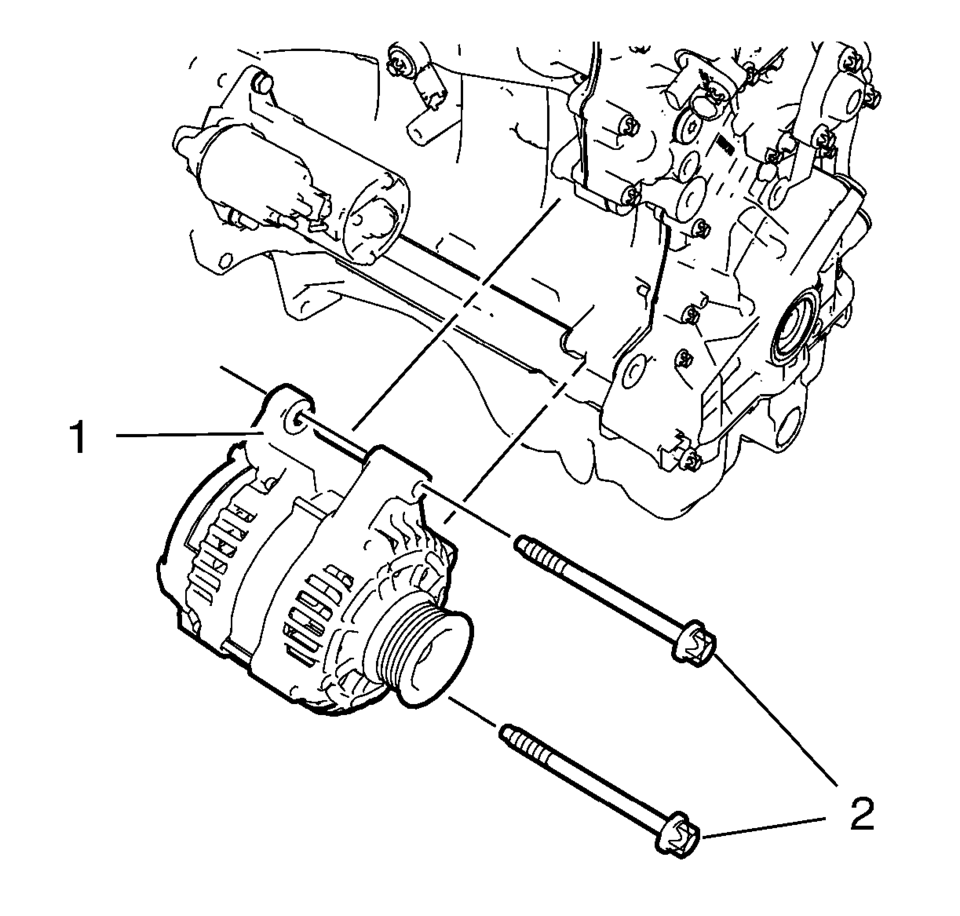
 Generator Installation
Install the generator (1).
Caution: Refer to Fastener Caution.
Install the 2 generator bolts (2) and tighten to 35 Y (26 lb ft).
...
 Generator Replacement (LUV)
Removal Procedure
Disconnect the negative battery cable. Refer to Battery Negative Cable
Disconnection and Connection.
Raise and support the vehicle. Refer to Lifting and Jacking ...
Other materials:
Engine Front Cover and Oil Pump Disassemble
Engine Front Cover Disassemble
Remove the intake camshaft position sensor bolt (1).
Remove the intake camshaft position sensor (2) and the seal ring (3).
Remove the exhaust camshaft position sensor bolt (6).
Remove the exhaust camshaft posi ...
Basic information
WARNING
Ensure that the Nissan Armada liftgate is fully closed and securely latched
before driving to prevent it from opening unexpectedly.
Never drive the Nissan Armada with the liftgate open, as harmful exhaust
gases may enter the cabin.
To reduce the risk of injury or fatal incident ...
Basic information
The engine cooling system of the Nissan Armada is factory-filled with a precisely
balanced mixture consisting of 50% Genuine NISSAN Long Life Antifreeze/Coolant (blue)
and 50% water. This formulation ensures reliable year-round protection against freezing,
overheating, and corrosion.
This adv ...

0.006