
Chevrolet Sonic Repair Manual: Generator Removal
- Remove the 2 generator bolts (2).
- Remove the generator (1).
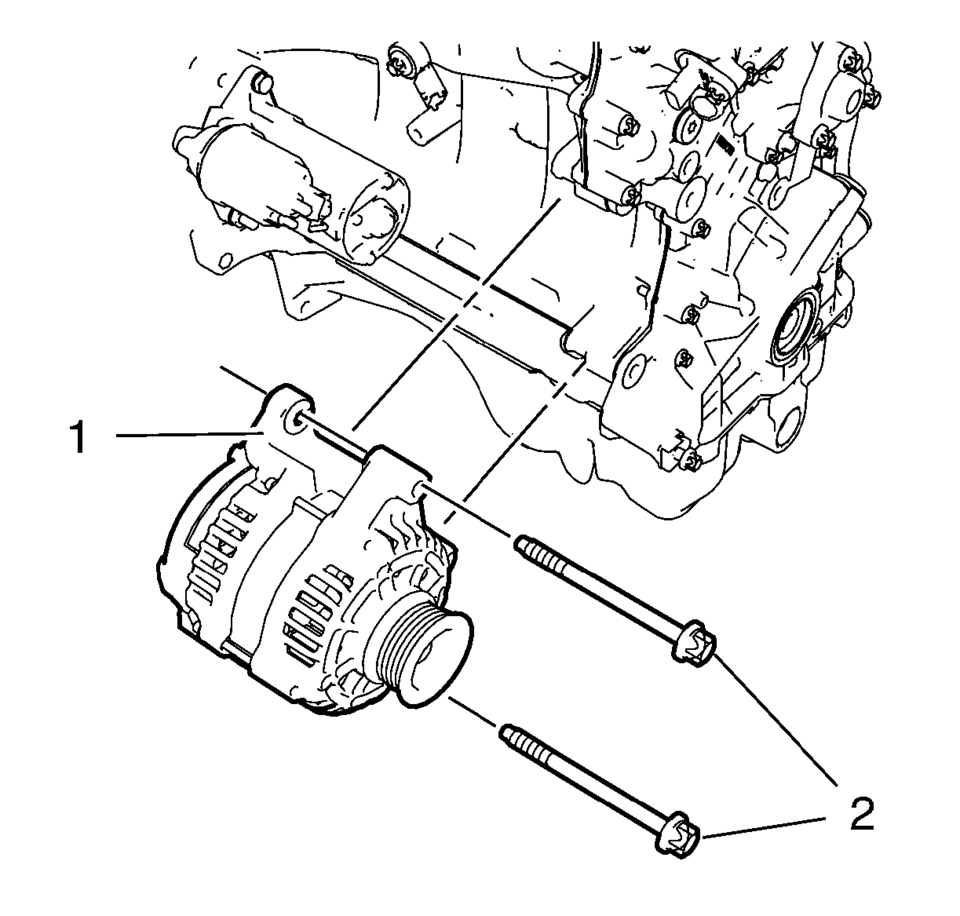
 Generator Installation
Install the generator (1).
Caution: Refer to Fastener Caution.
Install the 2 generator bolts (2) and tighten to 35 Y (26 lb ft).
...
 Generator Replacement (LUV)
Removal Procedure
Disconnect the negative battery cable. Refer to Battery Negative Cable
Disconnection and Connection.
Raise and support the vehicle. Refer to Lifting and Jacking ...
Other materials:
Windshield Washer Nozzle Hose Replacement
Windshield Washer Nozzle Hose Replacement
Callout
Component Name
Preliminary Procedure
Remove the hood insulator. Refer to Hood Insulator Replacement.
1
Windshield Washer Nozzle Hose
Procedure
...
Steering Knuckle Replacement
Removal Procedure
Raise and support the vehicle. Refer to Lifting and Jacking the Vehicle.
Remove the tire and wheel assembly. Refer to Tire and Wheel Removal
and Installation.
Remove the wheel speed sensor from the steering knuckle. Refer to Front
Wheel Speed Sensor ...
HomeLink Universal Transceiver
Basic information
The HomeLink Universal Transceiver in the Nissan Armada offers a practical and
streamlined solution by combining the functions of up to three separate handheld
remote controls into one integrated system.
With the Nissan Armada HomeLink system, you can conveniently operate a w ...

0.0074