
Chevrolet Sonic Repair Manual: Mobile Telephone Microphone Replacement
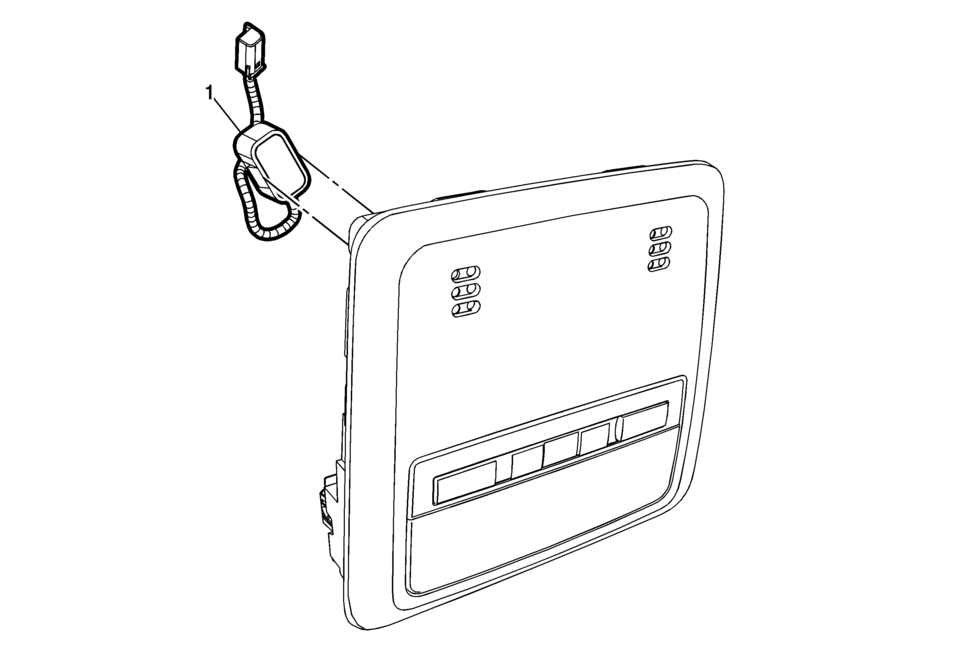
|
Callout |
Component Name |
|---|---|
|
Preliminary Procedure
Remove the dome lamp bezel. Refer to Dome Lamp Bezel Replacement. |
|
|
1 |
Mobile Telephone Microphone Procedure
Disconnect the electrical connector. |
 Infotainment
Determine which radio the vehicle has and read the following pages to become
familiar with its features.
Warning: Taking your eyes off the road for extended periods could
cause a crash resul ...
 OnStar Description and Operation
This OnStar® system consists of the following components:
Telematics communication interface control module
OnStar® three button assembly
Microphone
Cellular antenna
Navigation antenna
...
Other materials:
Overview (Radio with CD/USB)
91011121314151617
O /VOL (Power/Volume)
Turns the system on or off and adjusts the volume.
Z (Eject)
Removes a disc from the CD slot.
Buttons 1−6
Radio: Saves and selects favorite stations.
AUX Port
3.5 mm (1/8 in) connection for external devices.
...
Brake Drum Diameter Measurement
Warning: Refer to Brake Dust Warning.
Remove brake drum. Refer to Brake Drum Replacement
Clean the brake shoe lining contact surface of the brake drum (2) with denatured
alcohol or an equivalent approved brake cleaner.
Using a brake drum micrometer (1) calibra ...
Engine Oil Cooler Pipe Replacement (LUW)
Engine Oil Cooler Pipe Replacement
Callout
Component Name
Preliminary Procedures
Drain the cooling system. Refer to Cooling System Draining and Filling.
Remove the exhaust manifold with catalytic converter. Refer to Exhaus ...

0.0062