
Chevrolet Sonic Repair Manual: Mobile Telephone Microphone Replacement
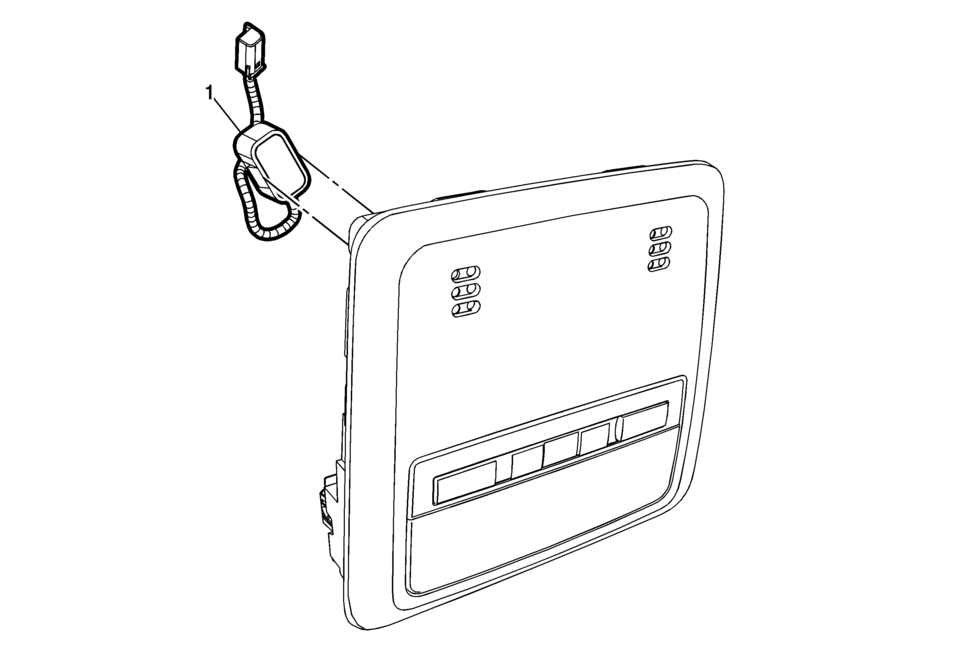
|
Callout |
Component Name |
|---|---|
|
Preliminary Procedure
Remove the dome lamp bezel. Refer to Dome Lamp Bezel Replacement. |
|
|
1 |
Mobile Telephone Microphone Procedure
Disconnect the electrical connector. |
 Communication Interface Module Replacement
Communication Interface Module Replacement
Callout
Component Name
Preliminary Procedure
Remove the instrument panel lower compartme ...
 OnStar Description and Operation
This OnStar® system consists of the following components:
Telematics communication interface control module
OnStar® three button assembly
Microphone
Cellular antenna
Navigation antenna
...
Other materials:
Additional Maintenance and Care
Your vehicle is an important investment and caring for it properly may help to
avoid future costly repairs. To maintain vehicle performance, additional maintenance
services may be required.
It is recommended that your dealer perform these services — their trained dealer
technicians know you ...
Brake Pedal Pushrod Inspection
Disconnect the brake pedal pushrod (2) from the brake pedal.
Reposition the pedal pushrod boot (1) toward the front of the vehicle to
expose as much of the pedal pushrod (2) as possible.
Inspect the brake pedal pushrod (2) for straightness.
If the brake p ...
Throttle Body Heater Outlet Pipe Replacement (LUW)
Throttle Body Heater Outlet Pipe Replacement
Callout
Component Name
Preliminary Procedure
Drain the cooling system. Refer to Cooling System
Draining and Filling.
1
Engine Coolant Air Bleed Hose
...

0.008