
Chevrolet Sonic Repair Manual: Parking Brake Adjustment (Drum Brake)
Note:
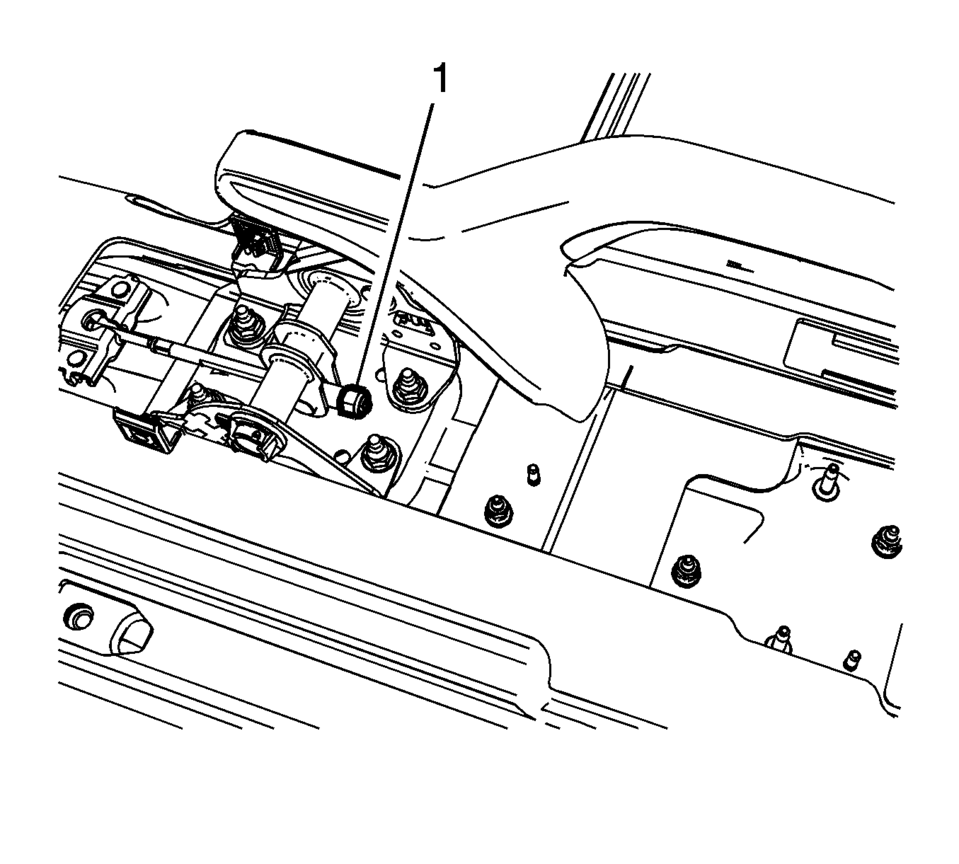
The park brake cable adjusting nut is a nylon lock type. Use ONLY HAND TOOLS whenever tightening or loosening the adjusting nut.
- Apply and fully release the park brake several times. Verify that the park brake lever releases completely.
- Turn ON the ignition. Verify the red BRAKE warning lamp is not illuminated.
- If the red BRAKE warning lamp is illuminated, verify the following:
- The park brake lever is in the fully released position and against the stop.
- There is no slack in the park brake cables.
- One of the brake drums should not rotate forward or rearward.
- The other brake drum should not rotate forward or rearward, or should require substantial effort to rotate.
 Drum Brake System Description and Operation
System Component Description
The drum brake system consists of the following:
Drum Brake Shoes
Applies mechanical output force, from hydraulic brake wheel cylinders,
to frict ...
 Parking Brake Cable Replacement (Drum Brake)
Removal Procedure
Remove the front floor console. Refer to Front Floor Console Replacement.
Ensure that the parking brake lever is in the fully released position.
Us ...
Other materials:
Floor Rear Air Outlet Duct Replacement - Right Side
Floor Rear Air Outlet Duct Replacement - Right Side
Callout
Component Name
Preliminary Procedure
Remove the front floor carpet. Refer to Floor Panel Carpet Replacement.
1
Floor Rear Air Outlet Du ...
Oil Pan Removal
Remove the 16 oil pan bolts (1).
Caution: Pry the oil pan carefully in order to prevent damage
to the transaxle case or the oil pan sealing surfaces.
Place a suitable prying tool to the area shown (1) and carefully pry the
oil pan loose.
R ...
Differential lock mode switch
The rear differential lock (DIFF-LOCK) in the Nissan Armada is designed to distribute
engine torque evenly between the left and right rear wheels, ensuring balanced traction
in demanding driving conditions.
When the Nissan Armada becomes stuck in challenging environments such as sand,
sno ...

0.0061