
Chevrolet Sonic Repair Manual: Parking Brake Indicator Switch Replacement
- Removal Procedure
-
- Remove the front floor console. Refer to Front Floor Console Replacement.
- Ensure that the park brake lever is in the fully released position.
- Disconnect the electrical connector from the park brake warning indicator switch.
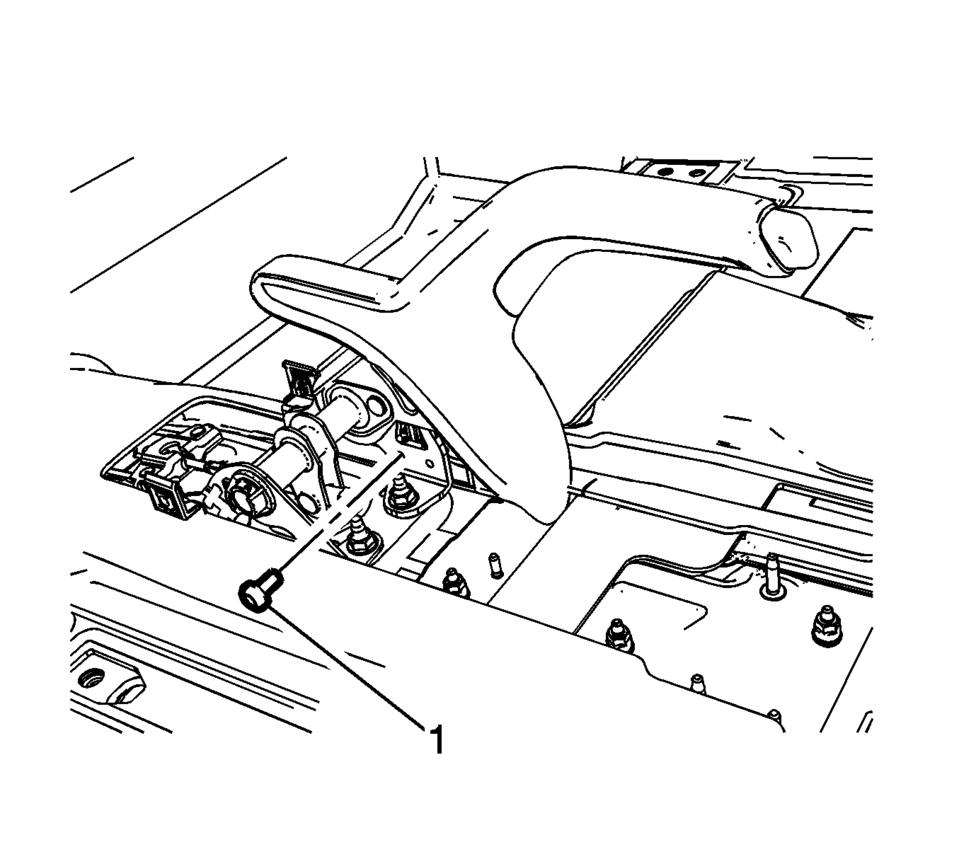
- Remove the parking brake indicator switch bolt (1).
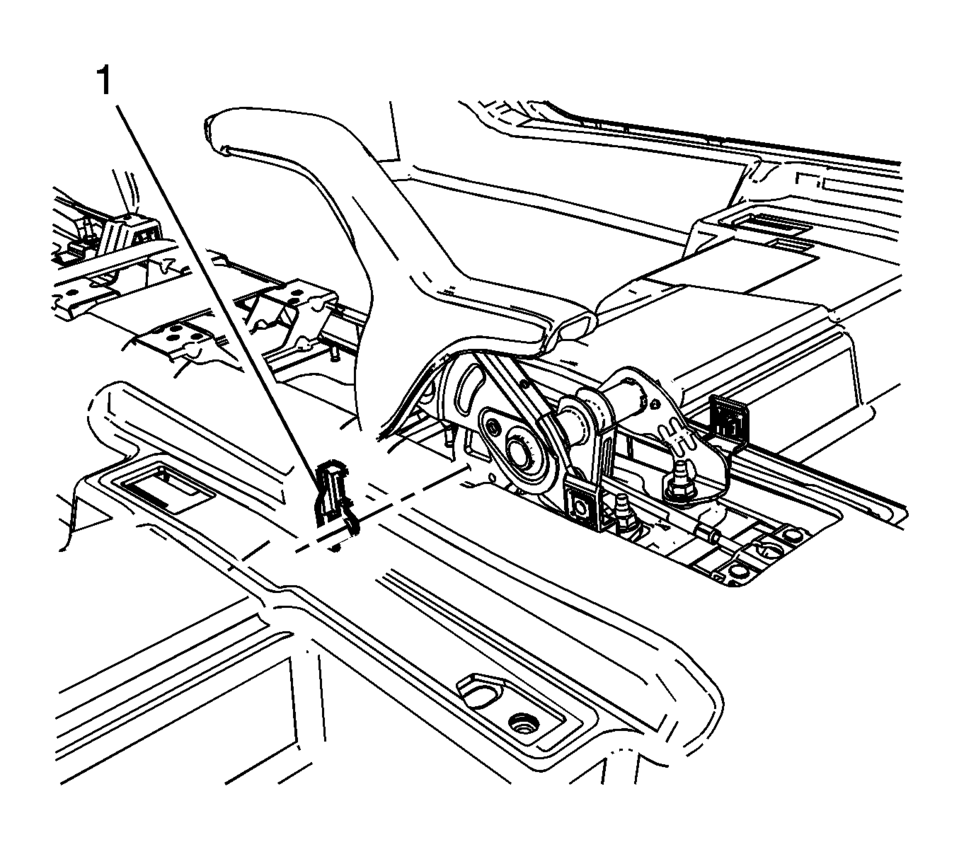
- Remove the parking brake indicator switch (1).
- Installation Procedure
-
- Install the parking brake indicator switch (1).
- Install the parking brake indicator switch bolt (1) and tighten to
2 Y (18 lb in)
.
- Connect the electrical connector to the park brake warning lamp switch.
- Install the front floor console. Refer to Front Floor Console Replacement.
Caution:
Refer to Fastener Caution.
 Parking Brake Adjustment (Drum Brake)
Note: The park brake cable adjusting nut is a nylon lock type. Use
ONLY HAND TOOLS whenever tightening or loosening the adjusting nut.
Apply and fully release the park brake several times ...
 Parking Brake Lever Replacement
Removal Procedure
Remove the front floor console. Refer to Front Floor Console Replacement.
Ensure that the park brake lever is in the fully released position.
Disconnect th ...
Other materials:
Liftgate Weatherstrip Replacement
Liftgate Weatherstrip Replacement
Callout
Component Name
1
Liftgate Weatherstrip
Procedure
Clean the area where the seal will be mounted. Use a suitable solvent
with a mixture of 50?€‰percent isopropyl alc ...
Cargo Cover (Hatchback)
Warning: An unsecured cargo cover could strike people in a sudden
stop or turn, or in a crash. Store the cargo cover securely or remove it from
the vehicle.
The cargo cover can be used to cover items in the rear of the vehicle.
To remove the cargo cover:
Remove both of the cords fr ...
Engine Coolant Temperature Sensor Replacement (Radiator)
Engine Coolant Temperature Sensor Replacement - Radiator
Callout
Component Name
Preliminary Procedures
Drain the cooling system. Refer to Cooling System Draining and Filling.
1
Retaining C ...

0.0054