
Chevrolet Sonic Repair Manual: Radio Antenna Replacement
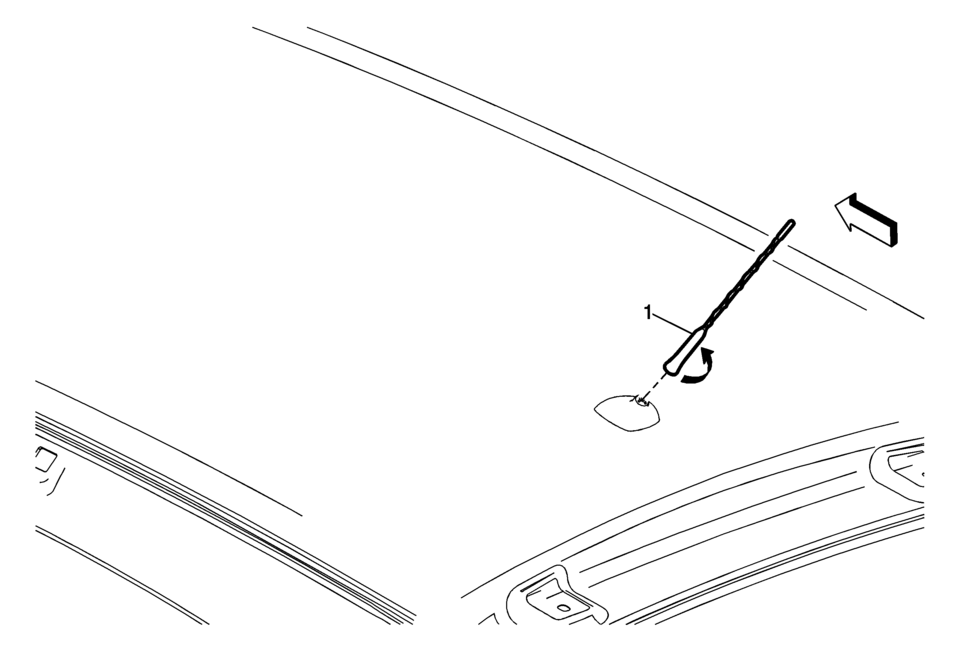
|
Callout |
Component Name |
|---|---|
|
1 |
Radio Antenna Procedure
Rotate the mast counterclockwise in order to release the mast from the antenna base. |
 Radio Antenna Base Replacement
Radio Antenna Base Replacement
Callout
Component Name
Preliminary Procedure
Lower the rear of the headlining trim panel. Refer ...
 Radio Front Side Door Speaker Replacement
Radio Front Side Door Speaker Replacement
Callout
Component Name
Preliminary Procedure
Remove the front side door trim. Refer t ...
Other materials:
Front Floor Console Cup Holder Replacement
Front Floor Console Cup Holder Replacement
Callout
Component Name
Preliminary Procedure
Remove the front floor console assembly. Refer to Front Floor Console
Replacement.
1
Front Floor Console C ...
Heater and Air Conditioning Evaporator Case Replacement
Air Conditioning (A/C) Evaporator Case Assembly Replacement
Callout
Component Name
Preliminary Procedure
Remove the instrument panel tie bar. Refer to Instrument Panel Tie
Bar Replacement.
Remove HVAC module. Refer to Hea ...
Control Valve Body Assembly Disassemble (Gen 1)
Control Valve Body Assembly Disassemble
Callout
Component Name
1
Control Solenoid Valve Support
2
Control Valve Body Bolt M5 x 40.5 (Qty: 1)
3
...

0.0083