
Chevrolet Sonic Repair Manual: Rear Seat Back Cushion Removal and Installation (60%)
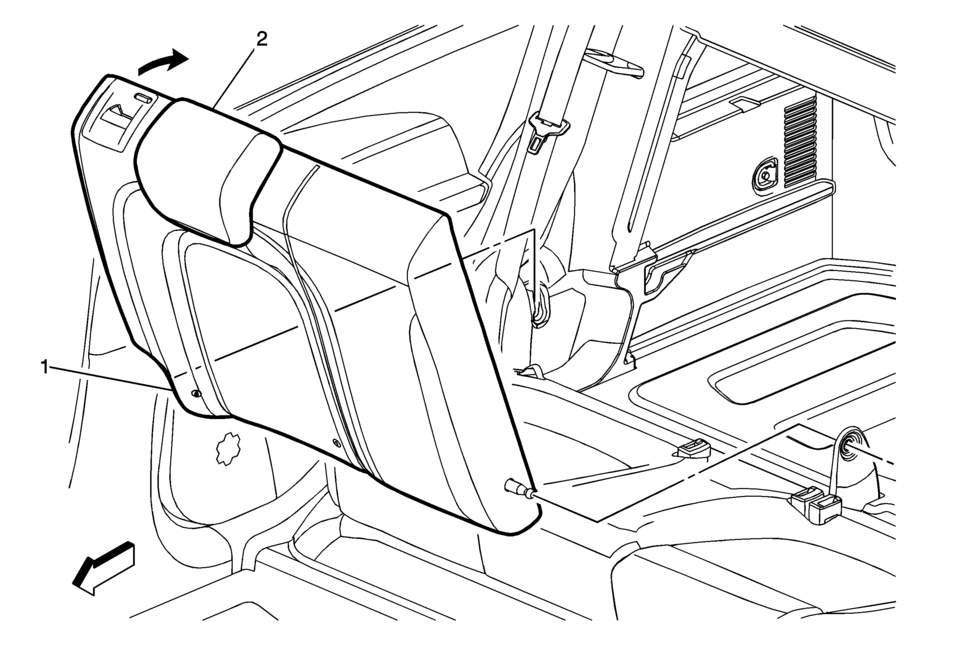
|
Callout |
Component Name |
|---|---|
Preliminary Procedure
|
|
|
1 |
Rear Seat Back Cushion Pivot Support Procedure
|
|
2 |
Rear Seat Back Cushion Procedure
|
 Rear Seat Back Cushion Removal and Installation (40%)
Rear Seat Back Cushion Removal and Installation
Callout
Component Name
Preliminary Procedure
Remove the rear seat cushion. Refer to ...
 Rear Seat Center Shoulder Belt Replacement (Hatchback)
Rear Seat Center Shoulder Belt Replacement
Callout
Component Name
Preliminary Procedures
Remove the rear seat cushion. Refer to Rea ...
Other materials:
Water Outlet Replacement (LUV)
Removal Procedure
Drain the engine coolant system. Refer to Cooling System Draining and
Filling.
Remove the following:
Engine coolant air bleed hose (1)
Engine coolant temperature sensor (2) and connector clip (3)
Heated oxygen senso ...
3-5-Reverse and 4-5-6 Clutch Housing Assemble (6T30/40/45/50 - Gen 2)
Table 1:
4?? Clutch Piston Installation
Table 2:
4?? Clutch Fluid Dam Installation
Table 3:
3? Reverse Clutch Plates Installation
Table 4:
Reluctor Wheel and Piston Installation
Table 5:
4?? Clutch Plates Installation
Table 6:
...
Transmission Fluid Level and Condition Check
Removal Procedure
Raise and support the vehicle. Refer to
Lifting and Jacking the Vehicle
Remove the front suspension skid plate, if equipped.
Refer to Drivetrain and Front Suspension Frame Skid
Plate Replacement
Place a basin underneath the vehicle.
Clean away all ...

0.0049