
Chevrolet Sonic Repair Manual: Rear Side Door Weatherstrip Replacement - Body Side
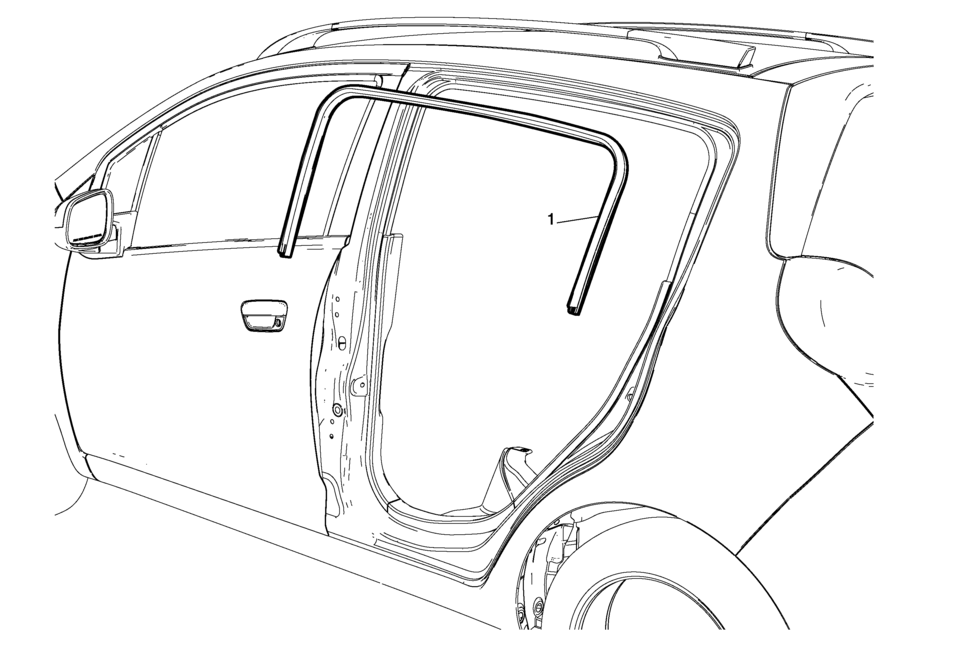
|
Callout |
Component Name |
|---|---|
Preliminary Procedures
|
|
|
1 |
Rear Side Door Weatherstrip Body Side Procedure
|
 Rear Side Door Upper Front Auxiliary Weatherstrip Retainer Replacement
Rear Side Door Upper Front Auxiliary Weatherstrip Retainer Replacement
Callout
Component Name
1
Front Side Door Upper Fr ...
 Rear Side Door Weatherstrip Replacement - Door Side
Rear Side Door Weatherstrip Replacement - Door Side
Callout
Component Name
1
Rear Side Door Weatherstrip
Procedure
...
Other materials:
Coolant System Flushing
Note:
Do not use a chemical flush.
Store used coolant in the proper manner, such as in a used engine coolant
holding tank.
Do not pour used coolant down a drain. Ethylene glycol antifreeze is
a very toxic chemical.
Do not dispose of coolant into the sewer system or groun ...
Exhaust Manifold Heat Shield Replacement (LUV)
Exhaust Manifold Heat Shield Replacement
Callout
Component Name
Warning: Refer to Exhaust Service Warning.
1
Exhaust Manifold Heat Shield Fasteners (Qty: 3)
Caution: Refer to Fas ...
Intake Air Pressure and Temperature Sensor Replacement
Intake Air Pressure and Temperature Sensor Replacement
Callout
Component Name
Preliminary Procedure
Remove the left front wheelhouse liner. Refer to
Front Wheelhouse Liner Replacement.
1
Intake A ...

0.0066