
Chevrolet Sonic Repair Manual: Rear Wheel Speed Sensor Replacement
- Removal Procedure
-
Warning:
Refer to Brake Dust Warning.
- Raise and support the vehicle. Refer to Lifting and Jacking the Vehicle.
- Remove the tire and wheel assembly. Refer to Tire and Wheel Removal and Installation.
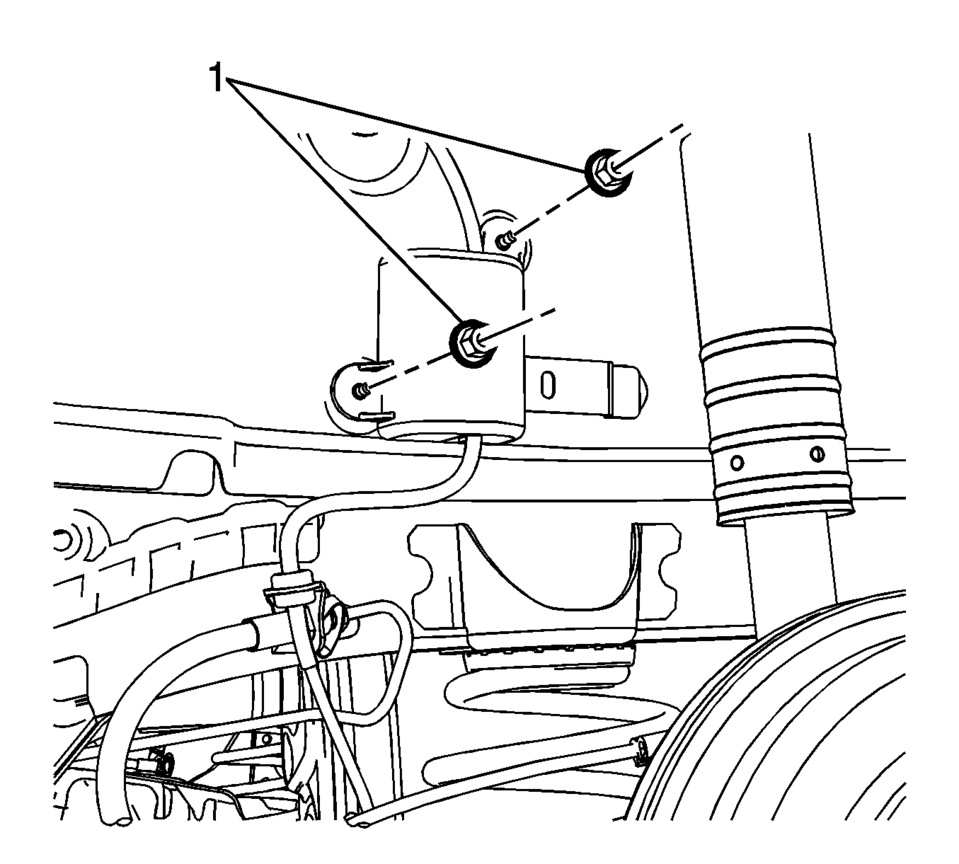
- Remove the rear wheel speed sensor harness connector cover nuts (1).
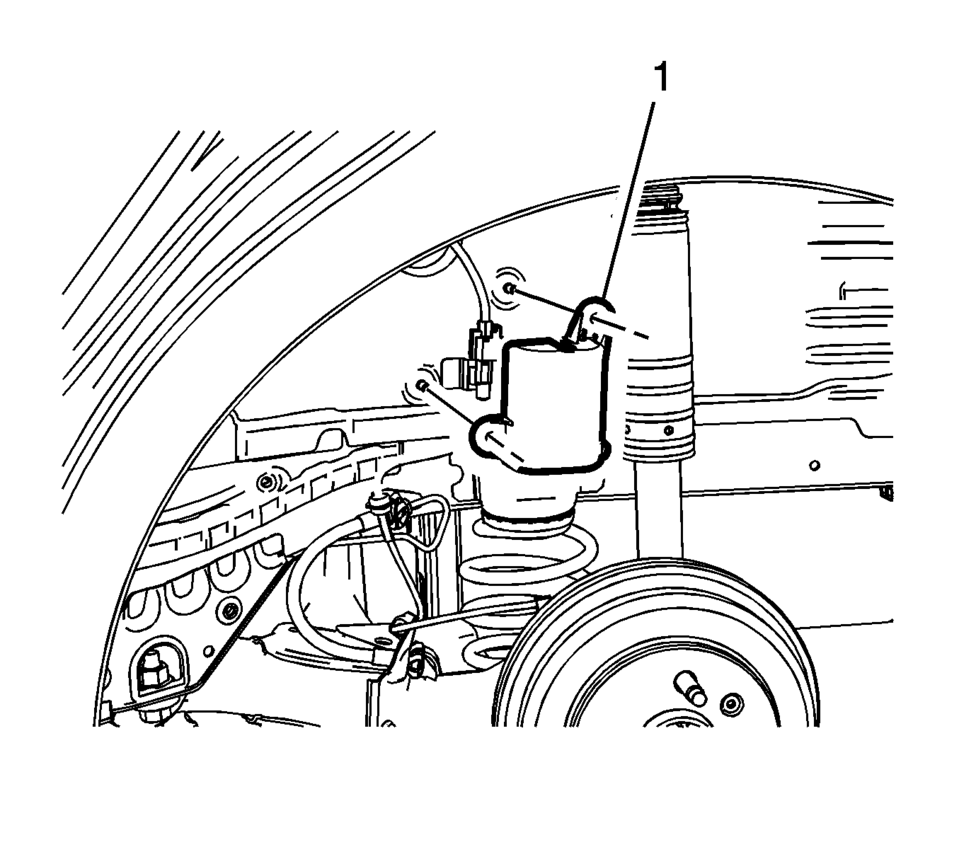
- Remove the rear wheel speed sensor harness connector cover (1).
- Clean the rear drum brake area around the wheel speed sensor of any accumulated dirt and debris.
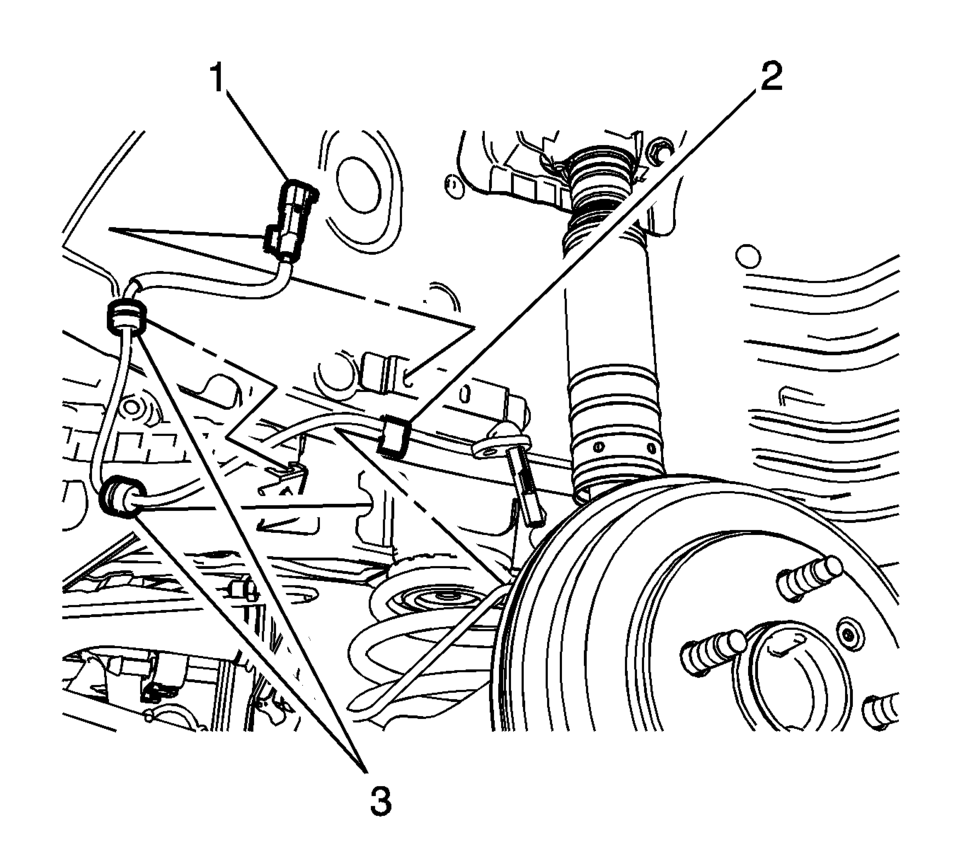
- Disconnect the wheel speed sensor electrical connector (1) and release the connector from the wheelhouse bracket.
- Release the wheel speed sensor harness retainer (2) from the wheel cylinder brake pipe.
- Release the wheel speed sensor harness grommets (3) from the bracket.
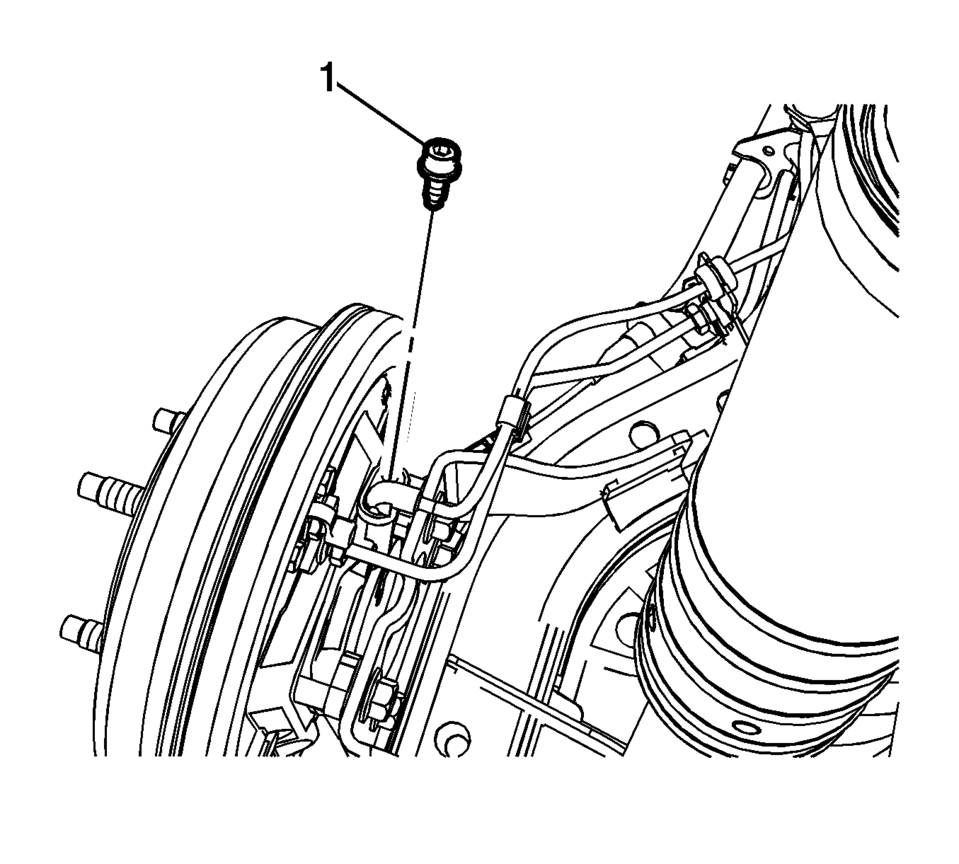
- Remove the wheel speed sensor bolt (1).
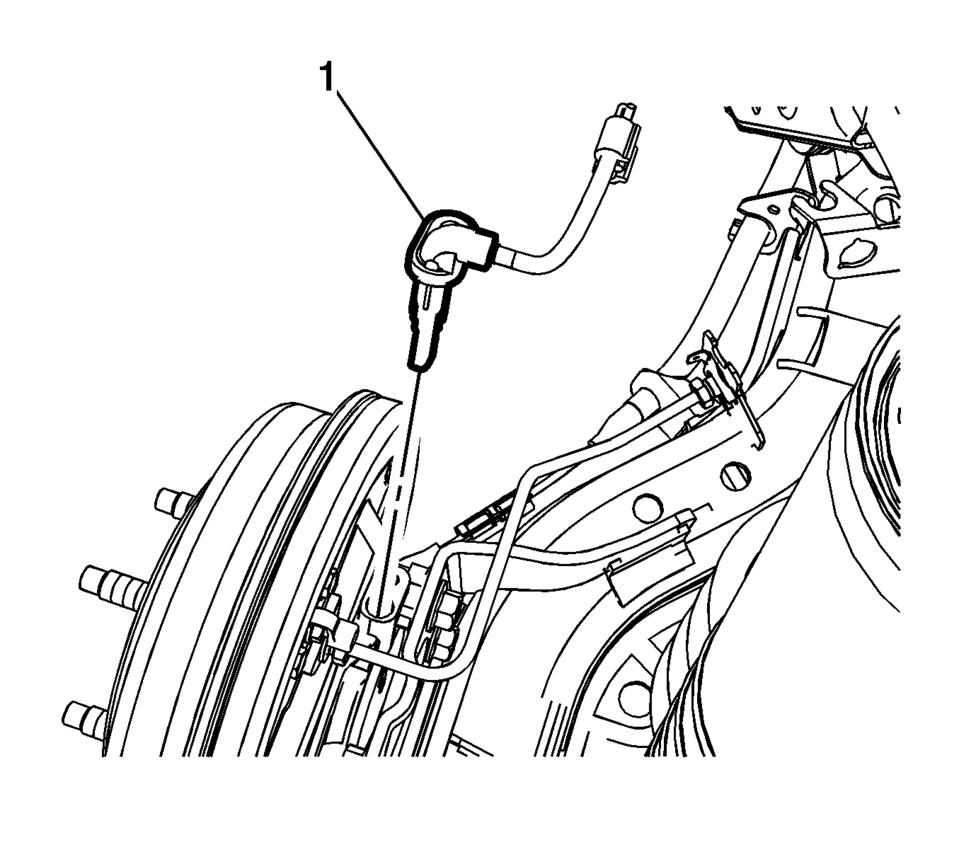
- Remove the wheel speed sensor (1) from the rear drum brake spacer by pulling the sensor straight upward using a slight twisting motion.
- Installation Procedure
-
- Install the wheel speed sensor (1) to the rear drum brake spacer.
- Install the wheel speed sensor bolt (1) and tighten to 8 Y (71 lb in)
.
- Connect the wheel speed sensor electrical connector (1) and install the connector to the wheelhouse bracket.
- Install the wheel speed sensor harness retainer (2) to the wheel cylinder brake pipe.
- Install the wheel speed sensor harness grommets (3) to the bracket.
- Install the rear wheel speed sensor harness connector cover (1).
- Install the rear wheel speed sensor harness connector cover nuts (1)
and tighten to 2 Y (18 lb in)
.
- Install the tire and wheel assembly. Refer to Tire and Wheel Removal and Installation.
- Perform the Diagnostic System Check - Vehicle.
Caution:
Refer to Fastener Caution.
Note:
If the wheel speed sensor grommets are equipped with a molded rib, position the grommets with the rib at the open end of the wheel speed sensor harness brackets. Do not twist the wheel speed sensor harness.
 Output Speed Sensor Replacement
Output Speed Sensor Replacement
Callout
Component Name
Preliminary Procedure
Remove the control valve body. Refer to Control Va ...
 Vehicle Speed Sensor Replacement
Vehicle Speed Sensor Replacement
Callout
Component Name
1
Engine Wiring Harness Bracket Nut
Caution: Refer to Fa ...
Other materials:
New Vehicle Break-In
Notice: The vehicle does not need an elaborate break-in. But it will
perform better in the long run if you follow these guidelines:
Do not drive at any one constant speed, fast or slow, for the first
805 km (500 mi). Do not make full-throttle starts. Avoid downshifting t ...
Shift Fork Cleaning and Inspection (Gen 2)
Warning: Wear safety glasses to avoid injury when using compressed
air or any cleaning solvent. Bodily injury may occur if fumes are inhaled
or if skin is exposed to chemicals.
Clean the following components with a suitable solvent.
Air dry all the parts.
3rd and ...
System maintenance (ProPILOT Assist 2.1)
To ensure optimal performance of the Nissan Armada ProPILOT Assist 2.1 system,
it is essential to keep the driver monitor area clean and unobstructed at all times.
Carefully remove any dust, dirt, or smudges using a clean, soft cloth such as
a lens-cleaning cloth. Maintaining a clear camera ...

0.0095