
Chevrolet Sonic Repair Manual: Roof Rear Header Panel Replacement (5HB)
- Removal Procedure
-
- Disable the SIR system. Refer to SIR Disabling and Enabling.
- Disconnect the negative battery cable. Refer to Battery Negative Cable Disconnection and Connection.
- Remove all related panels and components.
- Repair as much of the damage as possible to factory specifications. Refer to Dimensions - Body.
- Remove the sealers and anti-corrosion materials from the repair area. Refer to Anti-Corrosion Treatment and Repair.
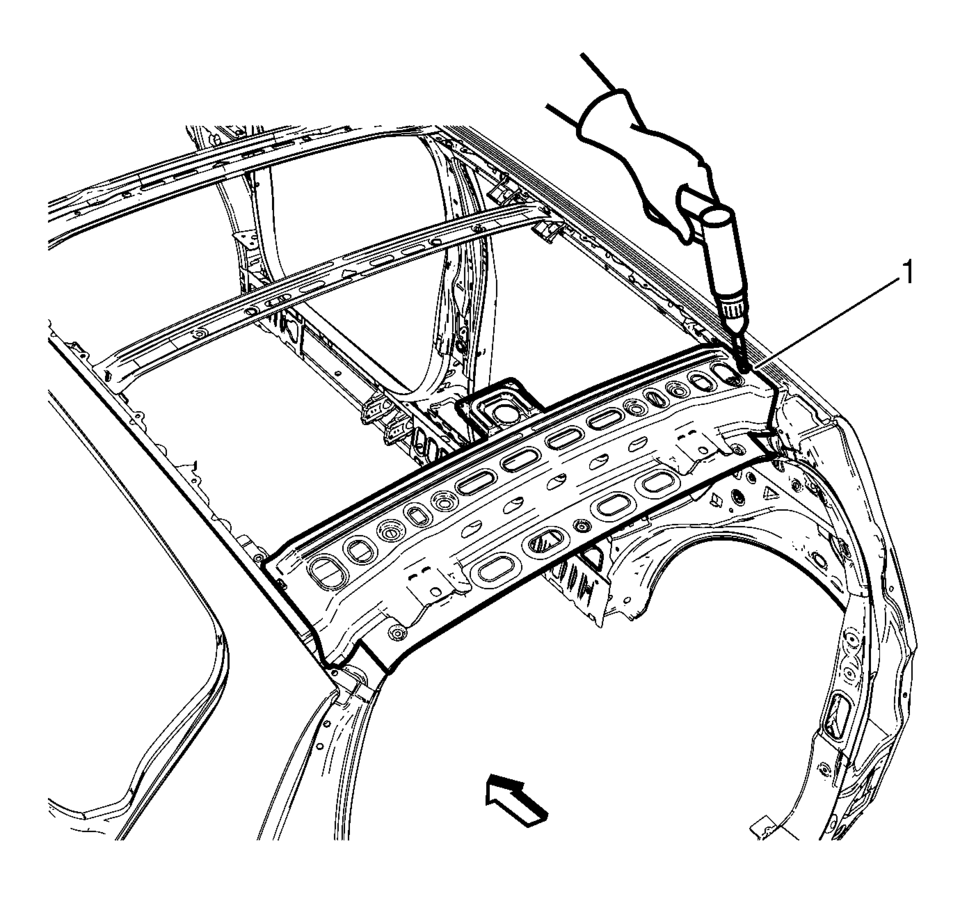
- Locate and mark all factory welds.
- Drill all factory welds (1). Note the number and location of welds for installation of the service assembly.
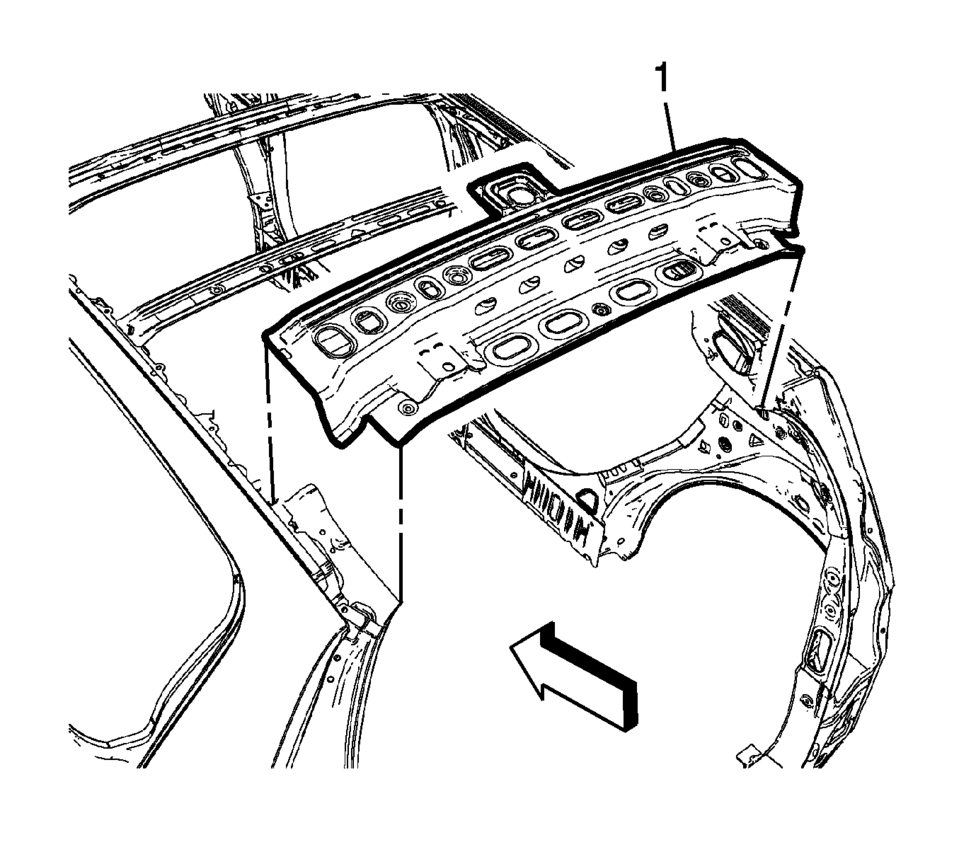
- Remove the damaged rear header panel?€‰(1).
Warning:
Refer to Approved Equipment for Collision Repair Warning.
- Installation Procedure
-
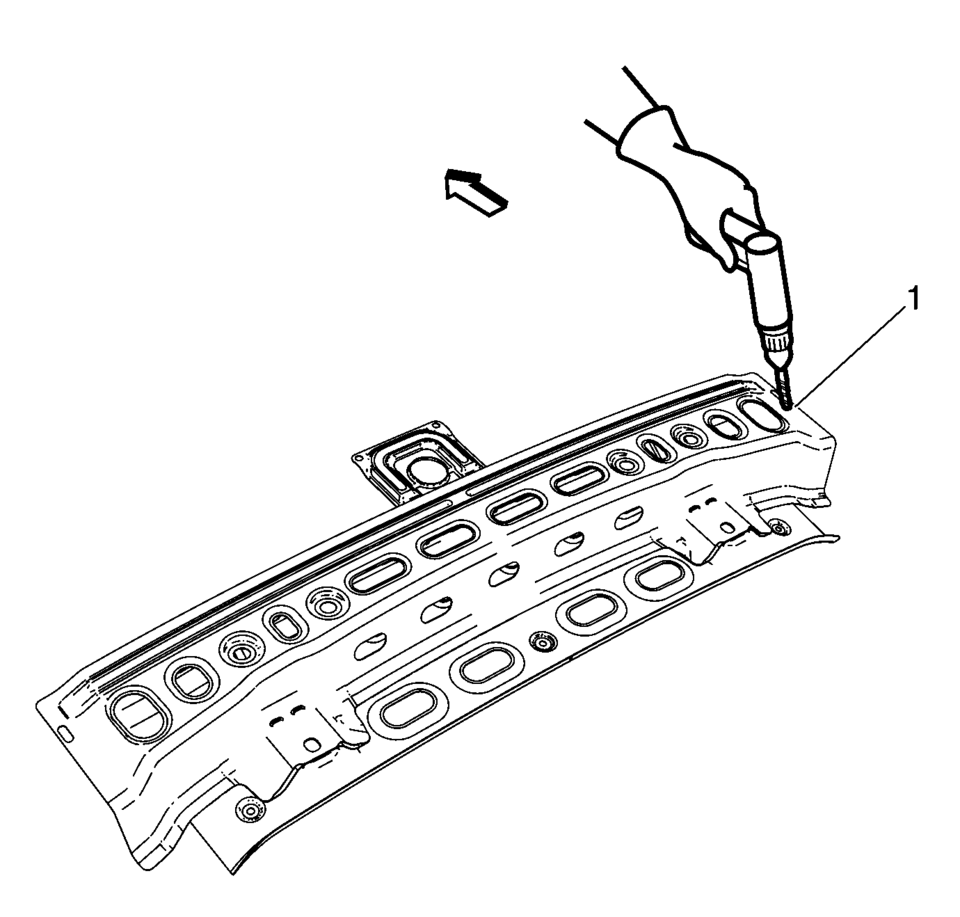
- Drill 8?€‰mm (5/16?€‰in)
holes for plug welding along the edges of the service panel (1) as noted from the original panel.
- Clean and prepare the attaching surfaces for welding.
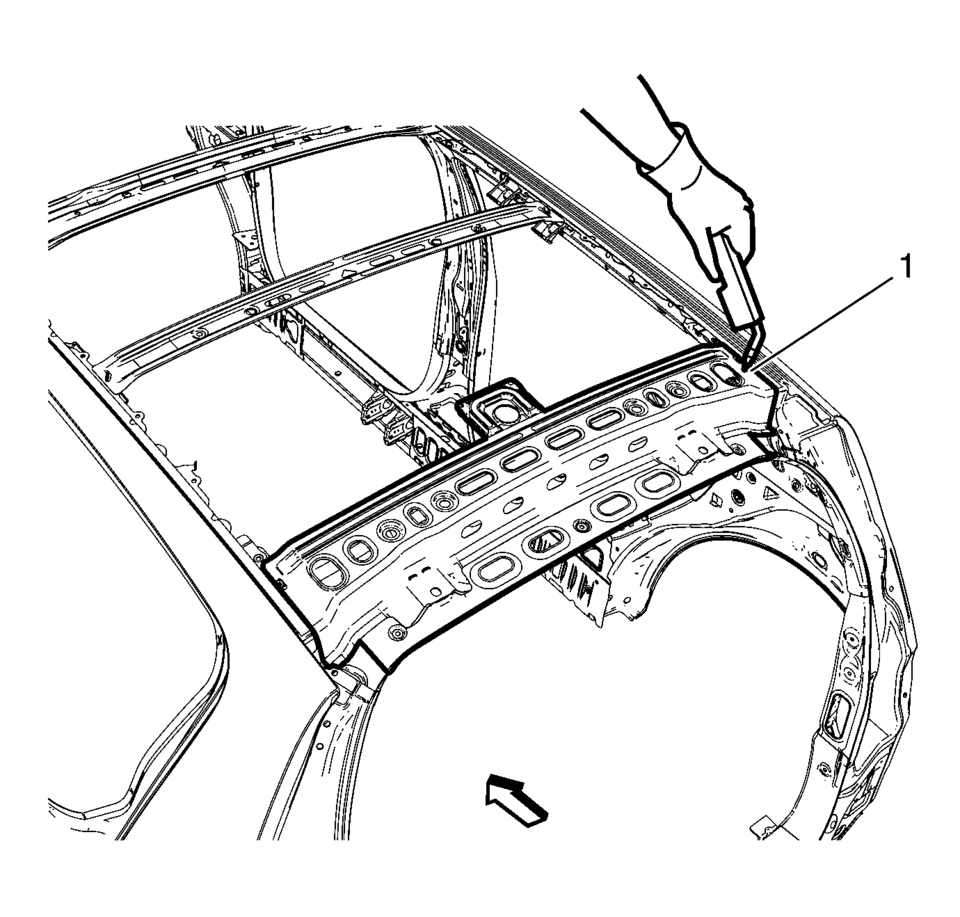
- Position the roof rear header?€‰(1) panel on the vehicle.
- Verify the fit of the panel.
- Clamp the roof rear header panel into position.
- Plug weld accordingly (1).
- Apply the sealers and anti-corrosion materials to the repair area, as necessary. Refer to Anti-Corrosion Treatment and Repair.
- Paint the repaired area. Refer to Basecoat/Clearcoat Paint Systems.
- Install all related panels and components.
- Connect the negative battery cable. Refer to Battery Negative Cable Disconnection and Connection.
- Enable the SIR system. Refer to SIR Disabling and Enabling.
- Drill 8?€‰mm (5/16?€‰in)
 Roof Rail Rear Assist Handle Replacement
Roof Rail Rear Assist Handle Replacement
Callout
Component Name
1
Roof Rail Rear Assist Handle Fastener (Qty:?€‰2)
...
 Moonroof/Sunroof
...
Other materials:
Uniform Tire Quality Grading
Quality grades can be found where applicable on the tire sidewall between tread
shoulder and maximum section width. For example:
Treadwear 200 Traction AA Temperature A
The following information relates to the system developed by the United States
National Highway Traffic Safety Administration ...
Front Side Door Upper Front Trim Panel Replacement
Front Side Door Upper Front Trim Panel Replacement
Callout
Component Name
1
Front Side Door Upper Front Trim Panel Assembly
Procedure
Use the appropriate plastic trim tool to aid in the removal of the door
tri ...
Control Solenoid Valve and Transmission Control Module Assembly Replacement
Removal Procedure
Remove the transmission control valve body cover.
Refer to Control Valve Body Cover Replacement.
Disconnect the output speed sensor electrical connector (2).
Disconnect the shift position switch electrical connector (3).
Disconn ...

0.0052