
Chevrolet Sonic Repair Manual: Seat Adjustment
- Manual Seats
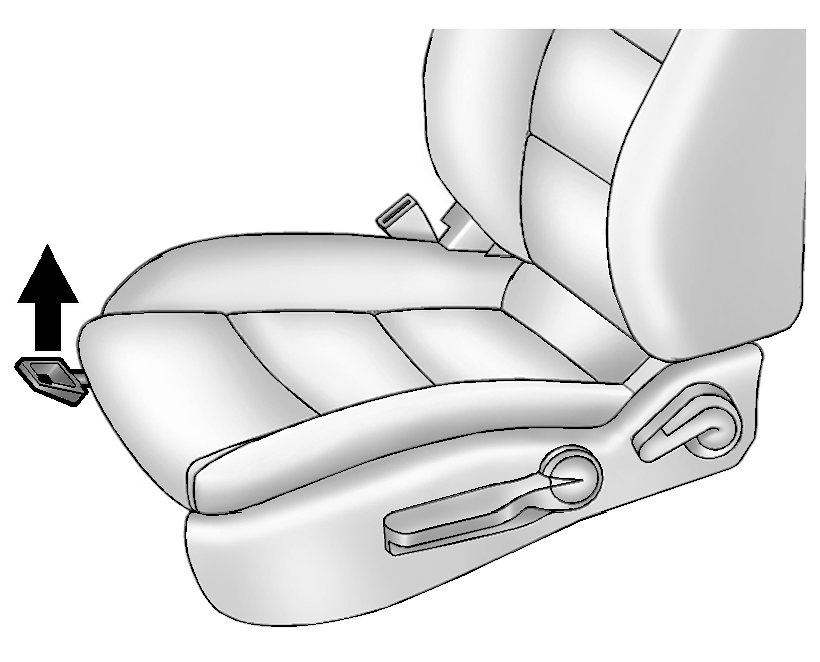
To adjust a manual seat:
- Pull the handle at the front of the seat.
- Slide the seat to the desired position and release the handle.
- Try to move the seat back and forth to be sure it is locked in place.
See Seat Adjustment.
- Seat Height Adjuster
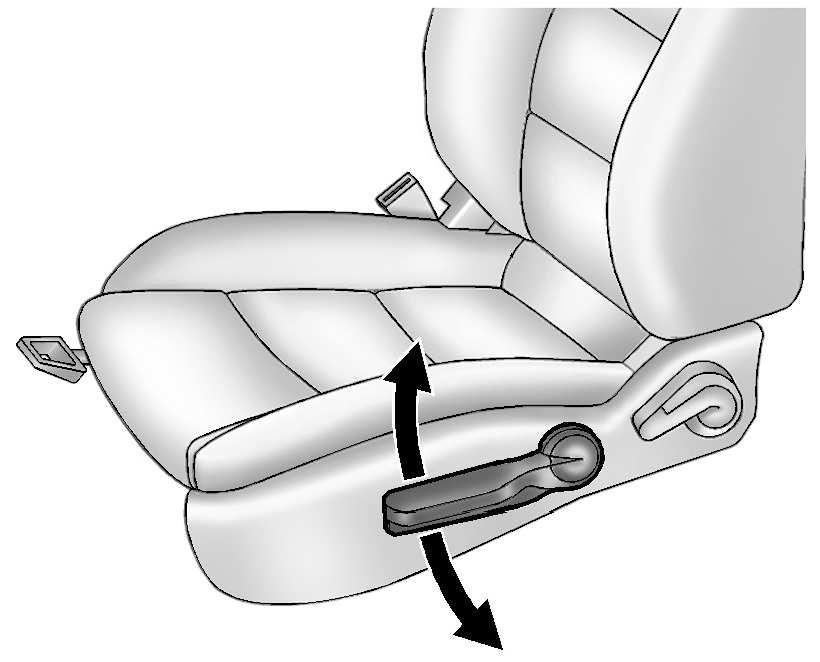
If available, move the lever up or down to manually raise or lower the seat.
See Seat Adjustment.
- Reclining Seatbacks
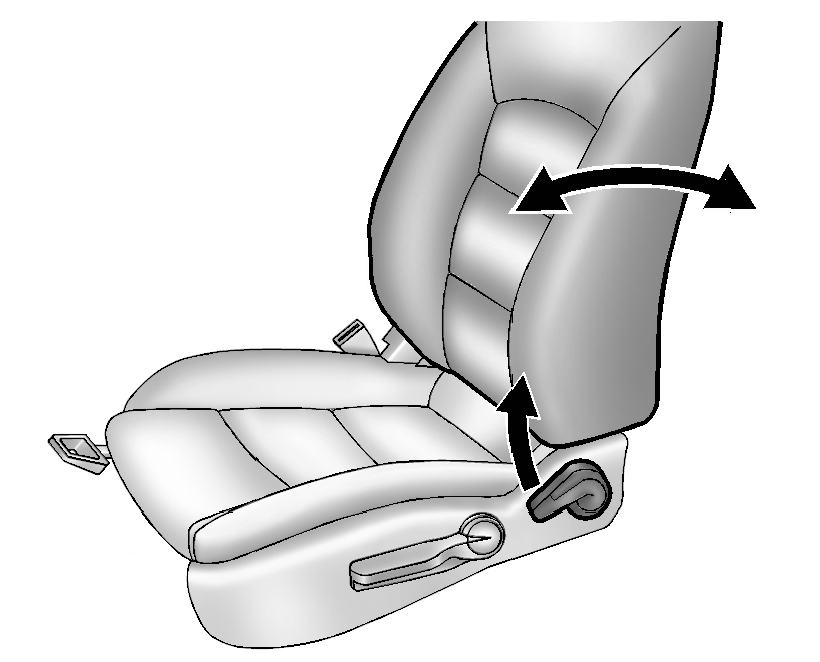
To recline a manual seatback:
- Lift the lever.
If necessary, move the safety belt out of the way to access the lever.
- Move the seatback to the desired position, and then release the lever to lock the seatback in place.
- Push and pull on the seatback to make sure it is locked in place.
To return the seatback to the upright position:
- Lift the lever fully without applying pressure to the seatback, and the seatback will return to the upright position.
- Push and pull on the seatback to make sure it is locked.
See Reclining Seatbacks.
- Lift the lever.
 Rear Seat Shoulder Belt Guide Opening Bezel Replacement
Rear Seat Shoulder Belt Guide Opening Bezel Replacement
Callout
Component Name
1
Rear Seat Shoulder Belt Opening Bezel
...
 Valve Guide Reaming, and Valve and Seat Grinding
Valve Cleaning Procedure
Use soft bristle wire brush to clean any carbon build-up from the valve
head. DO NOT use a wire brush on any part of the valve stem. The valve stem
is chr ...
Other materials:
Radio Replacement (Without US8)
Radio Replacement
Callout
Component Name
Preliminary Procedure
Remove the instrument panel center molding. Refer to
Instrument Panel Center Molding Replacement.
1
Radio Bolts (Qty: 4)
...
Overview (AM-FM Radio)
45tune<=backtoneseekl>klseekpushmenu101112131415
FAV 1-2-3 (Favorites)
Radio: Opens the favorites list.
O /VOL (Power/Volume)
Turns the system on or off and adjusts the volume.
Buttons 1−6
Radio: Saves and selects favorite stations.
SEEK ¨
Rad ...
Catalytic Converter Heat Shield Replacement (LUV)
Catalytic Converter Heat Shield Replacement
Callout
Component Name
Warning: Refer to Exhaust Service Warning.
1
Catalytic Converter Heat Shield Fasteners (Qty: 4)
Caution: Refer ...

0.0057