
Chevrolet Sonic Repair Manual: Steering Wheel Adjustment
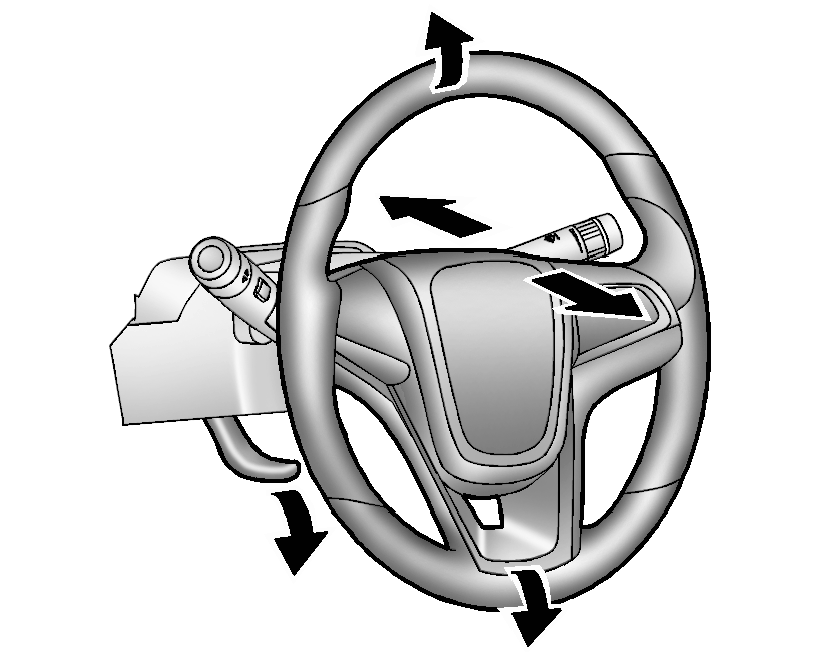
To adjust the steering wheel:
- Pull the lever down.
- Move the steering wheel up, down, forward, and backward.
- Pull the lever up to lock the steering wheel in place.
Do not adjust the steering wheel while driving.
 Driver Information Center (DIC)
The DIC displays information about your vehicle. It also displays warning messages
if a system problem is detected. See Vehicle Messages. All messages appear in the
DIC display in the instrument c ...
 Vehicle Personalization
Personalization Menu (Radio without Touchscreen)
Use the audio system controls to access the personalization menus for customizing
vehicle features.
The following are all possible perso ...
Other materials:
Radio/Audio System Description and Operation
The entertainment system on this vehicle may have several different configurations
available to it. To determine the specific configuration of the vehicle, please
see the Service Parts ID Label, and refer to RPO Code List.
Each item in the list below represents topics covered in detail below. ...
Tire and Wheel Balancing (Wheel Pilot Bore Greasing)
Beginning with MY 2011 vehicle, pilot bore grease should be applied.
To enable this, grease must be applied to the pilot bore to prevent the
wheel from seizing onto the hub.
Refer to Adhesives, Fluids, Lubricants, and Sealers for pilot bore lubricant
part number.
Do not use any pene ...
Engine Coolant Thermostat Replacement (LUW)
Removal Procedure
Warning: Refer to Battery Disconnect Warning.
Disconnect the battery negative cable. Refer to Battery Negative Cable
Disconnection and Connection.
Drain the coolant. Refer to Cooling System Draining and Filling.
Disconnect the en ...

0.0053