
Chevrolet Sonic Repair Manual: Steering Wheel Adjustment
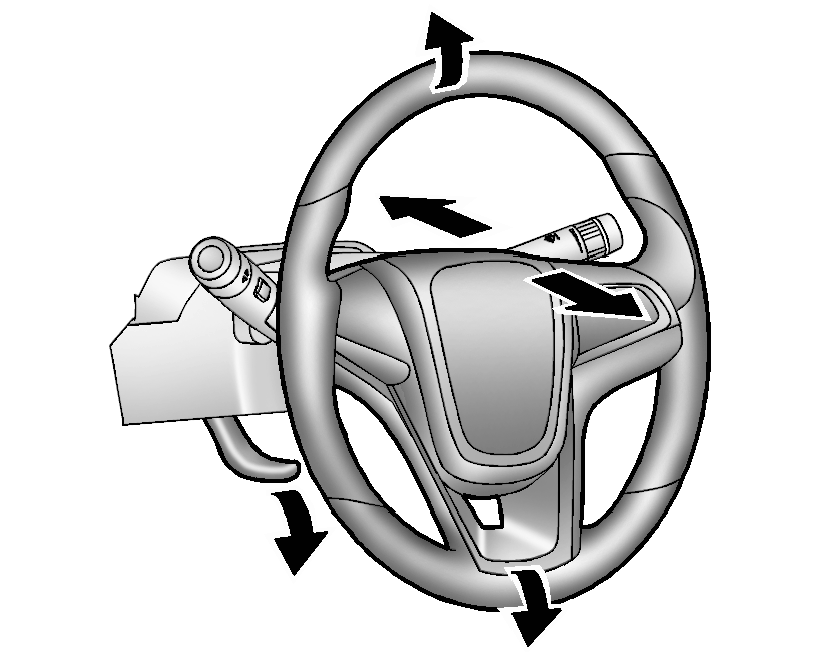
To adjust the steering wheel:
- Pull the lever down.
- Move the steering wheel up, down, forward, and backward.
- Pull the lever up to lock the steering wheel in place.
Do not adjust the steering wheel while driving.
 Driver Information Center (DIC)
The DIC displays information about your vehicle. It also displays warning messages
if a system problem is detected. See Vehicle Messages. All messages appear in the
DIC display in the instrument c ...
 Vehicle Personalization
Personalization Menu (Radio without Touchscreen)
Use the audio system controls to access the personalization menus for customizing
vehicle features.
The following are all possible perso ...
Other materials:
Adhesive Installation of Windshields
Warning: Refer to Glass and Sheet Metal Handling Warning.
Use a urethane adhesive systems which meet GM Specification GM?€‰3651G.
Remove all mounds or loose pieces of urethane adhesive from the pinchweld
area.
If the original window is being reused, remove all but approxi ...
Parking Brake Adjustment (Drum Brake)
Note: The park brake cable adjusting nut is a nylon lock type. Use
ONLY HAND TOOLS whenever tightening or loosening the adjusting nut.
Apply and fully release the park brake several times. Verify that the park
brake lever releases completely.
Turn ON the ignition. Verify the red B ...
Drivetrain and Front Suspension Frame Replacement
Special Tools
EN-45059 Angle Meter
For equivalent regional tools, refer to Special Tools.
Removal Procedure
Support the radiator and condenser from above using the upper brackets
on each side.
Raise the vehicle on a hoist. Refer to Lifting and Jacking the Vehicle.
Re ...

0.0061