
Chevrolet Sonic Repair Manual: Timing Belt Center Front Cover Installation
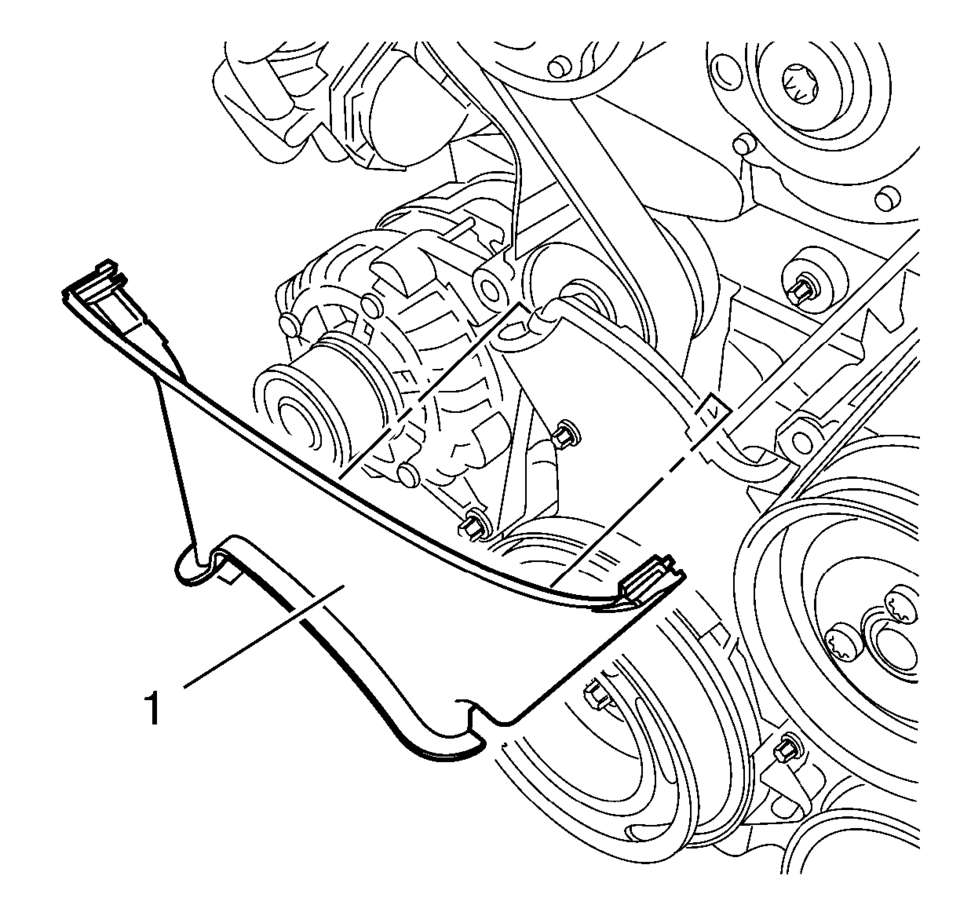
Install the timing belt center front cover (1) to the timing belt rear cover at 2 locations.
 Timing Belt Adjustment
Special Tools
EN-652 Flywheel Holder
EN-6333 Locking Pin
EN-6340 Locking Tool
EN-6628-A Locking Tool
EN-45059 Torque Angle Sensor Kit
For equivalent regional tool, refer to Special T ...
 Timing Belt Center Front Cover Removal
Remove the center front timing belt cover from the rear timing belt cover
at 2 locations.
Remove the center front timing belt cover (1).
...
Other materials:
Radiator Grille Bumper Replacement
Radiator Grille Bumper Replacement
Callout
Component Name
Preliminary Procedure
Remove the front bumper fascia. Refer to Front Bumper Fascia Replacement.
1
Radiator Grille Bumper Screw (Qty:?ۉ ...
Center Pillar Reinforcement Replacement
Removal Procedure
Warning: Refer to Approved Equipment for Collision Repair
Warning.
Warning: Refer to Glass and Sheet Metal Handling Warning.
Note: The center pillar upper stiffener is made of Dual Phase
Steel and should be replaced only at ...
Camshaft Actuator System Description
Camshaft Actuator System Overview
(1)
Camshaft Actuator Vane
(2)
Timing Chain Sprocket
(3)
Engine Oil Pressure-For retarding the camshaft
(4)
Camshaft
(5)
Input Signals from Engine Sen ...

0.0071