
Chevrolet Sonic Repair Manual: Transmission Case Assemble (Gen 1)
Special Tools
- 3-9506289 Universal Adapter
- J-840733 Driver
- R-0007758 Holding Fixture
- R-0007761 Universal Handle
- R-0007770 Holding Fixture Adapter Plates
- T-9804669 Seal Installer
- T-0307000 Extractor and Driver Fixture
For equivalent regional tools, refer to Special Tools.
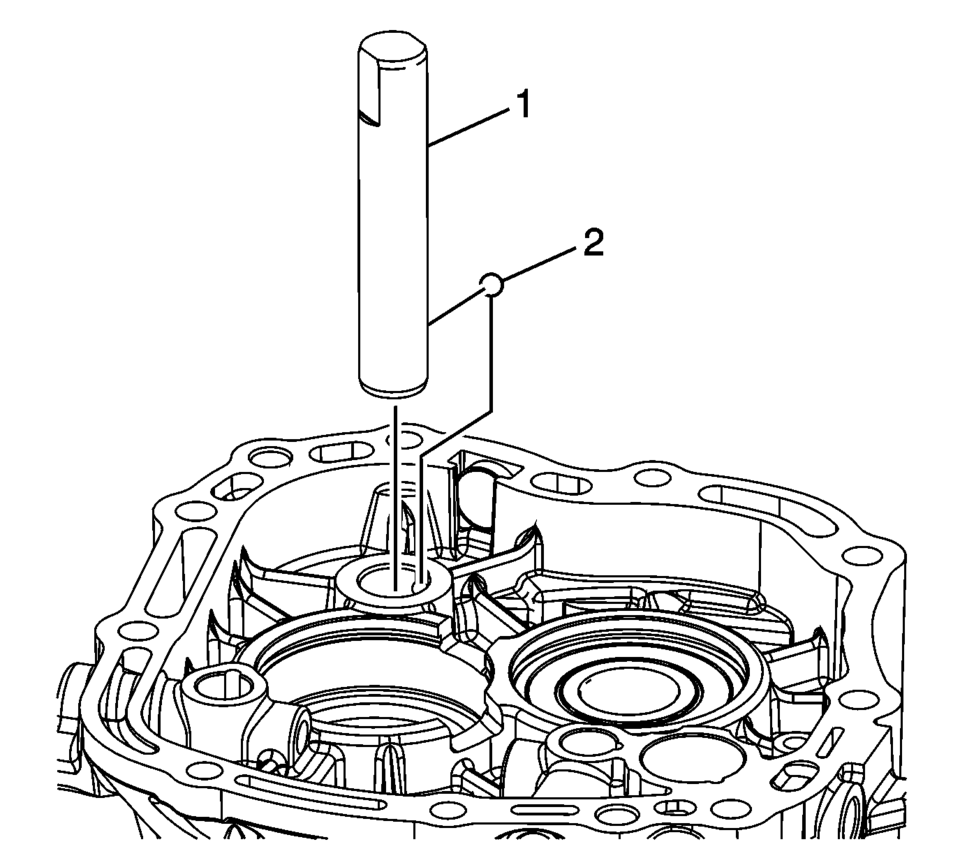
- Install the reverse idler gear shaft retaining ball (2).
- Install the reverse idler gear shaft (1).
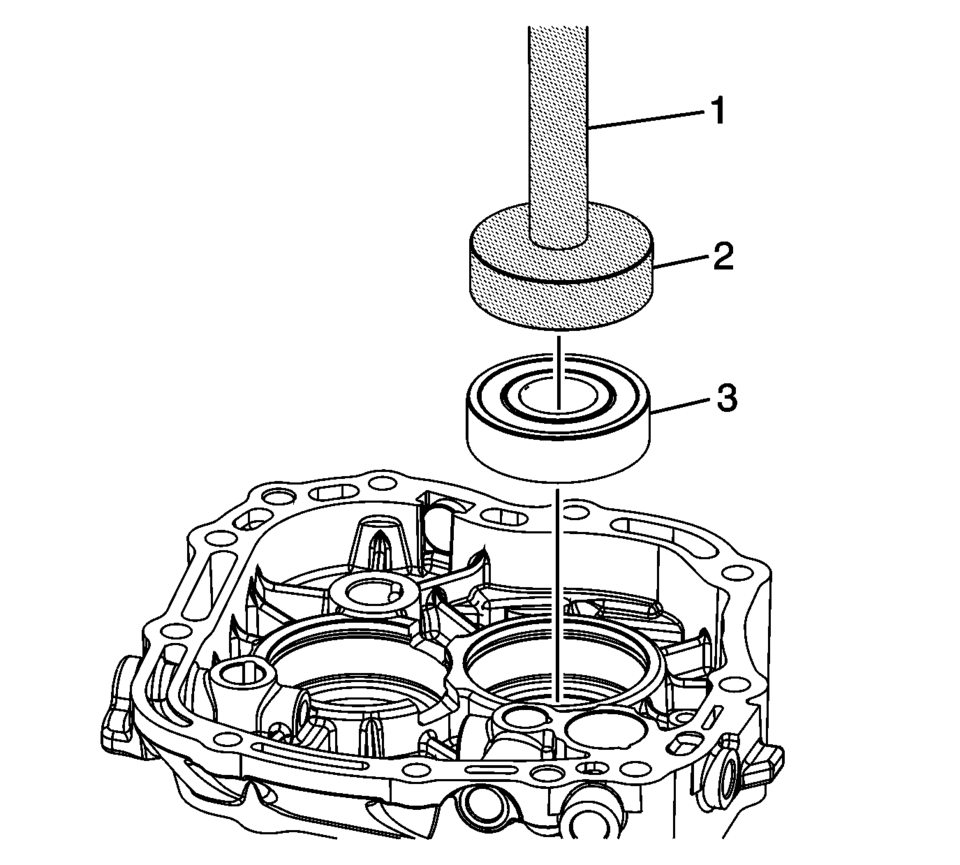
- Using T-9804669 seal installer (2) and R-0007761 handle (1), install the mainshaft bearing (3) into the case.
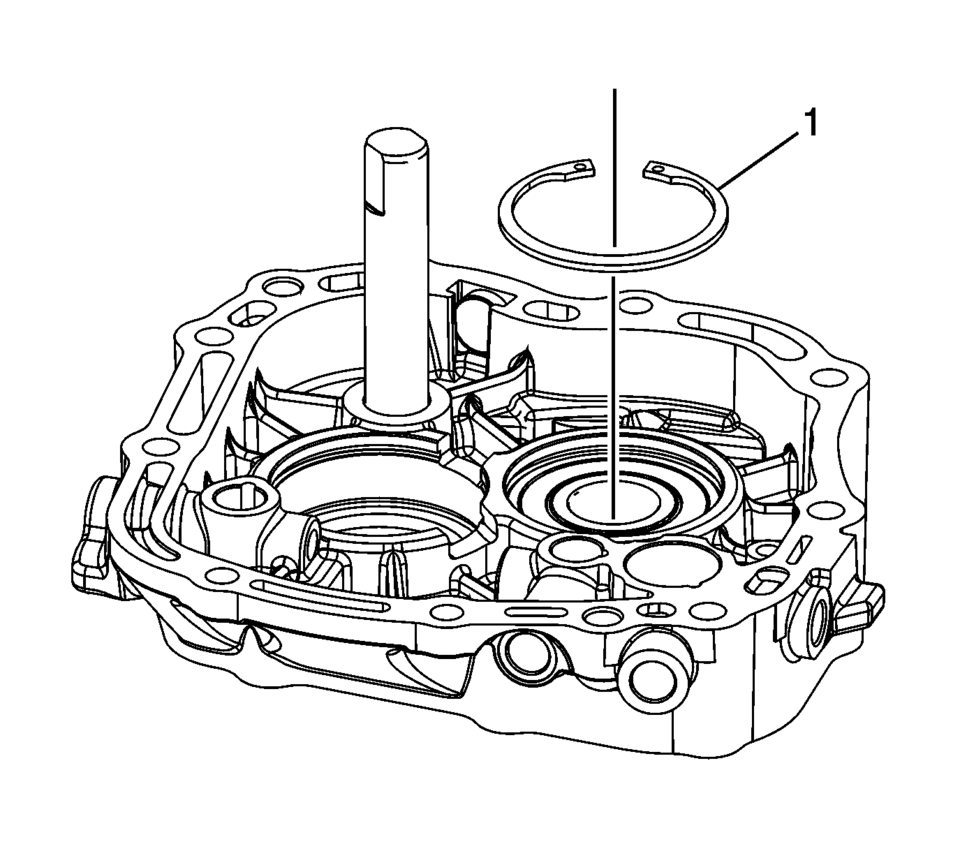
- Install the mainshaft bearing retaining ring (1).
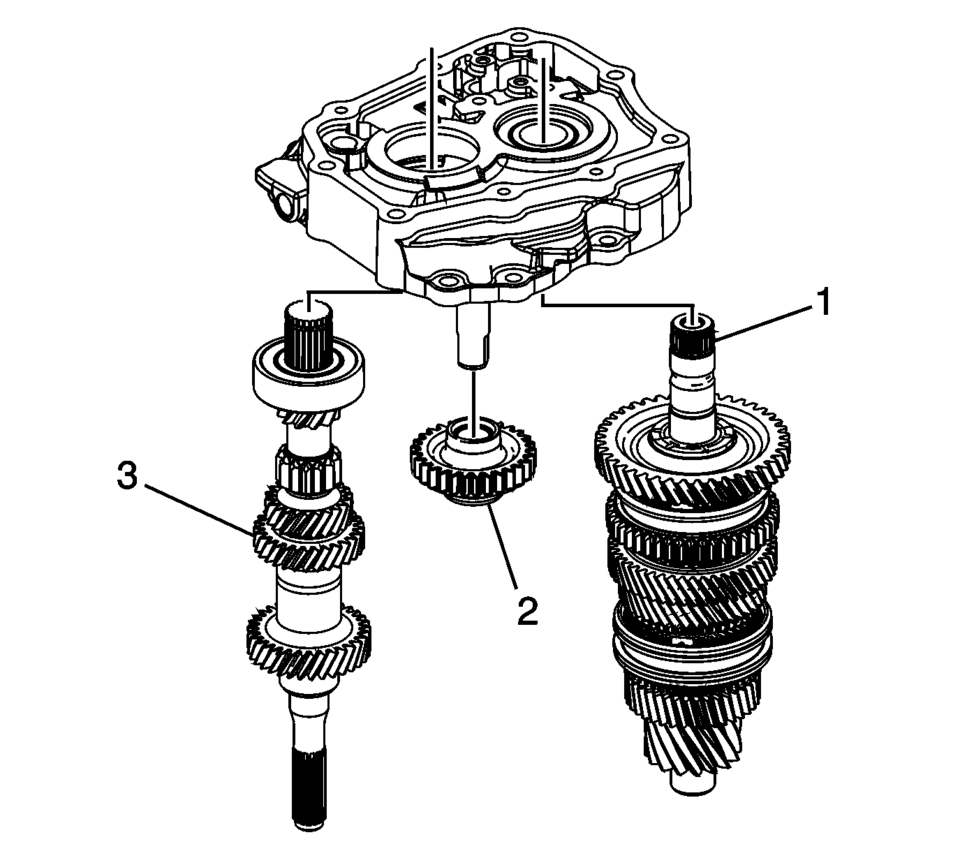
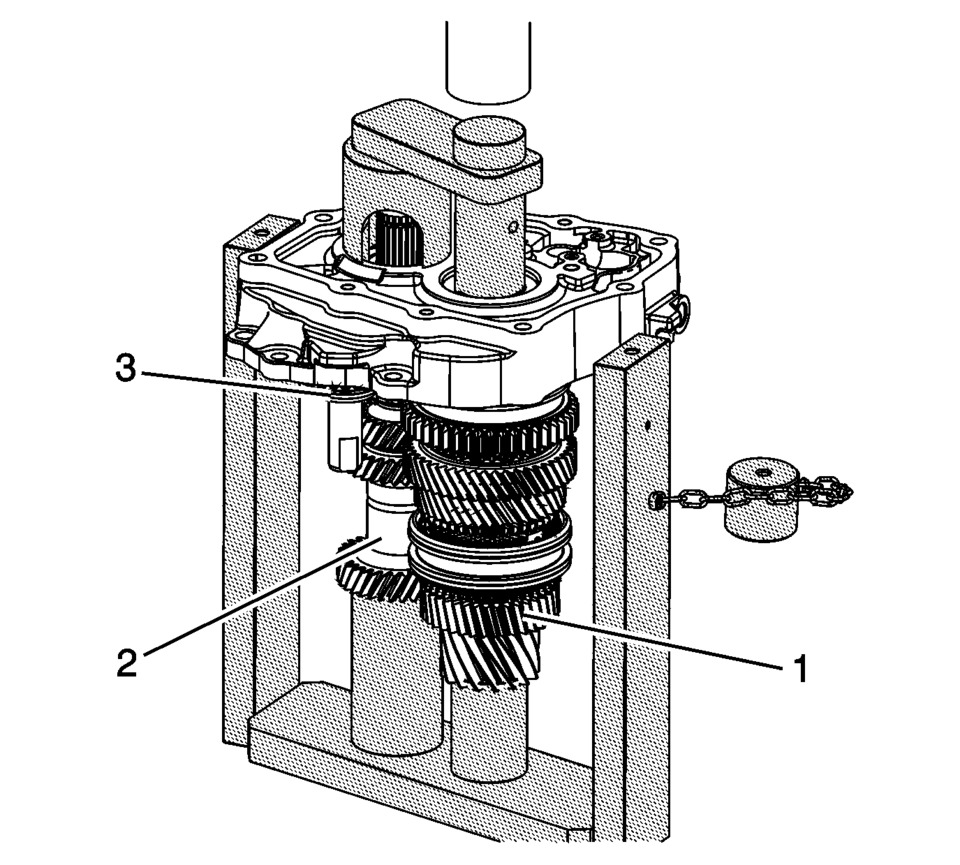
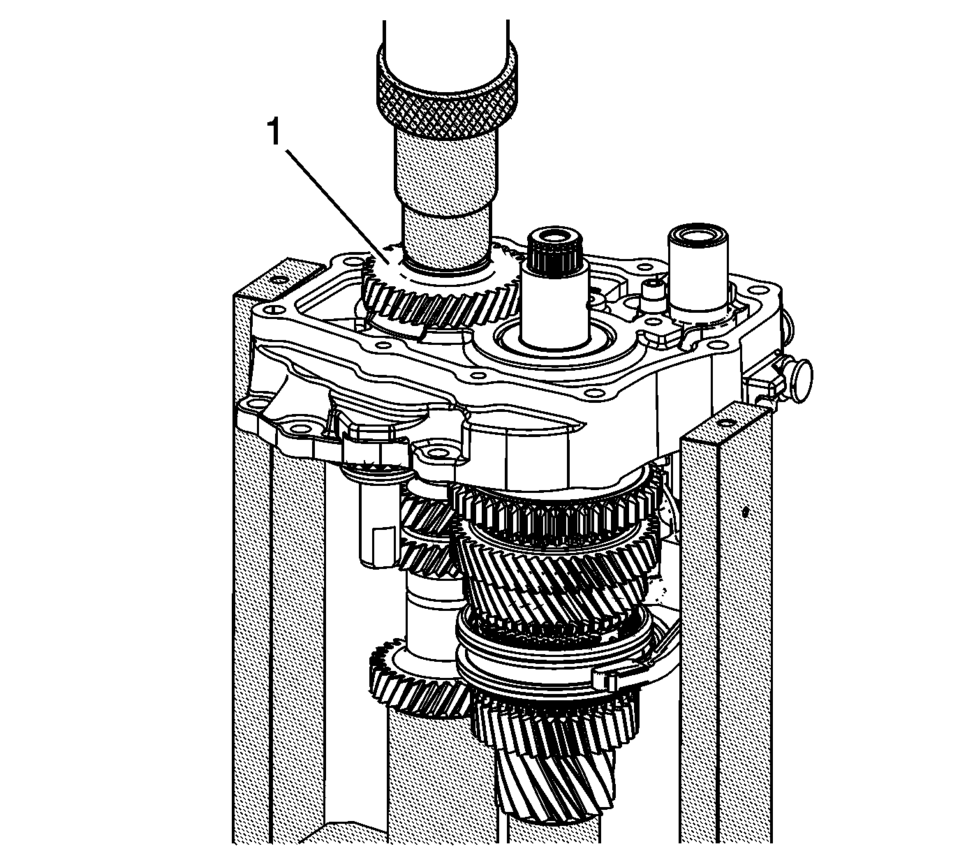
- Install the input shaft (3), reverse idler gear (2) and mainshaft (1) onto the T-0307000 driver fixture with top plate removed.
- Guide the shafts (1?) into the bores, and support the reverse idler gear (3) while pressing into the case.
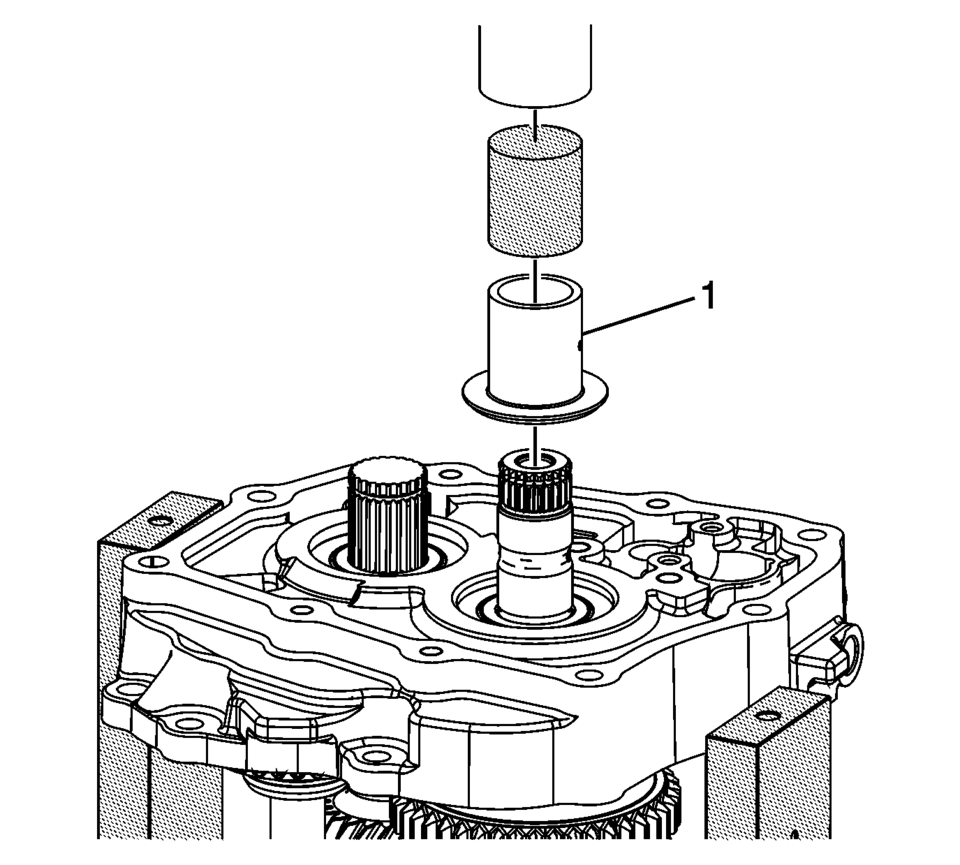
- Using the T-0307000 driver fixture , press the 5th gear bearing race (1) onto the mainshaft.
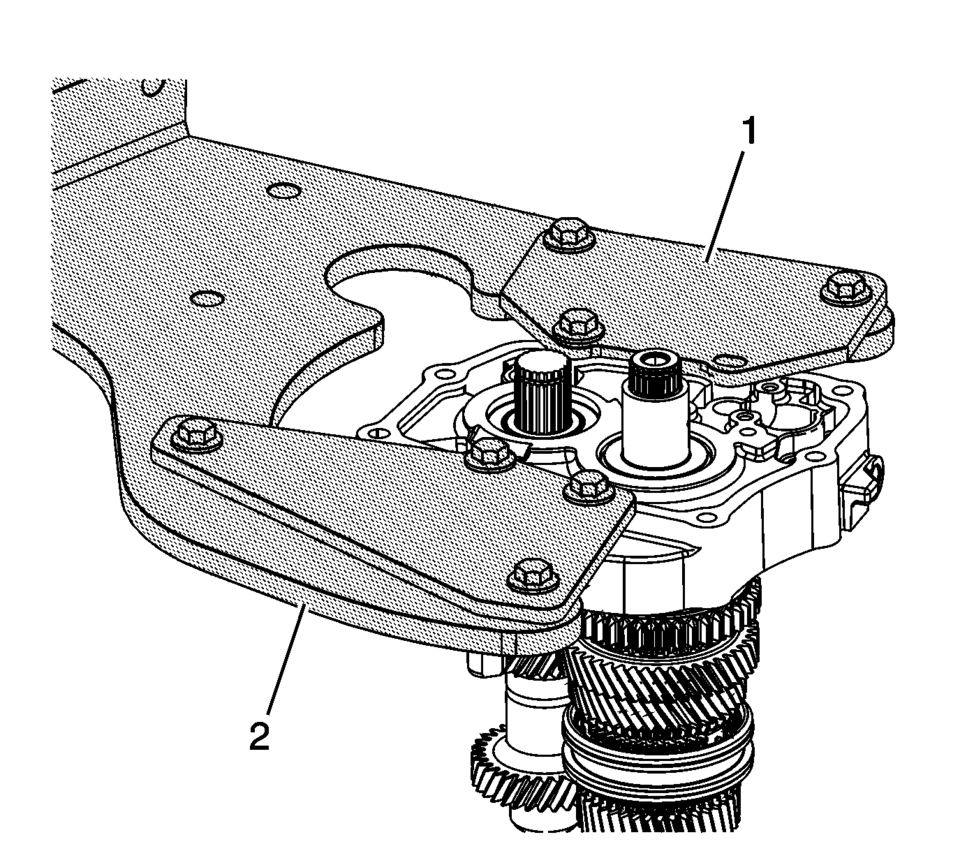
- Install the case and shafts assembly onto the R-0007770 adapter plates (1) and R-0007758 holding fixture (2).
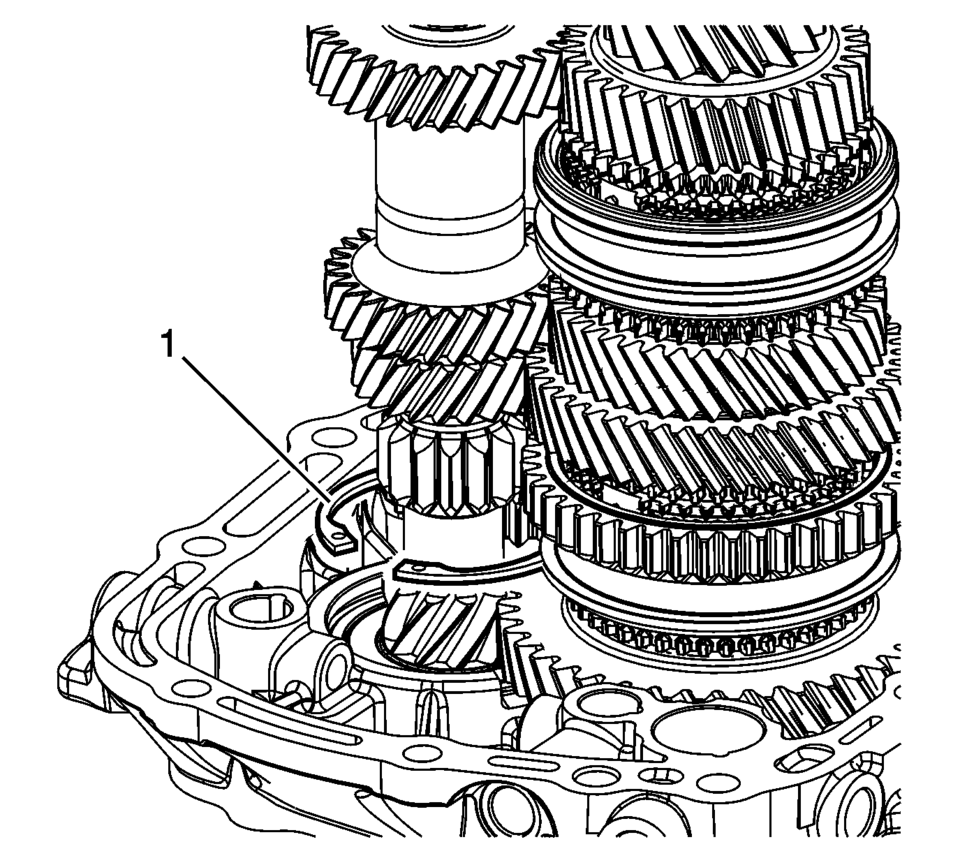
- Install the input shaft bearing retaining ring (1).
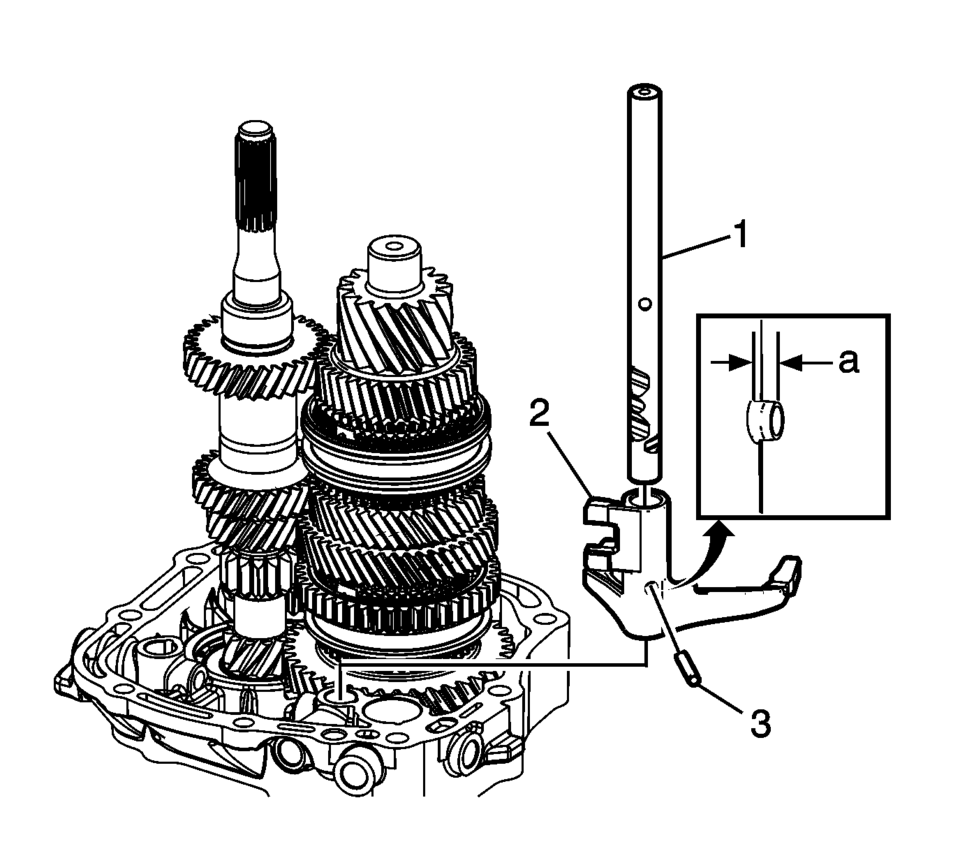
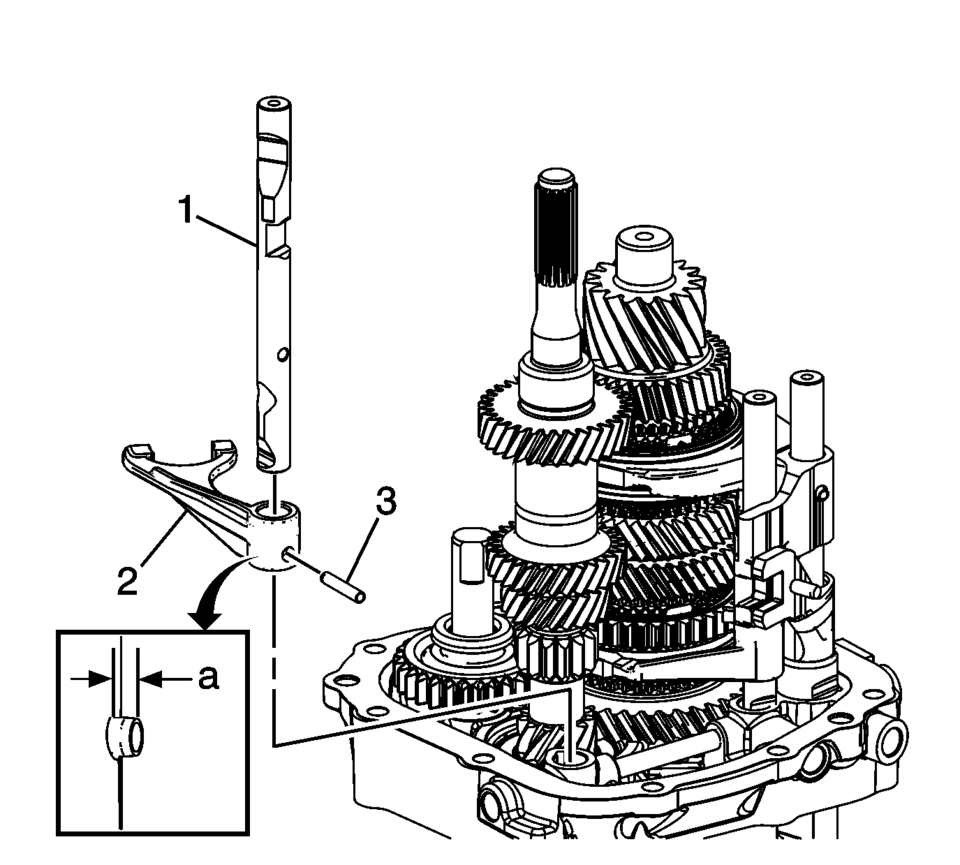
- Install the 1st and 2nd shift fork (2).
- Install the 1st and 2nd shift shaft (1).
- Install the 1st and 2nd shift fork pin (3) to the dimension ??depth of
2 mm (0.80 in)
.
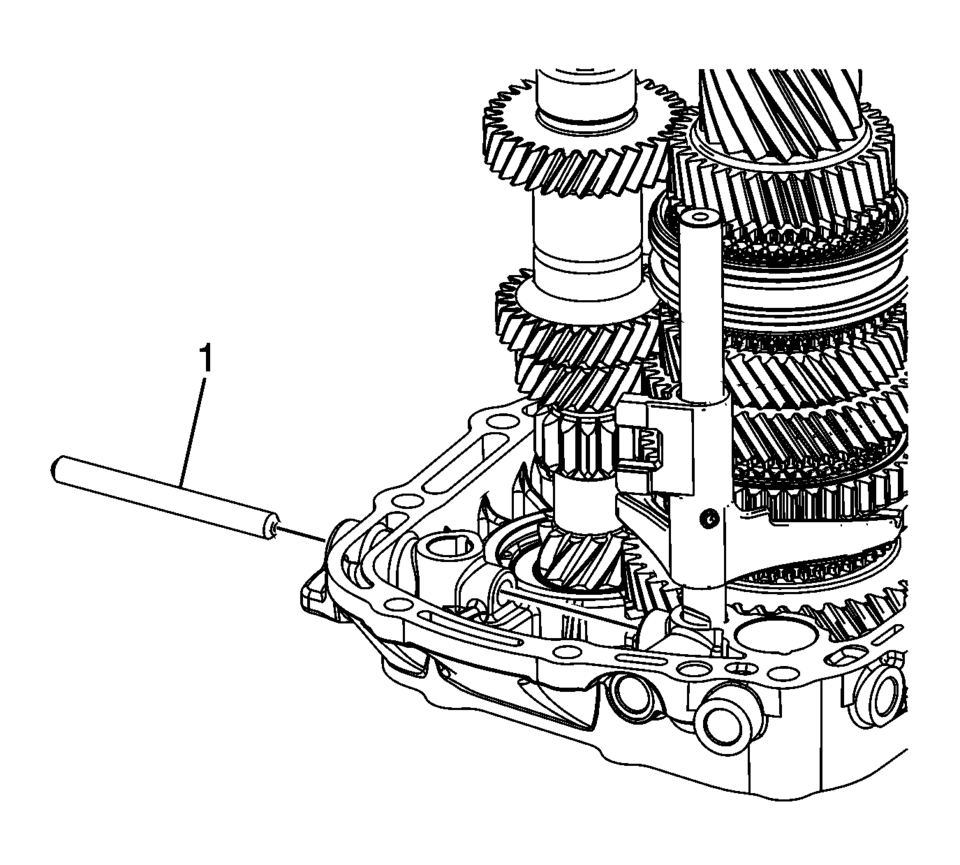
- Install the gearshift rod (1) into the transmission case.
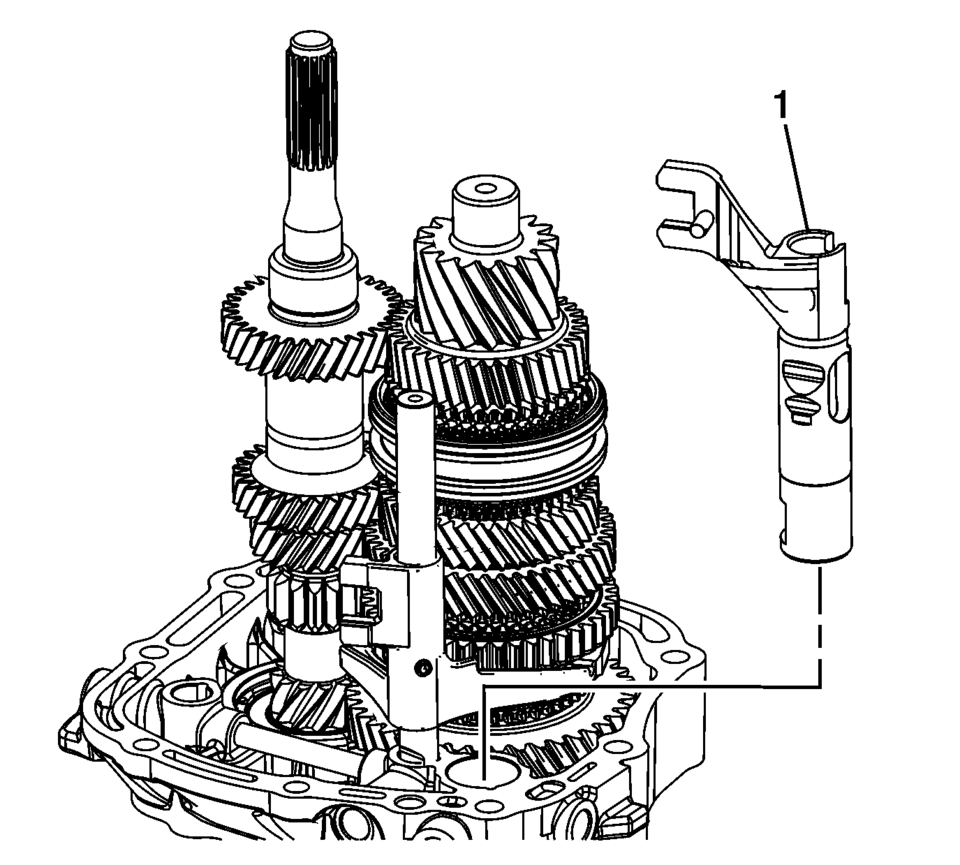
- Install the 5th shift blocking guide (1) into the transmission case.
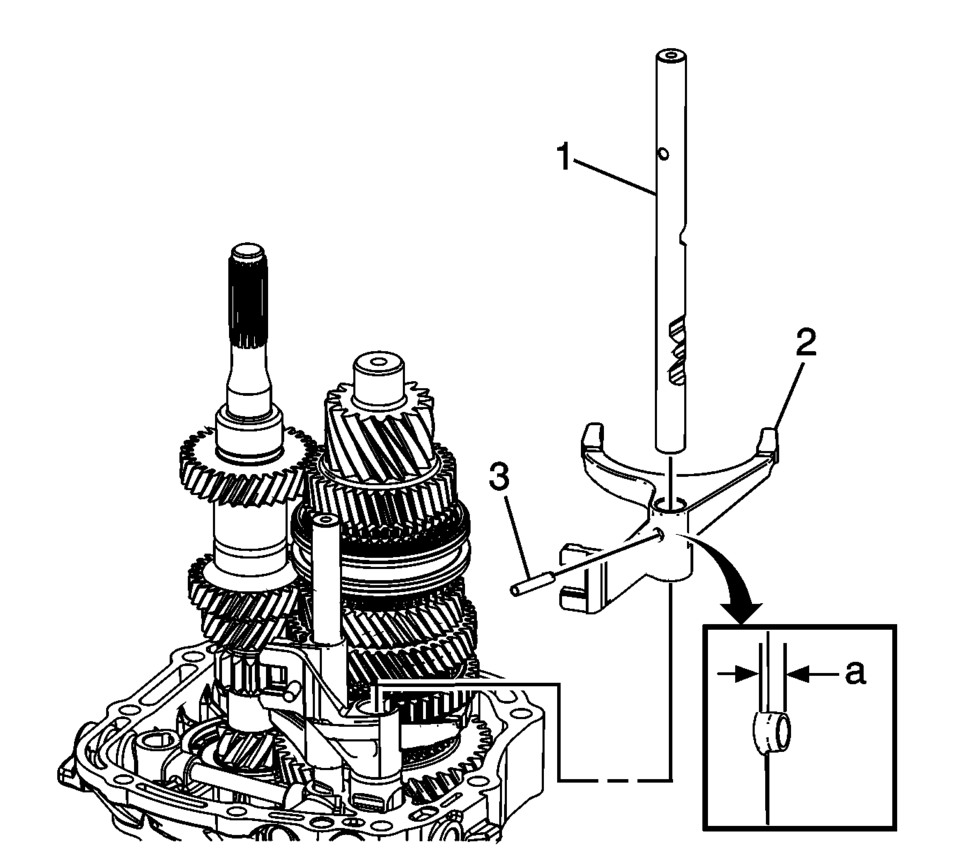
- Install the 3rd and 4th shift fork (2).
- Install the 3rd and 4th shift shaft (1).
- Install the 3rd and 4th shift fork pin (3) to the dimension ??depth of
2 mm (0.80 in)
.
- Install the reverse shift fork (2).
- Install the reverse shift shaft (1).
- Install the reverse shift fork pin (3) to the dimension ??depth of
2 mm (0.80 in)
.
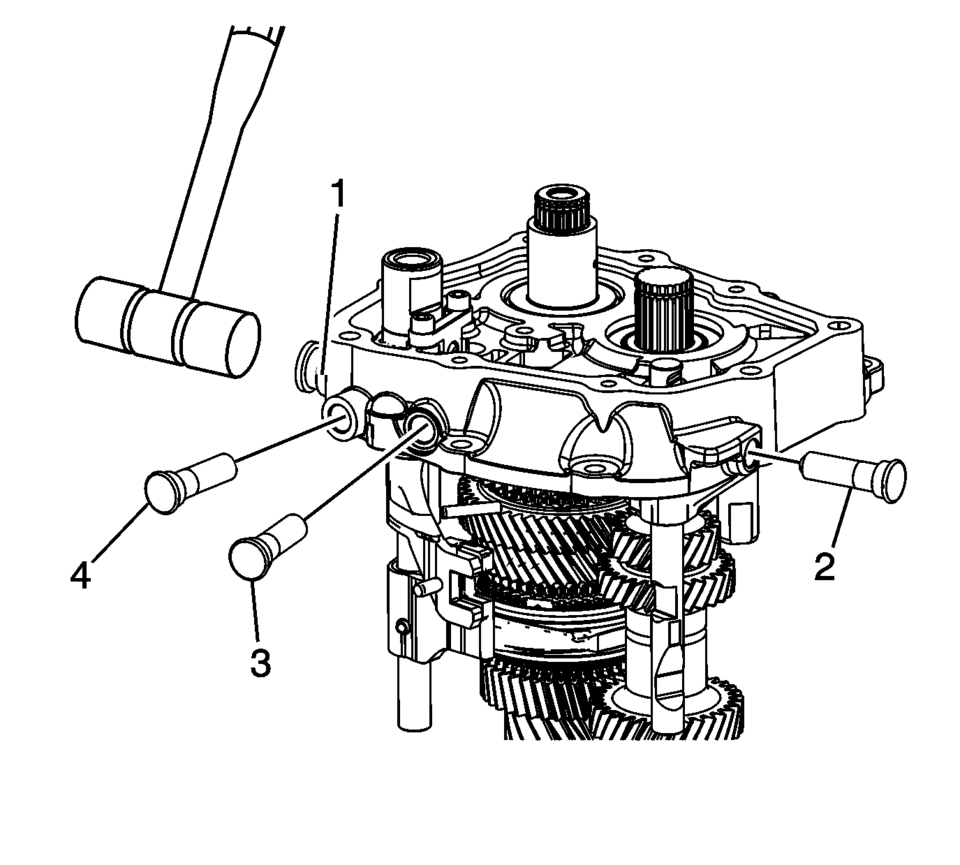
- Using a plastic hammer or equivalent install the 4 shift shaft detent sleeves (1?) into the transmission case until they stop.
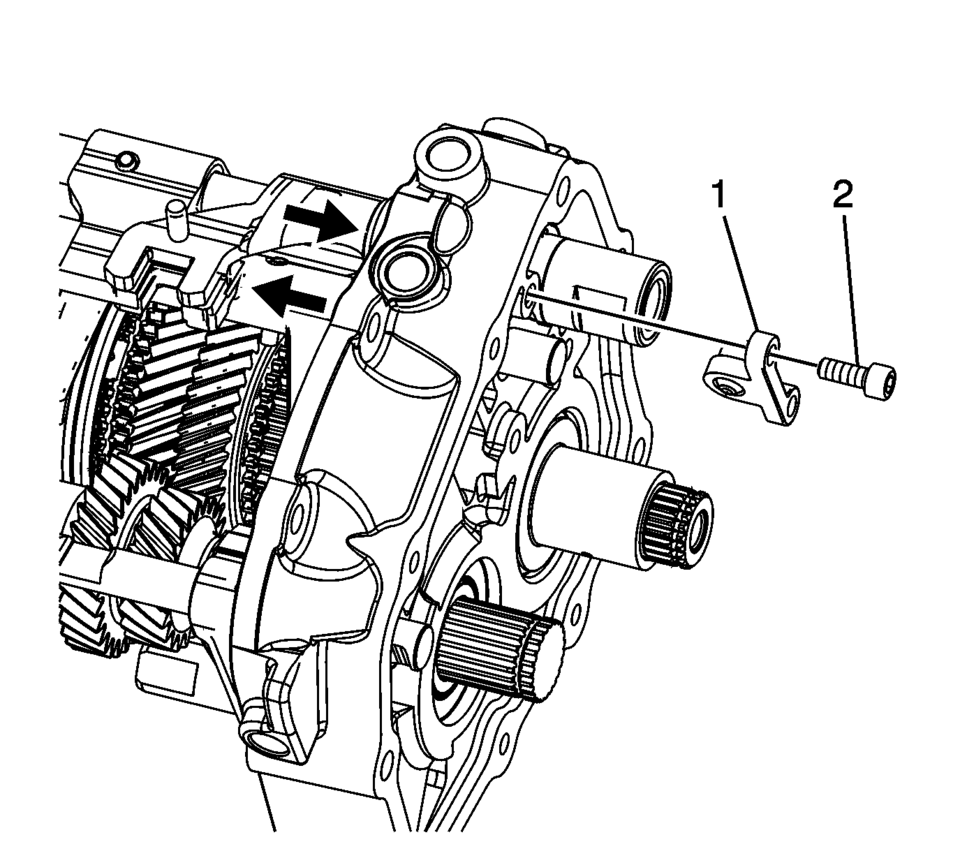
- Install the shift shaft interlock pin connector (1).
- Using thread locking compound install the shift shaft interlock pin connector
bolts (2) and tighten to 7 Y (62 lb in)
.
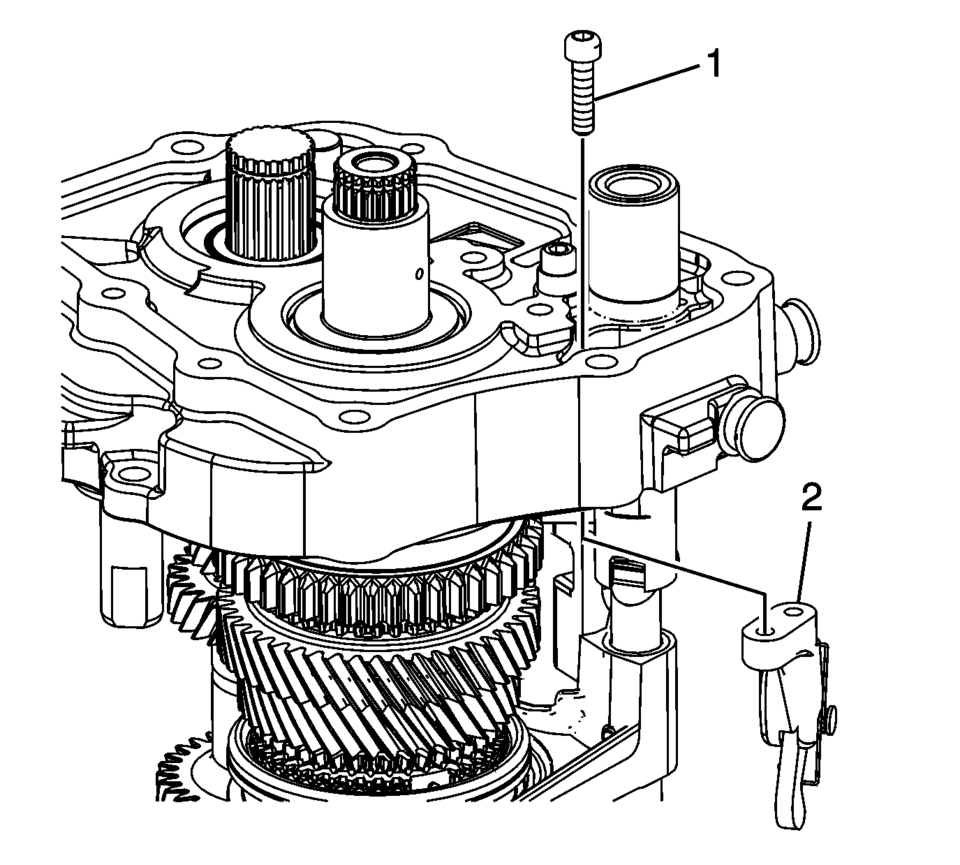
- Install the parking pawl (2).
- Using thread locking compound install the parking pawl retaining bolts (1)
and tighten to 7 Y (62 lb in)
.
- Remove case and shafts assembly from R-0007770 adapter plates and install onto T-0307000 driver fixture .
- Using J-840733 driver , press the 5th gear, driving (1) onto the input shaft.
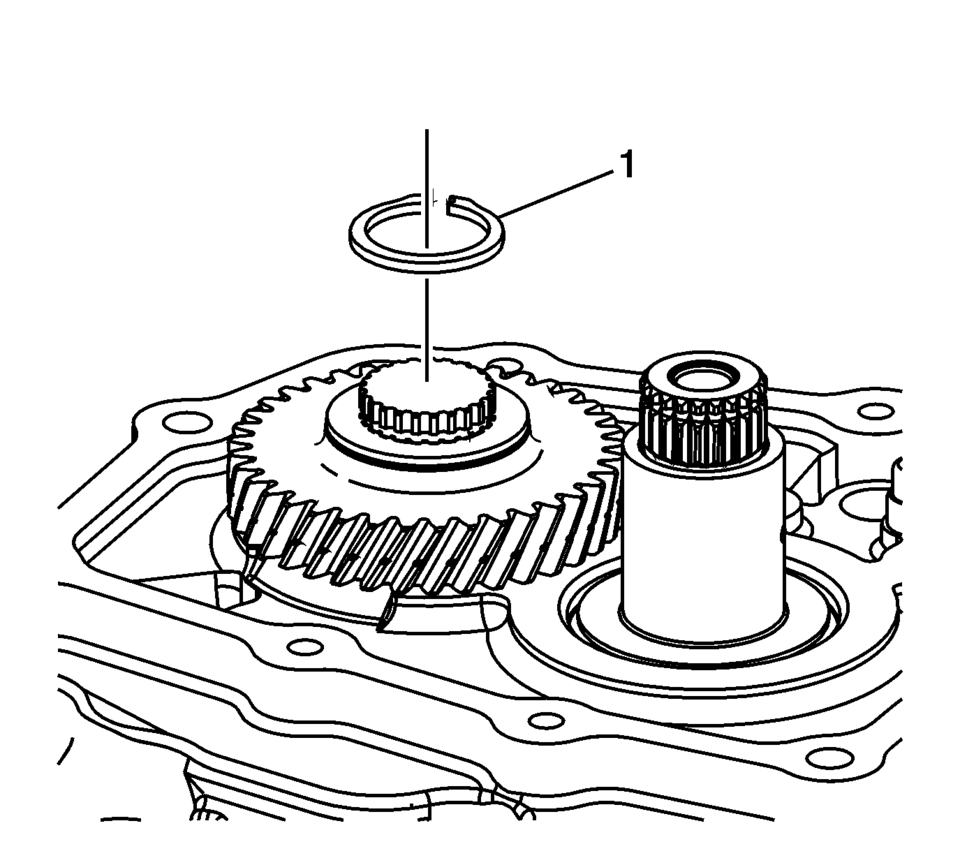
- Install a NEW 5th gear retaining ring (1).
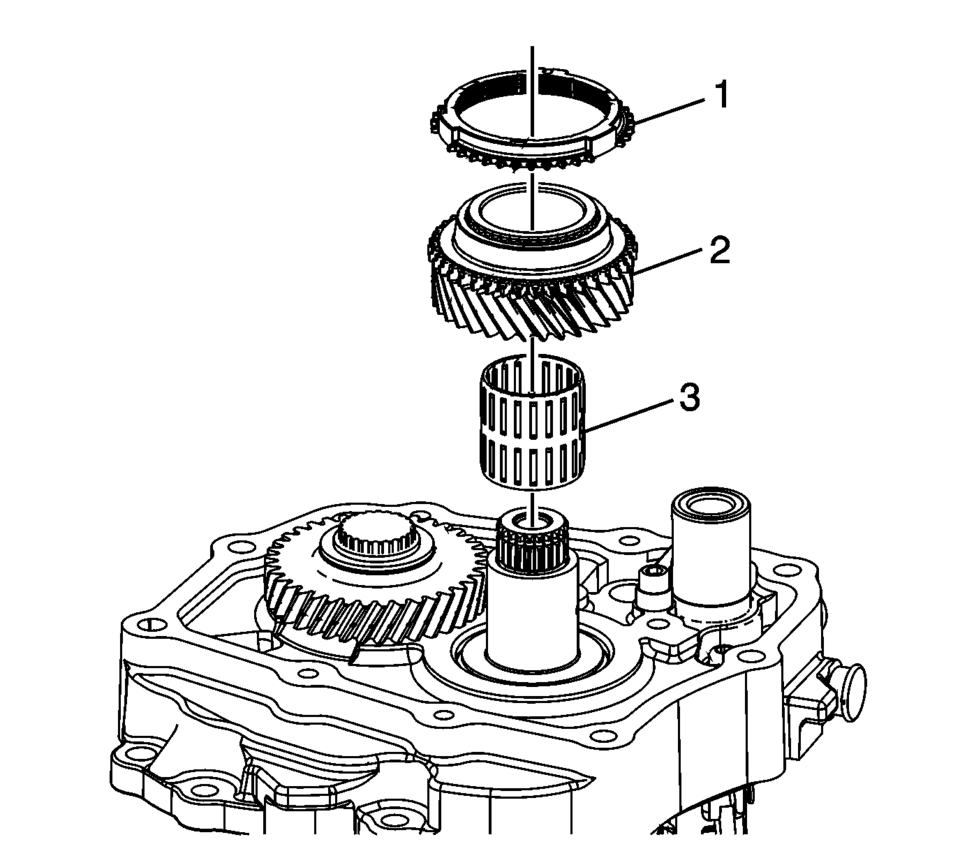
- Install the 5th gear bearing assembly (3).
- Install the 5th gear assembly, driven (2).
- Install the 5th gear blocking ring (1).
- Ensure that the synchronizer assembly (1) is functioning properly, refer to Synchronizers Cleaning and Inspection and Synchronizers Assemble.
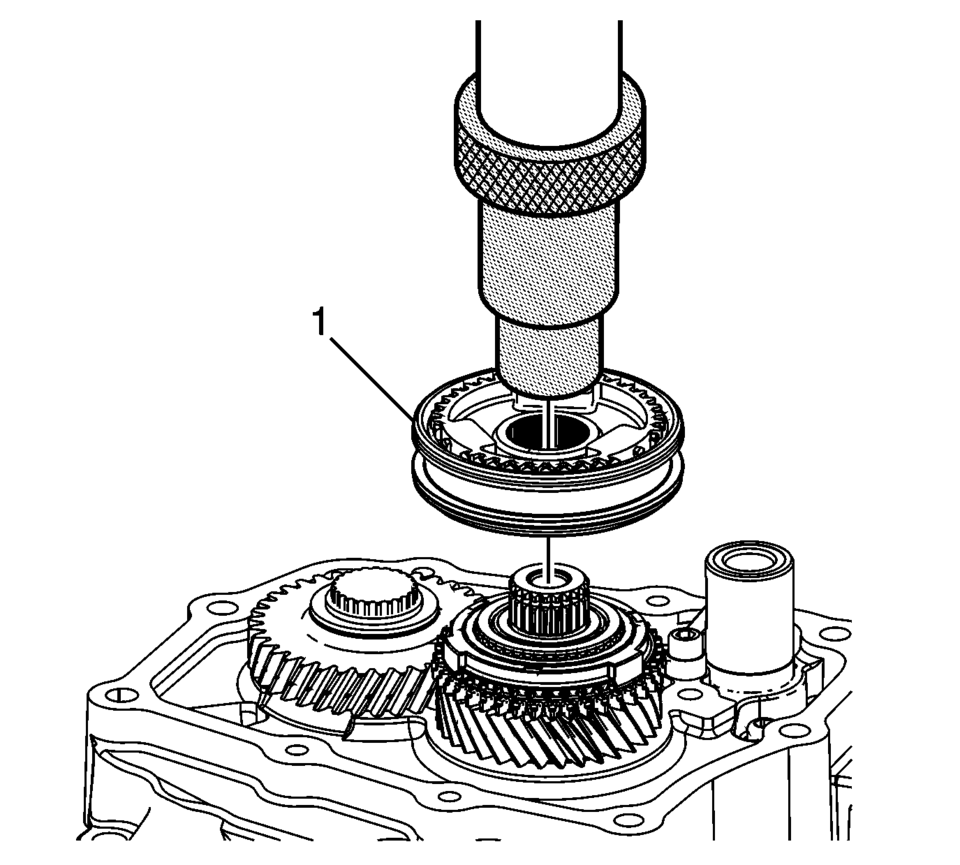
- Using the J-840733 driver and a press, install the 5th gear synchronizer assembly (1).
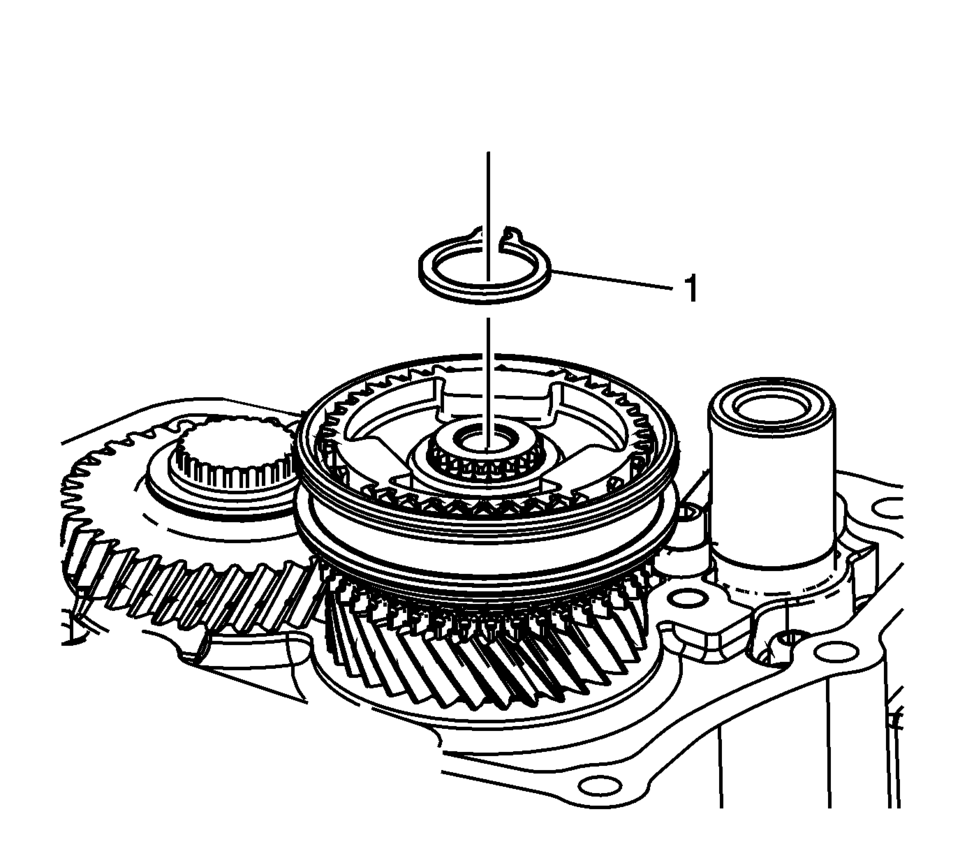
- Install the 5th gear sychronizing hub retaining ring (1).
- Remove the case and shafts assembly from the T-0307000 driver fixture .
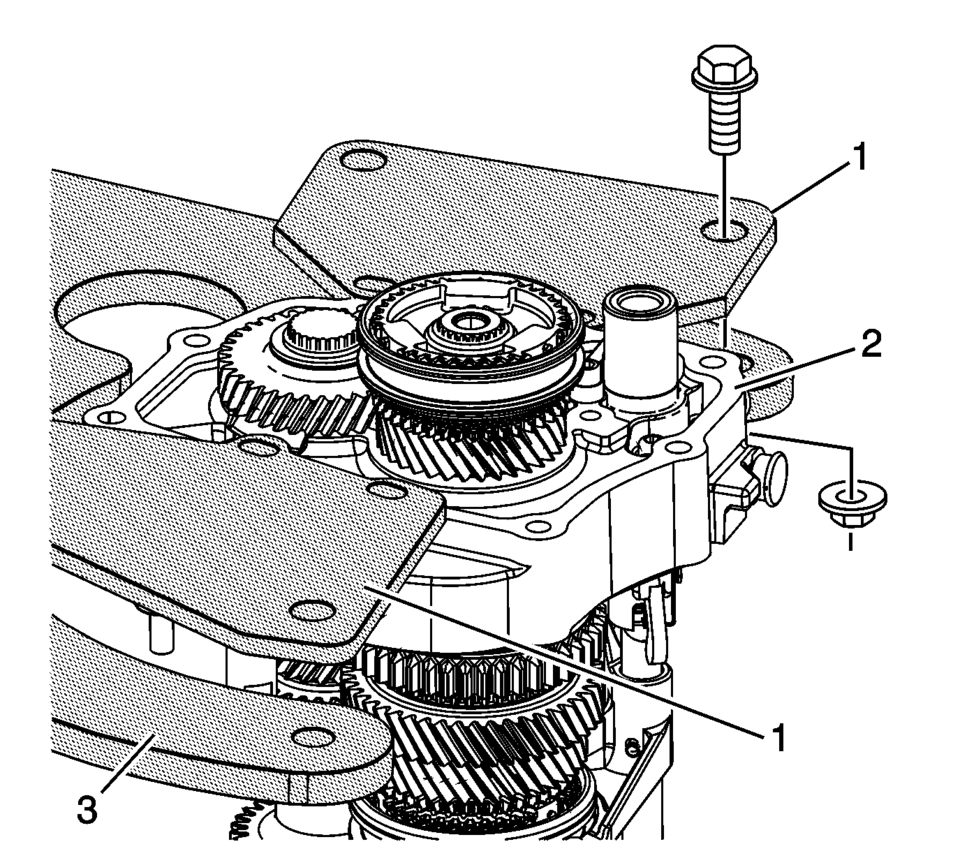
- Install R-0007770 adapter plates (1) onto case (2) and then attach to R-0007758 holding fixture (3).
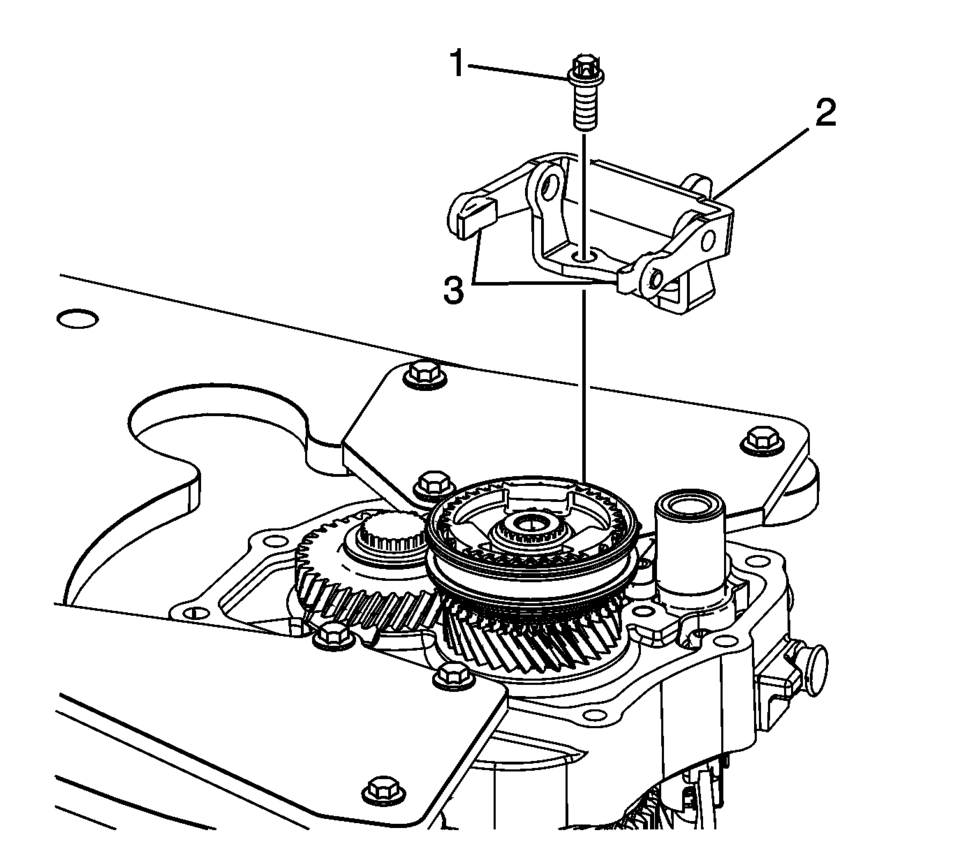
- Install the 5th shift fork shoes (3).
- Install the 5th shift fork bracket assembly (2).
- Using thread locking compound install the 5th shift fork bracket bolts (1)
and tighten to 22 Y (16 lb ft)
.
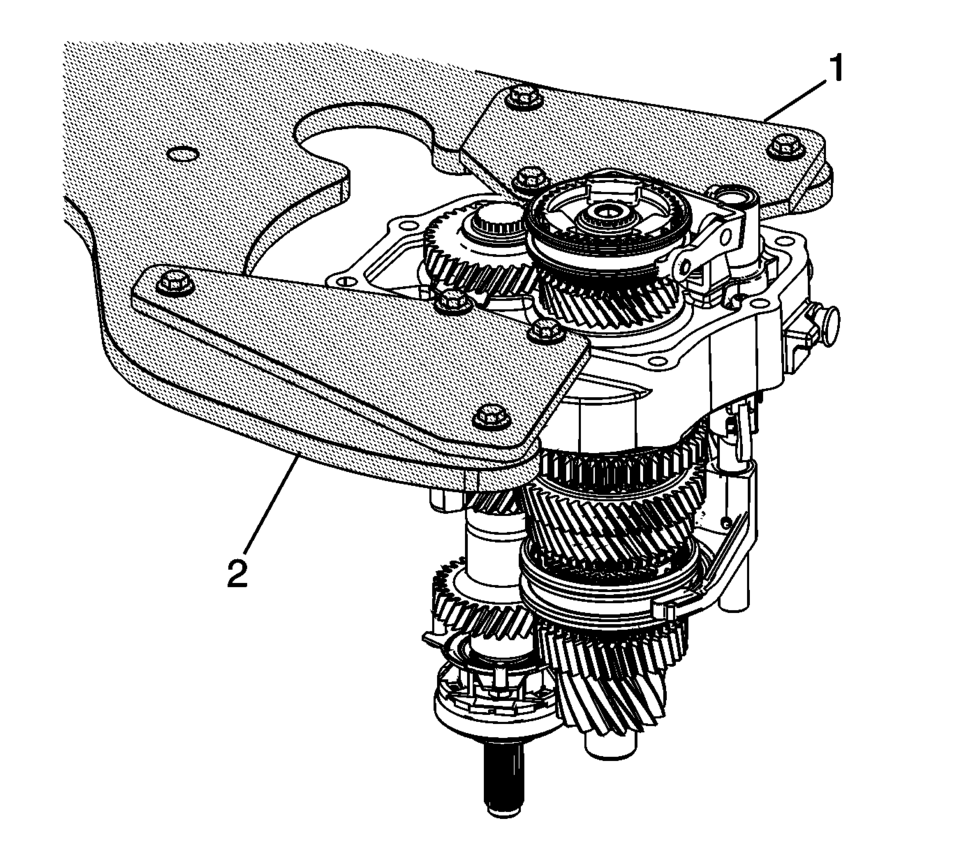
- Remove the transmission case, from the R-0007770 adapter plates (1) the R-0007758 holding fixture and 3-9506289 adapter .
Note:
Engage the shift shafts into 3rd gear and 5th gear as indicated with arrows to install the interlock pin connector.
Note:
Move shift forks into neutral position.
Caution:
Refer to Fastener Caution.
 Transmission Assemble (Gen 2)
Special Tools
3-9506289 Universal Adapter
R-0007758 Holding Fixture
S-9407197 Differential Rotating Tool
S-9407198 Differential Bearing Race Wrench
For equivalent regional tools, refer ...
 Transmission Case Assemble (Gen 2)
Special Tools
3-9506289 Universal Adapter
J-840733 Driver
R-0007758 Holding Fixture
R-0007761 Universal Handle
R-0007770 Holding Fixture Adapter Plates
T-9804669 Seal Installer
T-0 ...
Other materials:
Forward Collision Alert (FCA) System
For vehicles with FCA, this system is intended to help avoid or reduce the harm
caused by front-end crashes. FCA provides a flashing visual alert and beeps when
approaching a vehicle directly ahead too quickly. FCA also provides a visual alert
if following another vehicle much too closely. The ...
What to Do with Used Oil
Used engine oil contains certain elements that can be unhealthy for your skin
and could even cause cancer. Do not let used oil stay on your skin for very long.
Clean your skin and nails with soap and water, or a good hand cleaner. Wash or properly
dispose of clothing or rags containing used en ...
Buying New Tires
GM has developed and matched specific tires for the vehicle. The original equipment
tires installed were designed to meet General Motors Tire Performance Criteria Specification
(TPC Spec) system rating. When replacement tires are needed, GM strongly recommends
buying tires with the same TPC Sp ...

0.0059