
Chevrolet Sonic Owner's Manual: Washer Fluid
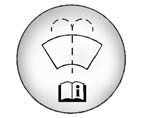
Open the cap with the washer symbol on it. Add washer fluid until the tank is full. See Engine Compartment Overview for reservoir location.
Caution
- . Do not use engine coolant (antifreeze) in the windshield washer. It can damage the windshield washer system and paint.
- . Do not mix water with ready-to-use washer fluid. Water can cause the solution to freeze and damage the washer fluid tank and other parts of the washer system.
- . When using concentrated washer fluid, follow the manufacturer instructions for adding water.
- . Fill the washer fluid tank only three-quarters full when it is very cold. This allows for fluid expansion if freezing occurs, which could damage the tank if it is completely full.
 What to Use
When the vehicle needs windshield washer fluid, be sure to read the manufacturer's
instructions before use. If operating the vehicle in an area where the temperature
may fall below freezing, u ...
 Brakes
If the overheat warning no longer displays, the vehicle can be driven. Continue
to drive the vehicle slowly for about 10 minutes. Keep a safe vehicle distance from
the vehicle in front. If the war ...
Other materials:
Communication Interface Module Replacement
Communication Interface Module Replacement
Callout
Component Name
Preliminary Procedure
Remove the instrument panel lower compartment.
Refer to Instrument Panel Lower Compartment
Replacement.
Remove the instrument pa ...
Door Lock and Ignition Lock Folding Key Blade Removal and Installation
Special Tools
BO-51098 Flip Key Blade Fixture
For equivalent region tools, refer to Special Tools.
Caution: Failure to properly support the Remote Keyless Entry
(RKE) transmitter assembly while replacing the key blade may cause internal
damage to the transmitter assembly. ...
Remote Control Door Lock Receiver Replacement
Remote Control Door Lock Receiver Replacement
Callout
Component Name
Preliminary Procedure
Remove the windshield outside moisture sensor cover. Refer to Windshield
Outside Moisture Sensor Cover Replacement.
...

0.0072