
Chevrolet Sonic Repair Manual: Windshield Replacement
Special Tools
- BO-24402-A Glass Sealant Remover (Cold Knife)
- BO-39032 Stationary Glass Removal Tool
- Use an adhesive that is approved by GM
For equivalent regional tools, refer to Special Tools.
- Removal Procedure
-
- Open the hood.
- Remove the windshield wiper arms. Refer to Windshield Wiper Arm Replacement.
- Remove the air inlet grille. Refer to Air Inlet Grille Panel Replacement.
- Remove the inside rearview mirror. Refer to Inside Rearview Mirror Replacement.
- Remove the interior windshield garnish moldings. Refer to Windshield Side Garnish Molding Replacement.
- Cover to protect the following parts from broken glass:
Warning:
If broken glass falls into the defroster outlets, it can be blown into the passenger compartment and cause personal injury.
- Upper dash pad
- Defroster outlets and A/C outlets
- Seats and carpeting
Warning:
Refer to Glass and Sheet Metal Handling Warning.
Note:
Before cutting out a stationary window, apply a double layer of masking tape around the perimeter of the painted surfaces and the interior trim.
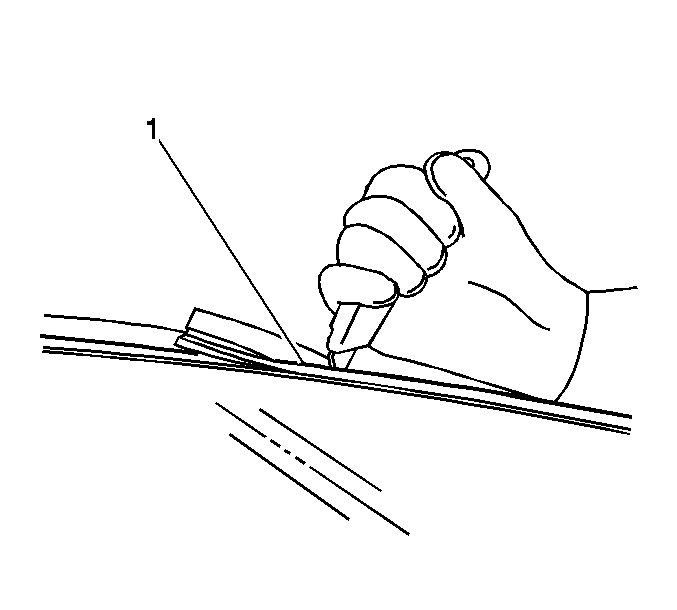
- Using the appropriate tool, carefully cut the windshield reveal molding?€‰(1) in order to access the auto-adhesive bead. Refer to Windshield Upper Reveal Molding Replacement.
Note:
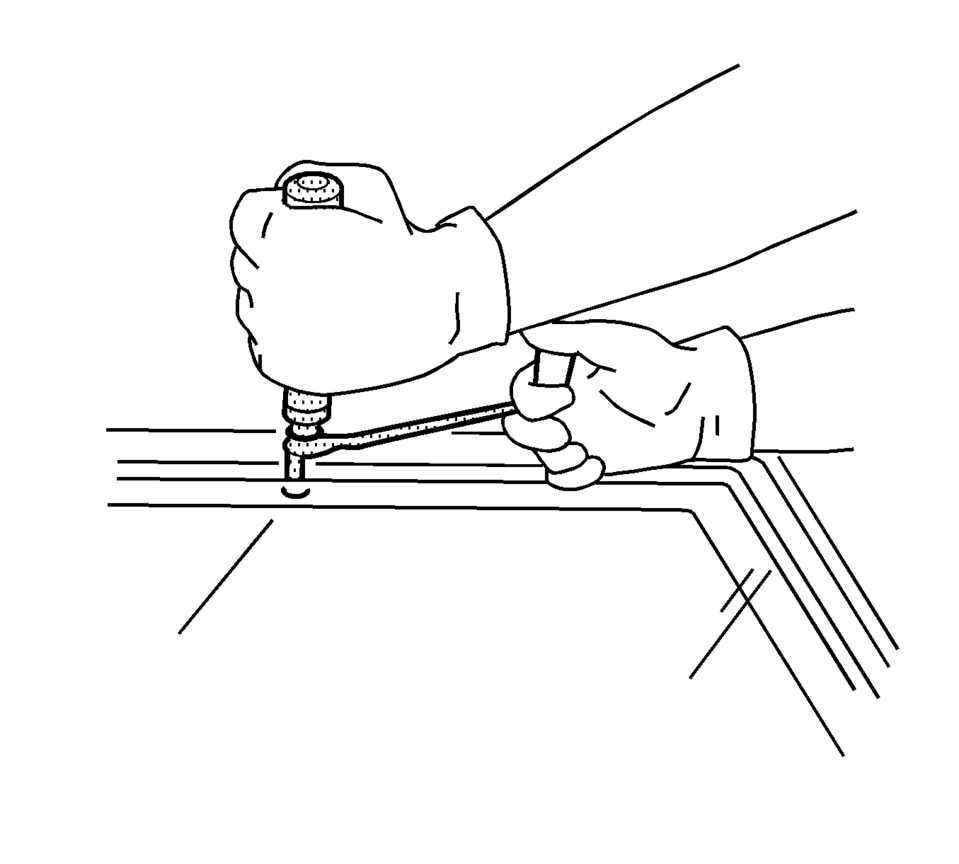
Keep the cutting edge of the appropriate tool against the window. There are window locating pins, one in each upper corner of the window. Use care Not to remove or cut them off when removing the window. If the window locator pins are cut, it will be necessary to tape the window in place.
- This will allow the auto-adhesive to be separated from the window.
- Leave a base of auto-adhesive on the pinchweld flange.
- The only suitable lubrication is clean water.
- Use BO-24402-A Glass Sealant Remover (Cold Knife).
- BO-39032 Stationary Glass Removal Tool, or equivalent in order to remove the window.
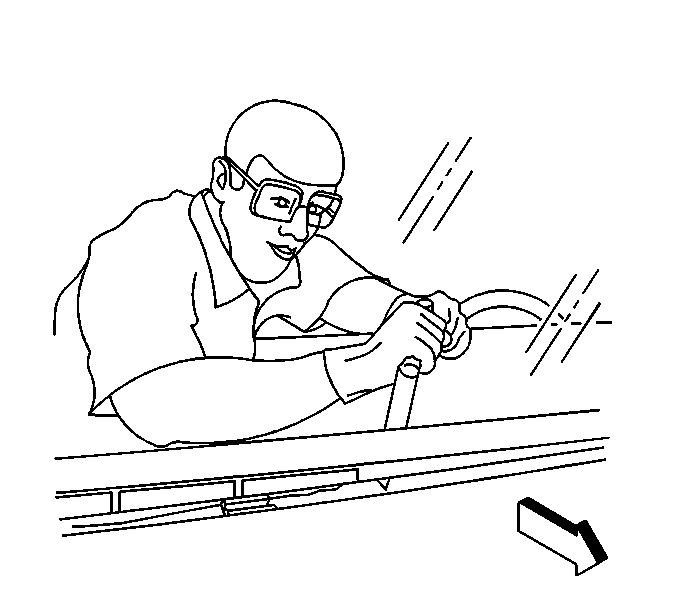
- Use the appropraite tool to remove the bottom of the window from the auto-adhesive. Keep the cutting edge of the tool against the window. Do this from inside the vehicle.
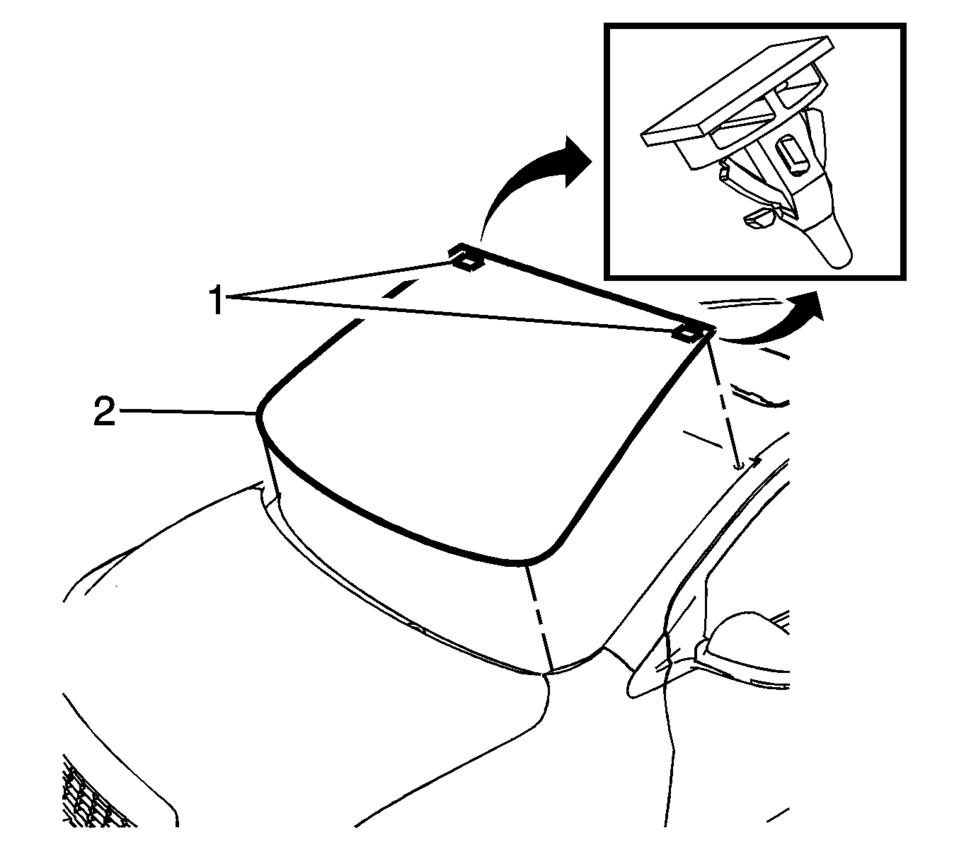
- With an assistant, remove the window?€‰(2) from the vehicle. Check that the retainers?€‰(1) are still attached to the window before installing.
- Installation Procedure
-
- Install the windshield into the opening. Refer to Adhesive Installation of Windshields.
- Install the rearview mirror. Refer to Inside Rearview Mirror Replacement.
- Install the interior windshield garnish moldings. Refer to Windshield Side Garnish Molding Replacement.
- Install the air inlet grille. Refer to Air Inlet Grille Panel Replacement.
- Install the windshield wipers arms. Refer to Windshield Wiper Arm Replacement.
- Remove the double layer of masking tape around the perimeter of the painted surfaces and the interior trim.
- Close the hood.
 Windshield Outside Moisture Sensor Cover Replacement
Windshield Outside Moisture Sensor Cover Replacement
Callout
Component Name
1
Windshield Outside Moisture Sensor Cover
...
 Windshield Side Garnish Molding Replacement
Windshield Side Garnish Molding Replacement
Callout
Component Name
Preliminary Procedures
Disable the SIR system, if equipped. ...
Other materials:
Hood Primary Latch Release Cable Replacement
iv
Hood Primary Latch Release Cable Replacement
Callout
Component Name
Preliminary Procedures
Remove the radiator opening upper cover. Refer to Front Opening
Upper Cover Replacement.
Remove the air inlet grille. Refer to A ...
Steering Column in Lock Position Caution
Caution: With wheels of the vehicle facing straight ahead, secure
the steering wheel utilizing steering column anti-rotation pin, steering column
lock, or a strap to prevent rotation. Locking of the steering column will prevent
damage and a possible malfunction of the SIR system. The ste ...
Fuel Tank Fuel Pump Module Replacement (Steel Tank)
Special Tools
EN-48279 Fuel Sender Lock Ring Wrench
For equivalent regional tools, refer to Special Tools.
Removal Procedure
Relieve the fuel system pressure. Refer to Fuel Pressure Relief.
Remove the fuel tank. Refer to Fuel Tank Replacement.
Disconnect the ...

0.0074