
Chevrolet Sonic Repair Manual: Windshield Washer Solvent Container Hose Replacement
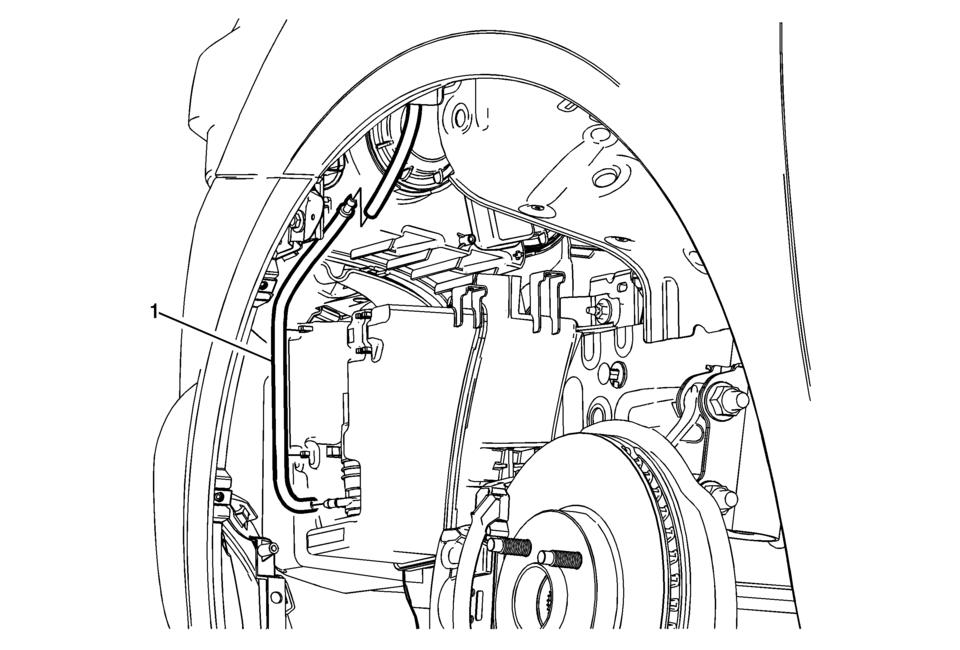
|
Callout |
Component Name |
|---|---|
|
Preliminary Procedure
Remove the left front wheelhouse liner. Refer to Front Wheelhouse Liner Replacement. |
|
|
1 |
Windshield Washer Pump Hose Procedure
|
 Windshield Washer Solvent Container Filler Tube Replacement
Windshield Washer Solvent Container Filler Tube Replacement
Callout
Component Name
Preliminary Procedure
Open and support the hood ...
 Windshield Washer Solvent Container Replacement
Windshield Washer Solvent Container Replacement
Callout
Component Name
Preliminary Procedures
Remove the windshield washer solvent ...
Other materials:
Radio Front Side Door Speaker Replacement
Radio Front Side Door Speaker Replacement
Callout
Component Name
Preliminary Procedure
Remove the front side door trim. Refer to Front
Side Door Trim Replacement.
1
Radio Front Side Door Speaker ...
Camshaft Sprocket Replacement
Special Tools
EN-6340 Camshaft Adjuster Locking Tool
EN-6628–A Camshaft Locking Tool
EN-45059 Angle Meter
For equivalent regional tools, refer to Special Tools.
Removal Procedure
Open the hood.
Remove the air cleaner housing. Refer to Air Cleaner Assembly Replacement. ...
Evaporative Emission Canister Vent Solenoid Valve Replacement
Evaporative Emission Canister Vent Solenoid Valve Replacement
Callout
Component Name
Preliminary Procedures
Disconnect the battery negative cable. Refer to Battery Negative
Cable Disconnection and Connection.
Remove the e ...

0.0069