
Chevrolet Sonic Repair Manual: Air Conditioning O-Ring Seal Replacement
- Removal Procedure
-
- Disassemble the A/C refrigerant components. Refer to the appropriate repair procedure
- Cap or tape the A/C refrigerant components.
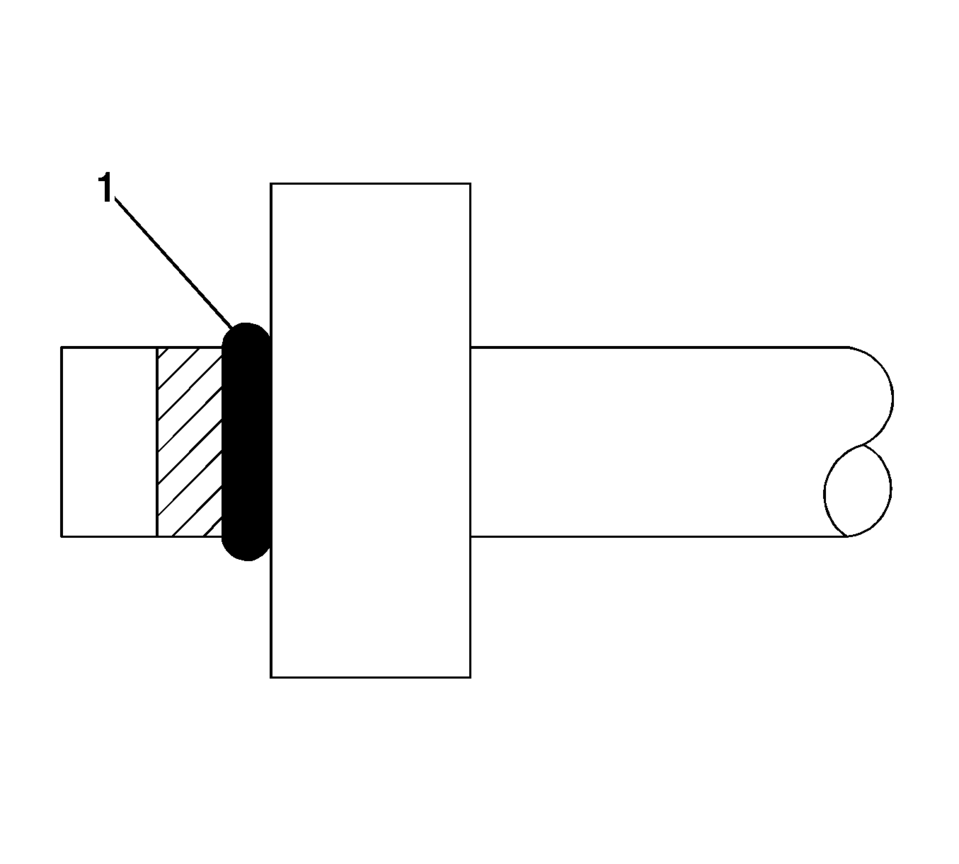
- Remove the O-ring seal (1) from the A/C refrigerant component.
- Inspect the O-ring seal for signs of damage to help determine the root cause of the failure.
- Inspect the A/C refrigerant components for damage or burrs. Repair if necessary.
- DISCARD the O-ring seal.
Note:
Cap or tape the open A/C refrigerant components immediately to prevent system contamination.
- Installation Procedure
-
- Inspect the new O-ring seal for any sign of cracks, cuts, or damage.
- Remove the cap or tape from the A/C refrigerant components.
- Using a lint-free clean, dry cloth, carefully clean the sealing surfaces of the A/C refrigerant components.
- Lightly coat the new O-ring seal with mineral base 525 viscosity refrigerant oil.
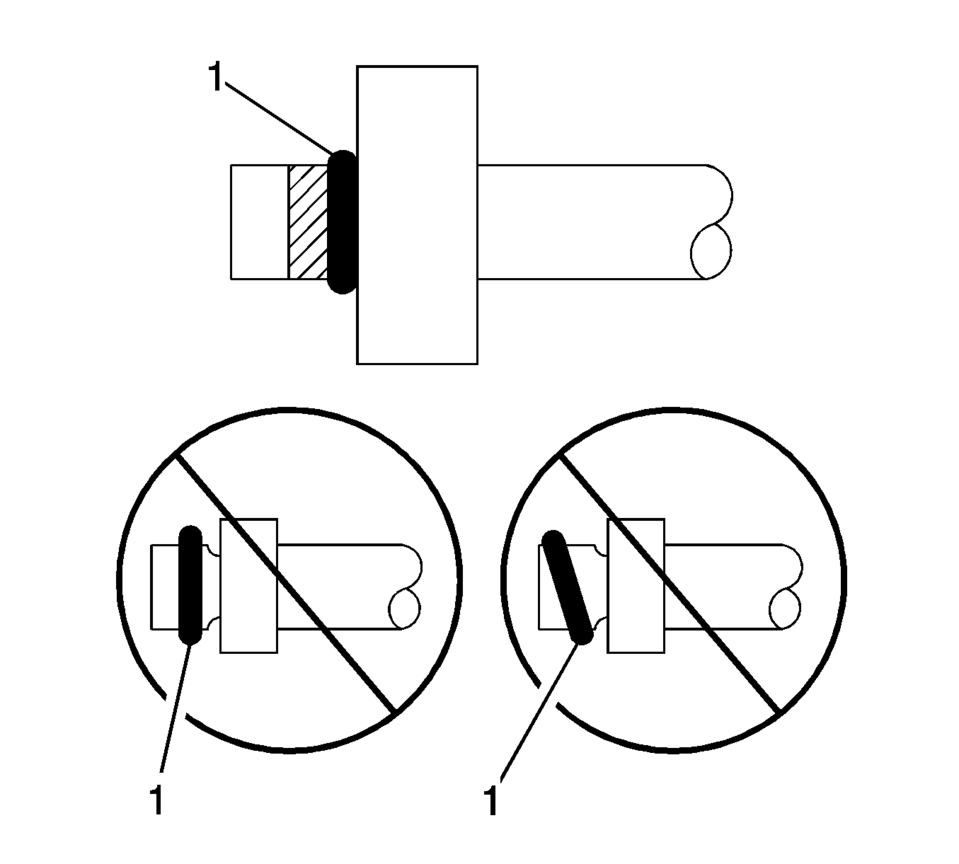
- Carefully slide the NEW O-ring seal (1) onto the A/C refrigerant component.
- The O-ring seal (1) must be fully seated.
- Assemble the A/C components.
Refer to the appropriate repair procedure.
Note:
DO NOT allow any of the mineral base 525 viscosity refrigerant oil on the new O-ring seal to enter the refrigerant system.
Note:
DO NOT reuse O-ring seals.
 Air Conditioning Clutch Assembly Replacement (LUV)
Air Conditioning Clutch Assembly Replacement
Callout
Component Name
Preliminary Procedure
Remove the air conditioning compresso ...
 Air Conditioning Refrigerant Service Valve Core Replacement
Special Tools
GE-39400-A Halogen Leak Detector
GE-46246 Valve Core Removal Tool
For equivalent regional tools, refer to Special Tools.
Removal Procedure
Recover the refrigerant ...
Other materials:
If a Tire Goes Flat
It is unusual for a tire to blow out while driving, especially if the tires are
maintained properly. See Tires. If air goes out of a tire, it is much
more likely to leak out slowly. But if there is ever a blowout, here are a few tips
about what to expect and what to do:
If a front tire fails, ...
Cooling Fan Description and Operation (LWE, LUW)
System Overview
The engine cooling fan system is composed of one cooling fan, 2 relays, the engine
control module (ECM), and the associated wiring. The cooling fan assembly includes
1 resistor mounted in the cooling fan shroud. The cooling fan resistor may be a
stand alone compon ...
Power Steering Pump Belt Removal
Caution: Do not use belt dressing on the drive belt. Belt dressing
causes the breakdown of the composition of the drive belt. Failure to follow
this recommendation will damage the drive belt.
Cut the power steering pump belt (2) with a appropriate cutting tool at
...

0.0081