
Chevrolet Sonic Repair Manual: Communication Interface Module Battery Replacement
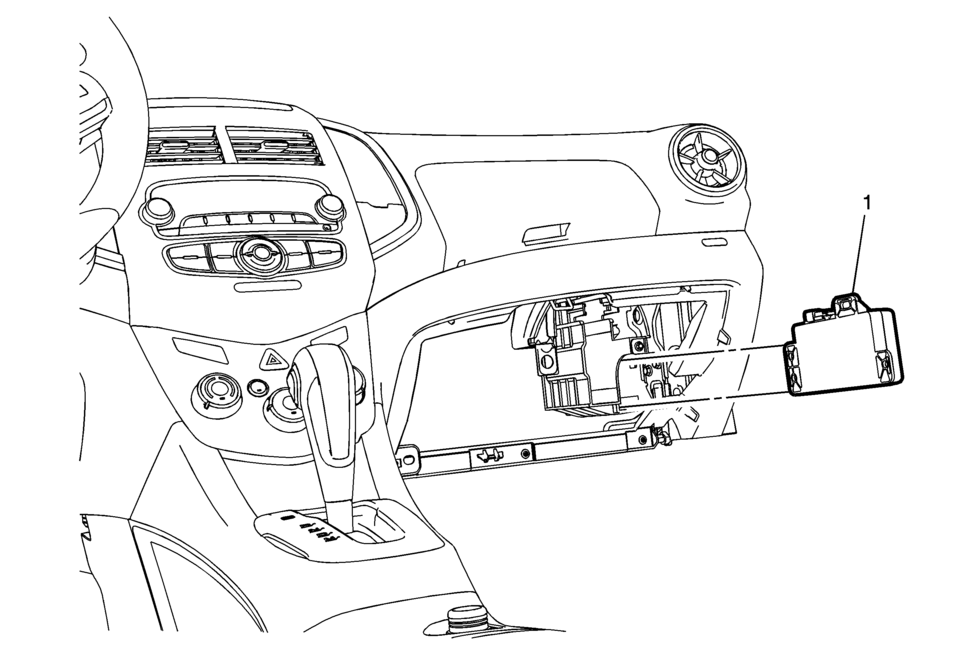
|
Callout |
Component Name |
|---|---|
|
Preliminary Procedure
Remove the instrument panel lower compartment. Refer to Instrument Panel Lower Compartment Replacement |
|
|
1 |
Communication Interface Module Battery Procedure
|
 Battery Replacement
Removal Procedure
Open the hood.
Disconnect the negative battery cable. Refer to Battery Negative Cable
Disconnection and Connection.
Remove the battery retainer bo ...
 Charging
...
Other materials:
Instrument Panel Outer Trim Cover Replacement
Instrument Panel Outer Trim Cover Replacement
Callout
Component Name
1
Instrument Panel Outer Trim Cover (Qty:?€‰2)
Procedures
Use a flat bladed plastic trim tool in order to disengage the retainers
securi ...
Driver or Passenger Seat Cushion Heater Replacement
Driver or Passenger Seat Cushion Heater Replacement
Callout
Component Name
Warning: Refer to SIR Warning.
Preliminary Procedures
Remove the driver or passenger seat. Refer to Driver or Passenger
Seat Removal a ...
Brake Drum Replacement (J93, J94)
Special Tools
CH-41013 Rotor Resurfacing Kit
CH-42450-A Wheel Hub Resurfacing Kit
For equivalent regional tools, refer to Special Tools.
Removal Procedure
Warning: Refer to Brake Dust Warning.
Release the park brake.
Raise and support the vehicle. Refer to Lif ...

0.0059