
Chevrolet Sonic Repair Manual: Communication Interface Module Battery Replacement
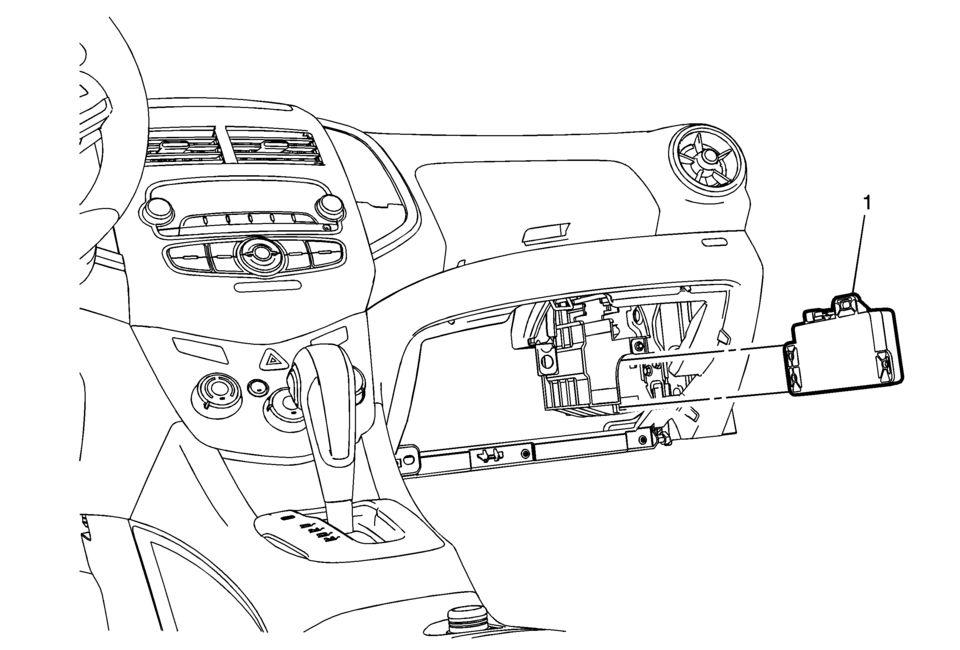
|
Callout |
Component Name |
|---|---|
|
Preliminary Procedure
Remove the instrument panel lower compartment. Refer to Instrument Panel Lower Compartment Replacement |
|
|
1 |
Communication Interface Module Battery Procedure
|
 Bluetooth (Overview)
For vehicles equipped with Bluetooth capability, the system can interact with
many cell phones, allowing:
Placement and receipt of calls in a hands-free mode.
Sharing of the cell phone’s ad ...
 Communication Interface Module Bracket Replacement
Communication Interface Module Bracket Replacement
Callout
Component Name
Preliminary Procedure
Remove the instrument panel low ...
Other materials:
Fluid Cooler Outlet Hose Replacement
Removal Procedure
Remove the front bumper fascia opening lower cover.
Refer to Front Bumper Fascia Opening Lower Cover
Replacement
Remove the front wheelhouse liner inner front extension.
Refer to Front Wheelhouse Liner Inner Front Extension
Replacement
...
Basic information
WARNING
Failure to properly follow the instructions and safety guidelines for the
Nissan Armada LDW and I-LI systems may result in serious injury or even fatal consequences.
The Nissan Armada LDW and I-LI systems are driver-assist technologies
and will not take full control of steering or ...
System temporarily unavailable
When the Nissan Armada detects that the radar sensors are obstructed, the system
will automatically deactivate to ensure safe and reliable operation.
A warning message reading "Unavailable Side Radar Obstruction" will appear in
the vehicle information display, alerting the driver that ...

0.0055