
Chevrolet Sonic Repair Manual: Communication Interface Module Battery Replacement
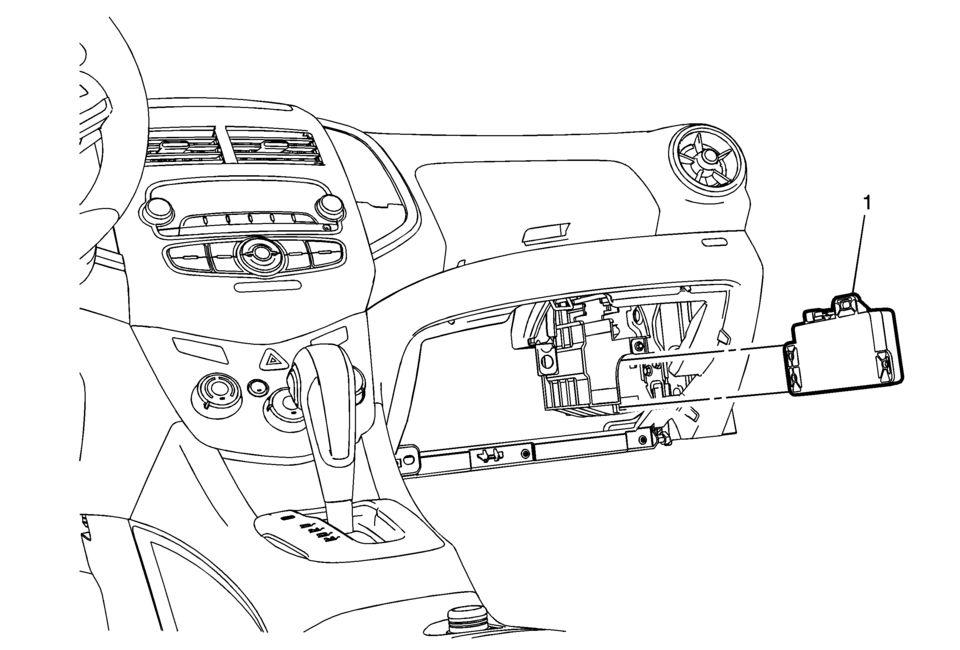
|
Callout |
Component Name |
|---|---|
|
Preliminary Procedure
Remove the instrument panel lower compartment. Refer to Instrument Panel Lower Compartment Replacement |
|
|
1 |
Communication Interface Module Battery Procedure
|
 Bluetooth (Overview)
For vehicles equipped with Bluetooth capability, the system can interact with
many cell phones, allowing:
Placement and receipt of calls in a hands-free mode.
Sharing of the cell phone’s ad ...
 Communication Interface Module Bracket Replacement
Communication Interface Module Bracket Replacement
Callout
Component Name
Preliminary Procedure
Remove the instrument panel low ...
Other materials:
Front Floor Console Multifunction Switch Replacement
Front Floor Console Multifunction Switch Replacement
Callout
Component Name
Preliminary Procedure
Remove the front floor console. Refer to Front Floor Console Replacement
1
Accessory Switch
...
Wheel Drive Shafts Description and Operation
Front wheel drive axles are flexible assemblies.
Front wheel drive axles consist of the following components:
A front wheel drive shaft tripot joint (inner joint)
A front wheel drive shaft constant velocity joint (outer joint)
A front wheel drive shaft
The front wheel drive shaft connec ...
Special Tools
Illustration
Tool Number/Description
EN-471
KM-471
J-42070
J-36649
Adapter
iiiiiiiiiiiii[iii]!!!iiiiiiiiillllliiiiii1/iiii
EN-6327-A
KM-6327-A
J-24460
J-42401
Cooling System ...

0.0068