
Chevrolet Sonic Repair Manual: Rear Side Door Replacement
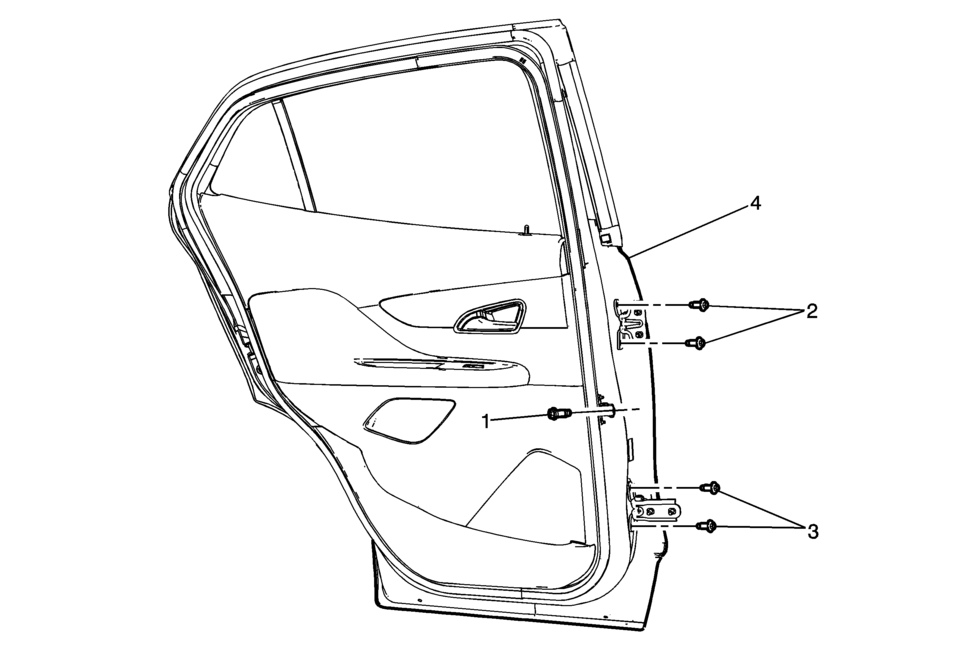
|
Callout |
Component Name |
|---|---|
|
Warning: Refer to SIR Warning.
|
|
|
1 |
Rear Side Door Check Link Bolt to Body Caution: Refer to Fastener Caution.
22?€‰Y (16?€‰lb?€‰ft) |
|
2 |
Rear Side Door Hinge Bolt to Door (Qty:?€‰2) Tighten
32?€‰Y (24?€‰lb?€‰ft) |
|
3 |
Rear Side Door Hinge Bolt to Door (Qty:?€‰2) Tighten
32?€‰Y (24?€‰lb?€‰ft) |
|
4 |
Rear Side Door Assembly Procedure
|
 Rear Side Door Check Link Replacement
Rear Side Door Check Link Replacement
Callout
Component Name
Preliminary Procedures
Move the window to the full up position.
Re ...
 Rear Side Door Upper Front Auxiliary Weatherstrip Retainer Replacement
Rear Side Door Upper Front Auxiliary Weatherstrip Retainer Replacement
Callout
Component Name
1
Front Side Door Upper Fr ...
Other materials:
Replacing Airbag System Parts after a Crash
Warning
A crash can damage the airbag systems in the vehicle. A damaged airbag system
may not work properly and may not protect you and your passenger(s) in a crash,
resulting in serious injury or even death. To help make sure the airbag systems
are working properly after a crash, have them i ...
Piston, Connecting Rod, and Bearing Removal
Install the crankshaft balancer bolt.
Set the pistons 1 and 4 to TDC in direction of engine rotation.
Note: Note cylinder sequence.
Mark the connecting rod with the connecting rod bearing cover (1).
Remove the 4 connecting rod bearing caps bol ...
System operation
The Nissan Armada TSR system is capable of recognizing and displaying key traffic
signs, including the following:
Latest detected speed limit
No passing zone indication
CAUTION
The TSR system in the Nissan Armada is designed to assist, not replace,
attentive driving. Always ...

0.0079