
Chevrolet Sonic Repair Manual: Seat Adjustment
- Manual Seats
-
Warning:
You can lose control of the vehicle if you try to adjust a driver seat while the vehicle is moving. Adjust the driver seat only when the vehicle is not moving.
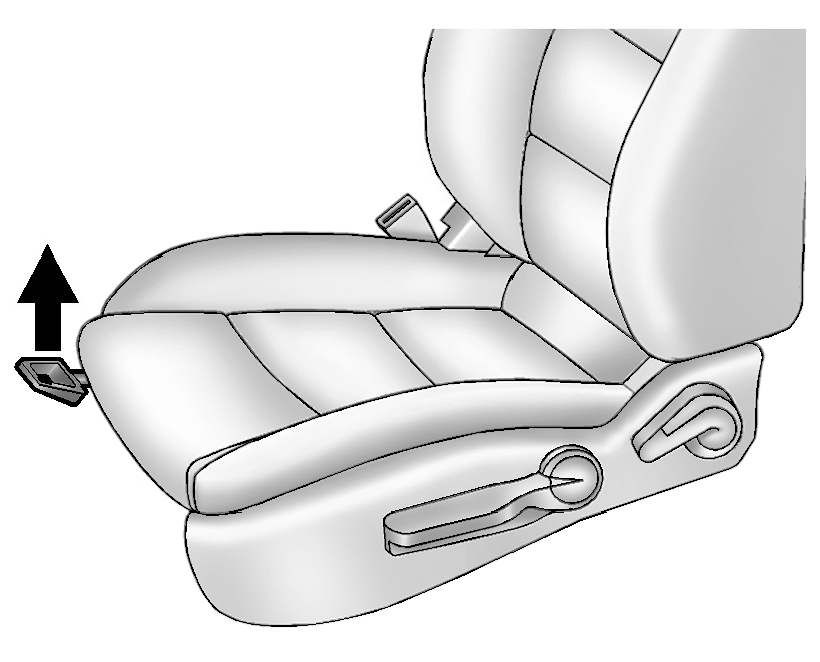
To adjust a manual seat:
- Pull the handle at the front of the seat.
- Slide the seat to the desired position and release the handle.
- Try to move the seat back and forth to be sure it is locked in place.
- Seat Height Adjuster
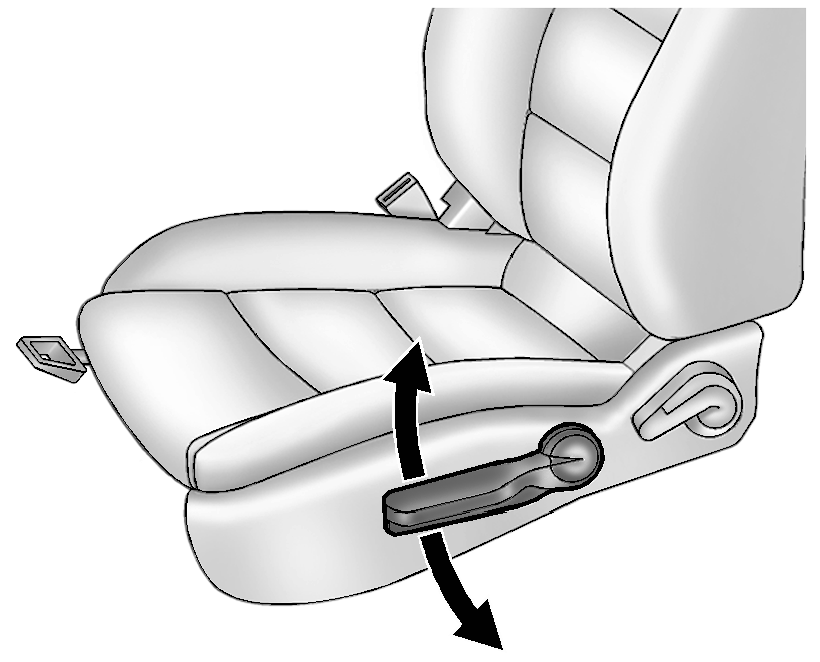
If available, move the lever up or down to manually raise or lower the seat.
 Replacing Safety Belt System Parts after a Crash
Warning: A crash can damage the safety belt system in the vehicle.
A damaged safety belt system may not properly protect the person using it, resulting
in serious injury or even death in a cr ...
 Rear
Rear
...
Other materials:
Rear Wiper Blade Replacement
1. Pull the wiper arm a short distance away from the glass (1).
2. Pull the blade out from the arm (2).
It may require extra effort to remove the old blade.
3. Once the blade pin disengages from the wiper arm, remove the wiper blade by
sliding the pin out of the guide hole.
4. Reverse the ...
Rear Bumper Fascia Outer Guide Replacement (Sedan)
Rear Bumper Fascia Outer Guide Replacement
Callout
Component Name
Warning: Refer to Eye Protection Warning.
Preliminary Procedure
Remove the rear bumper fascia. Refer to Rear Bumper Fascia Replacement.
...
Brake Drum Refinishing
Special Tools
CH-41013 Rotor Resurfacing Kit
CH-42450-A Wheel Hub Resurfacing Kit
For equivalent regional tools, refer to Special Tools.
Warning: Refer to Brake Dust Warning.
The brake drums do not require refinishing as part of routine brake system
service. Do not refinis ...

0.0066