
Chevrolet Sonic Repair Manual: Steering Wheel Adjustment
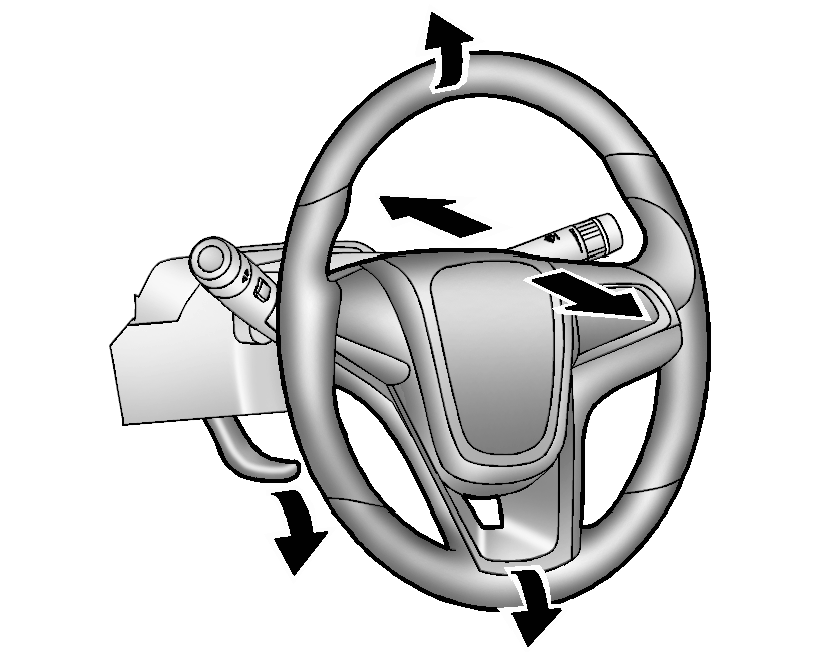
To adjust the steering wheel:
- Pull the lever down.
- Move the steering wheel up, down, forward, and backward.
- Pull the lever up to lock the steering wheel in place.
Do not adjust the steering wheel while driving.
 Driver Information Center (DIC)
The DIC displays information about your vehicle. It also displays warning messages
if a system problem is detected. See Vehicle Messages. All messages appear in the
DIC display in the instrument c ...
 Vehicle Personalization
Personalization Menu (Radio without Touchscreen)
Use the audio system controls to access the personalization menus for customizing
vehicle features.
The following are all possible perso ...
Other materials:
Instrument Panel Center Upper Molding Replacement
Instrument Panel Center Upper Molding Replacement
Callout
Component Name
Preliminary Procedure
Remove the instrument panel center molding. Refer to Instrument Panel
Center Molding Replacement.
1
...
Rear Seat Head Restraint Replacement
Rear Seat Head Restraint Replacement
Callout
Component Name
1
Rear Seat Head Restraint
Preliminary Procedures
Depress the large button on the head restraint guide and raise the
head restraint to the full up p ...
Basic information
WARNING
The air conditioning system in the Nissan Armada operates only when the
engine is running.
Never leave children, dependent adults, or pets unattended inside the
Nissan Armada. Interior temperatures can rise rapidly in hot weather, potentially
leading to severe injury or death. ...

0.0104