
Chevrolet Sonic Repair Manual: Transmission Mount Bracket Replacement - Rear
- Removal Procedure
-
- Raise and support the vehicle. Refer to Lifting and Jacking the Vehicle.
- Remove the front suspension skid plate, if equipped. Refer to Drivetrain and Front Suspension Frame Skid Plate Replacement.
- Using a suitable jack stand, support the rear of the powertrain.
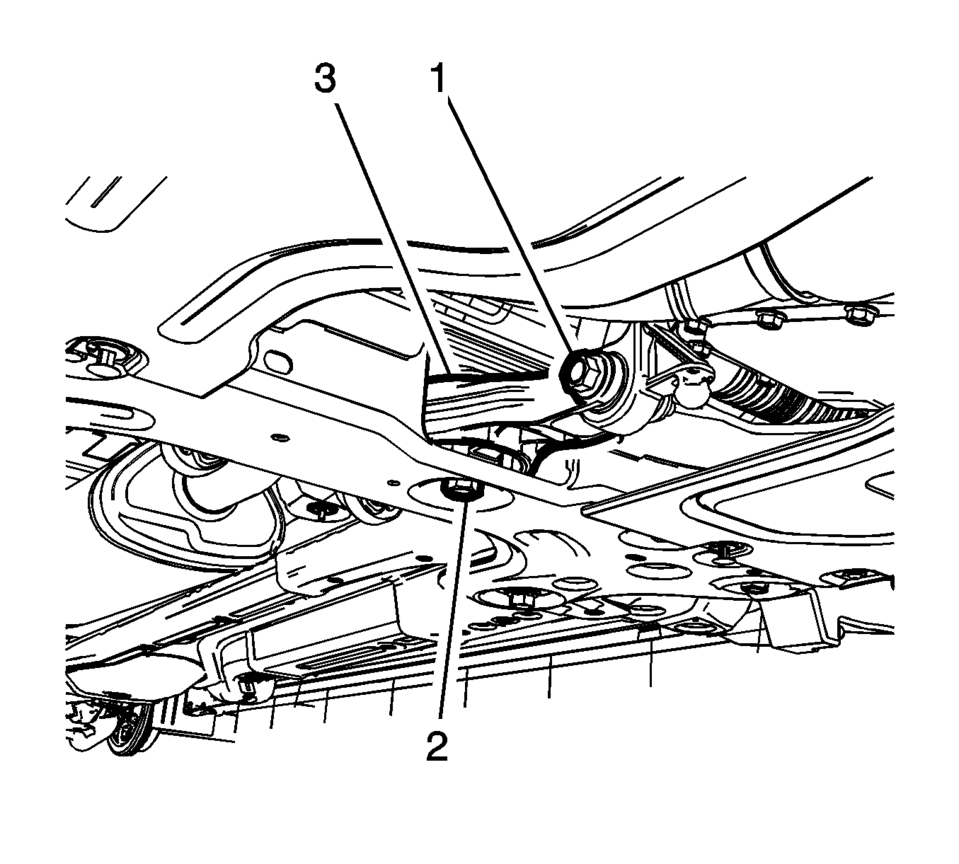
- Remove and DISCARD the transmission rear mount to bracket through bolt (1).
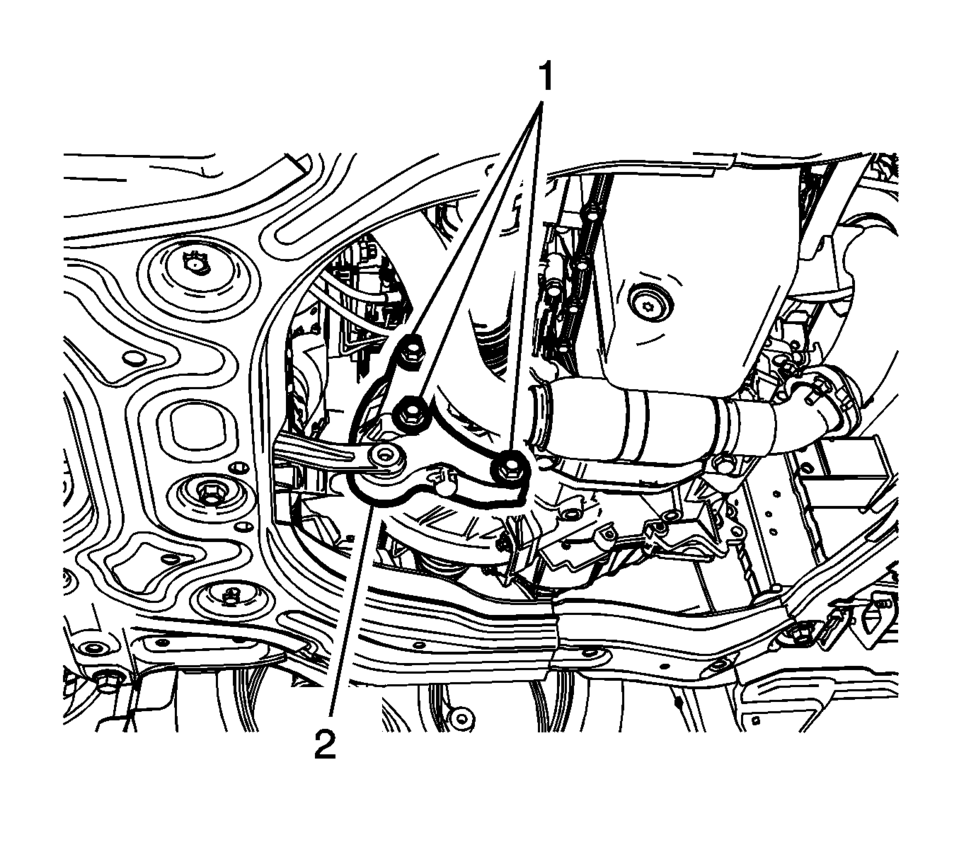
- Remove and DISCARD the transmission rear mount bracket bolts (1).
- Remove the transmission rear mount bracket (2).
- Installation Procedure
-
- Install the transmission rear mount bracket (2).
- Install the NEW transmission rear mount bracket bolts (1)
and tighten to 100 Y (74 lb ft) plus 30?5 degrees
.
- Install the NEW transmission rear mount to bracket
through bolt (1) and tighten to 80 Y (59 lb ft)
plus 45?0 degrees
.
- Remove the jack stand.
- Install the front suspension skid plate, if equipped. Refer to Drivetrain and Front Suspension Frame Skid Plate Replacement.
- Lower the vehicle.
Caution:
Refer to Fastener Caution.
 Transmission Mount Bracket Replacement - Left Side
Removal Procedure
Remove the left transmission mount. Refer to
Transmission Mount Replacement - Left Side.
Remove the three left transmission mount bracket to
tr ...
 Transmission Mount Replacement - Left Side
Removal Procedure
Remove the battery tray. Refer to
Battery Tray Replacement.
Install the engine support fixture. Refer to
Engine Support Fixture.
Remove and DIS ...
Other materials:
Turning the System On or Off
/VOL (Power/Volume): Press to turn
the system on and off.
Automatic Switch-Off
If the infotainment system is on after the ignition is turned off, the system
will turn off automatically after 10 minutes.
Volume Control
/VOL (Power/Volume): Turn to adjust
the volume.
(Phone/Mute): For ve ...
Engine Oil Cooler Installation
Note: Lubricate the oil cooler seal (8) with clean engine oil.
Install the engine oil cooler assembly (6) along with 2 NEW sealings (8)
and (9).
Install the 3 oil cooler bolts (5) and tighten to 10 Y (89 l ...
Accelerator Pedal Position Sensor Replacement
Accelerator Pedal Position Sensor Replacement
Callout
Component Name
Preliminary Procedure
Disconnect the battery negative cable. Refer to
Battery Negative Cable Disconnection and Connection.
1
...

0.0066