
Chevrolet Sonic Repair Manual: Turbocharger Removal
Special Tool
EN-49942 Holding Wrench
For equivalent regional tools, refer to Special Tools.
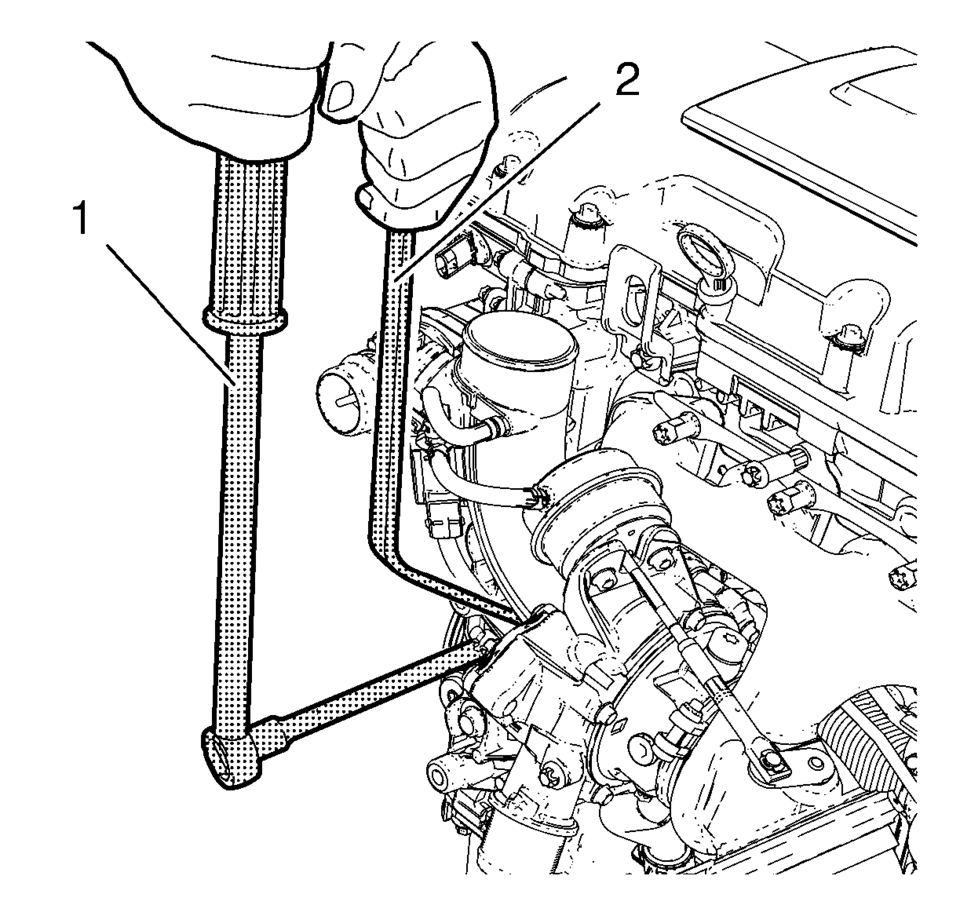
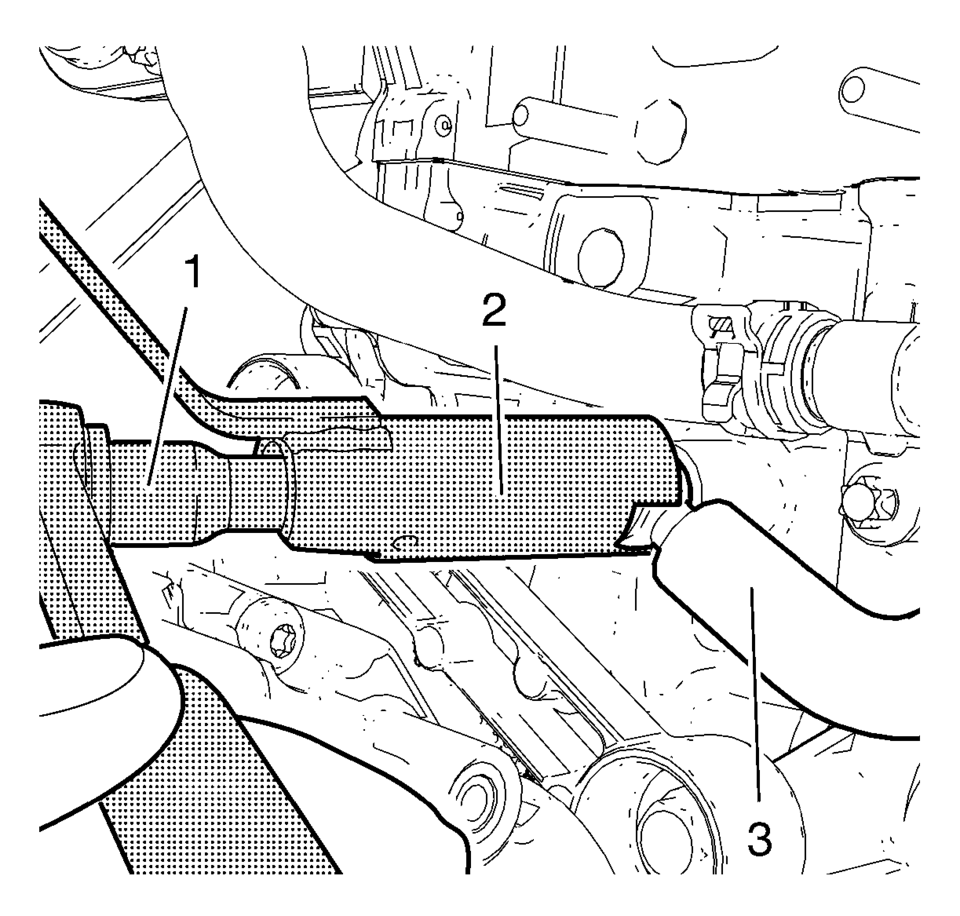
- Install the EN-49942 holding wrench (2) to the turbocharger coolant feed pipe. Guide a ratchet wrench (1) along with an extension through EN-49942 holding wrench to the turbocharger coolant feed pipe hollow screw.
- Loosen the turbocharger coolant feed pipe hollow screw with ratchet wrench and extension (1).
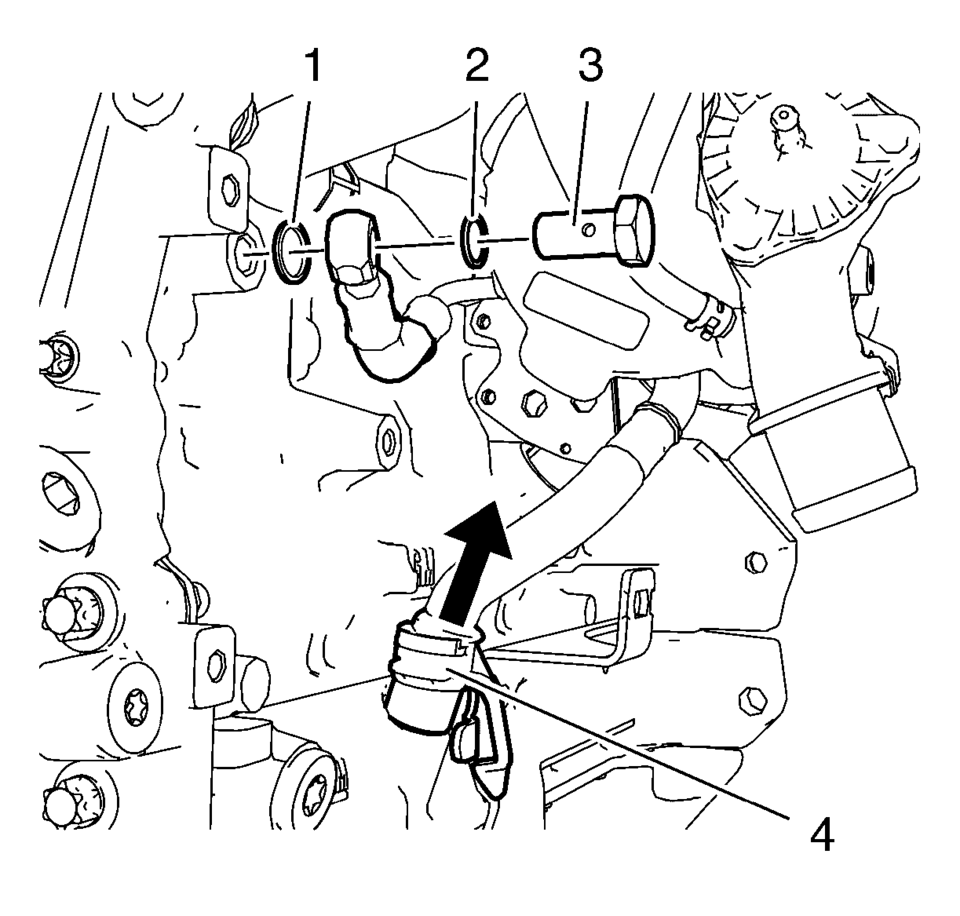
- Remove the turbocharger coolant feed pipe hollow screw (3) and the 2 seal rings (1) and (2).
- Disconnect the turbocharger oil return pipe (4) from the engine block.
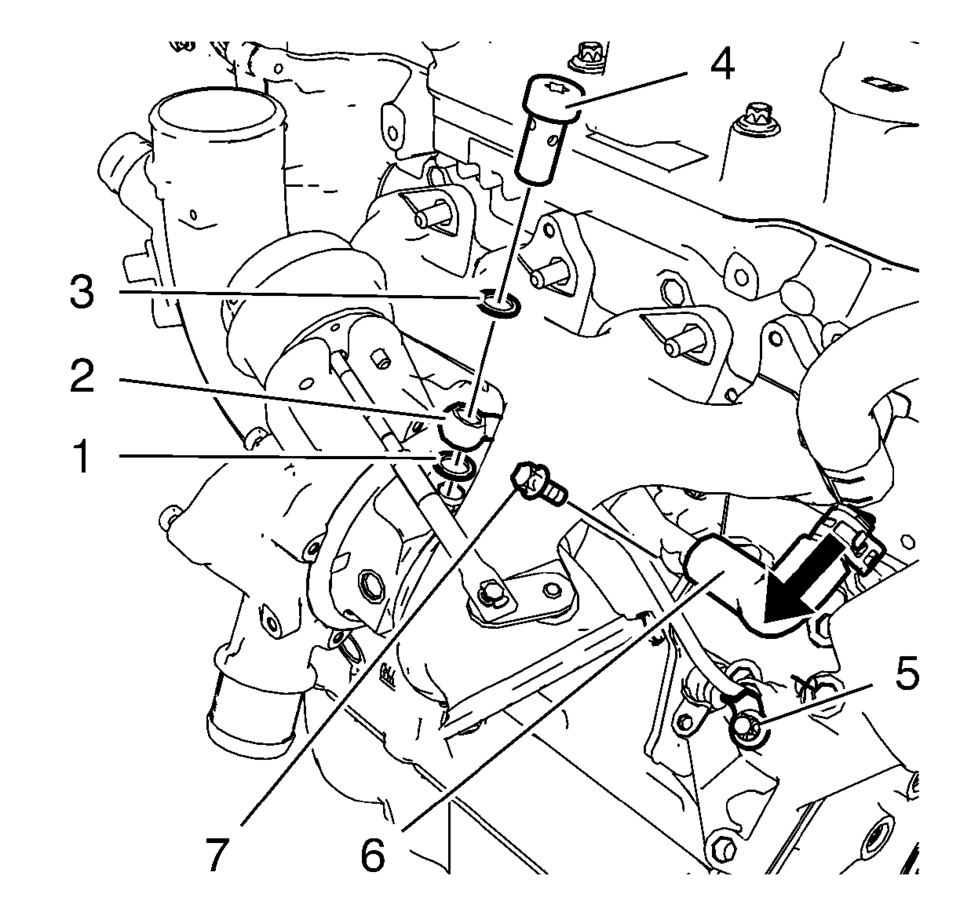
- Remove the turbocharger oil feed pipe bolt (5) from the oil cooler.
- Remove the turbocharger oil feed pipe hollow screw (4) and the 2 seal rings (1) and (3) and close the screw bore in the turbocharger.
- Remove the turbocharger oil feed pipe (2) and the rubber seal ring.
- Disconnect the turbocharger coolant return hose (6) from the oil cooler coolant inlet pipe and remove the turbocharger coolant return pipe bolt (7) from the oil cooler.
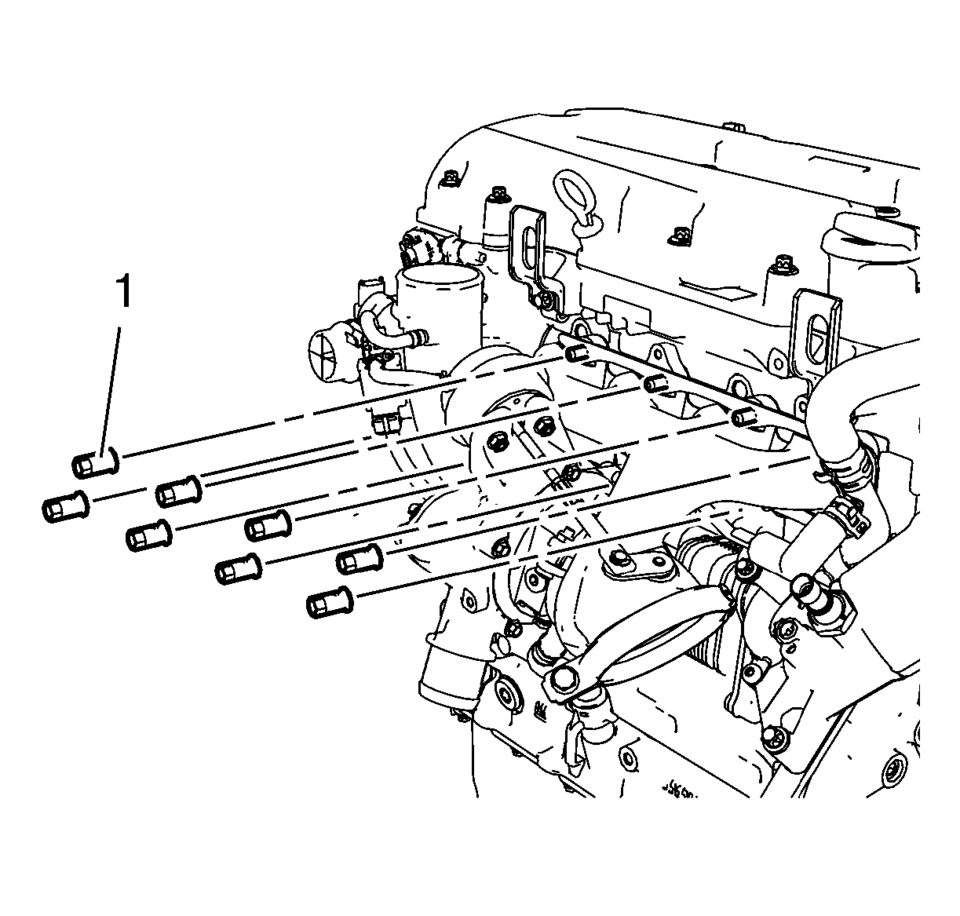
- Remove the 8 turbocharger nuts (1).
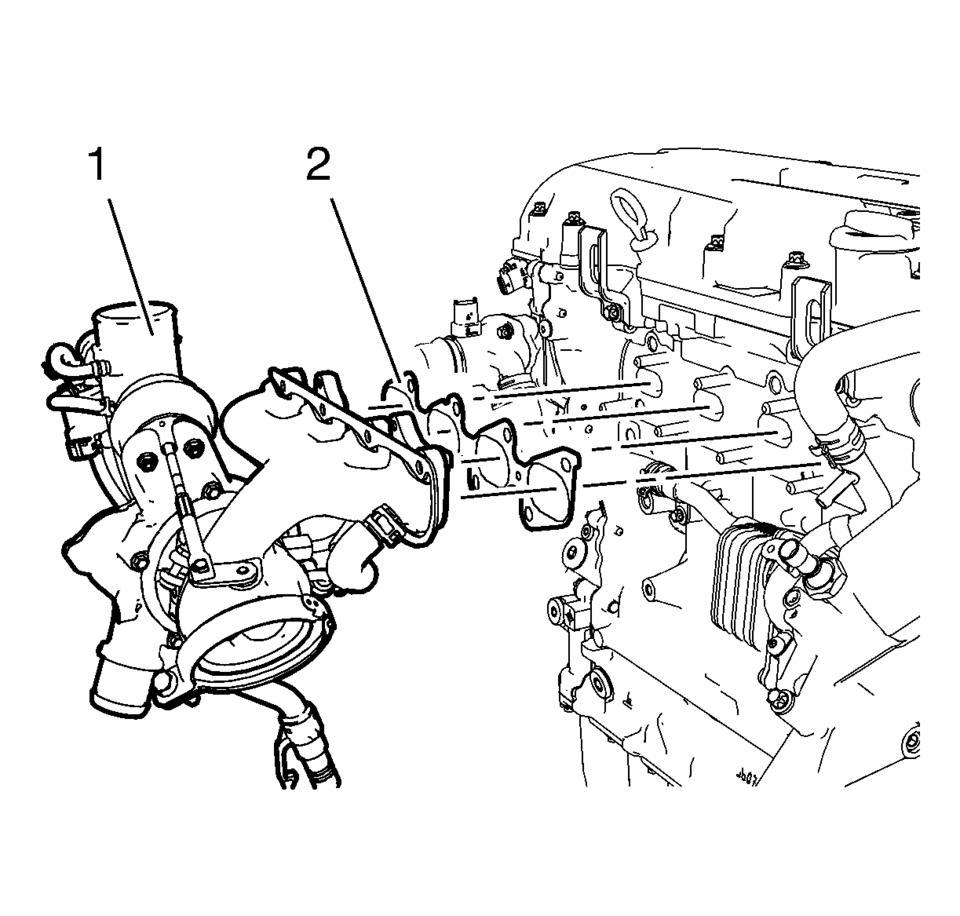
- Remove the turbocharger assembly (1) and the turbocharger gasket (2).
Note:
EN-49942 holding wrench (2) should be installed to turbocharger coolant feed pipe as shown. The holding wrench should be installed to avoid twist of the turbocharger coolant feed pipe during the loosening procedure.
 Turbocharger Oil Return Pipe Replacement
Removal procedure
Remove the drivetrain and front suspension frame skid plate, if equipped.
Refer to Drivetrain and Front Suspension Frame Skid Plate Replacement.
...
 Turbocharger Replacement
Special Tools
EN-49942 Holding Wrench
For equivalent regional tools, refer to Special Tools.
Removal Procedure
Disconnect battery negative cable. Refer to Battery Negative Cable Dis ...
Other materials:
Parking Brake Cable Replacement (Disc Brake)
Removal Procedure
Remove the front floor console. Refer to Front Floor Console Replacement.
Ensure that the parking brake lever is in the fully released position.
Using ONLY HAND TOOLS, remove the adjusting nut (1) from the end of
the front park brake c ...
Valve Lifter Replacement
Special Tools
EN-845 Suction Device
For equivalent regional tools, refer to Special Tools.
Removal Procedure
Remove the camshaft. Refer to Camshaft Replacement.
Note: Mark the assignments.
Remove the valve lifter (1) use the EN-845 suction device ...
ProPILOT Assist displays and indicators
ProPILOT Assist and ProPILOT Assist 1.1
ProPILOT activation
Appears once the Nissan Armada ProPILOT Assist system is enabled, confirming
that the driver assistance features are ready to operate and support the driver
during travel.
Steering Assist indicator
Displays the current S ...

0.0061