
Chevrolet Sonic Repair Manual: Engine Flywheel Removal
Special Tools
EN-652 Flywheel Holder
For equivalent regional tools, refer to Special Tools.
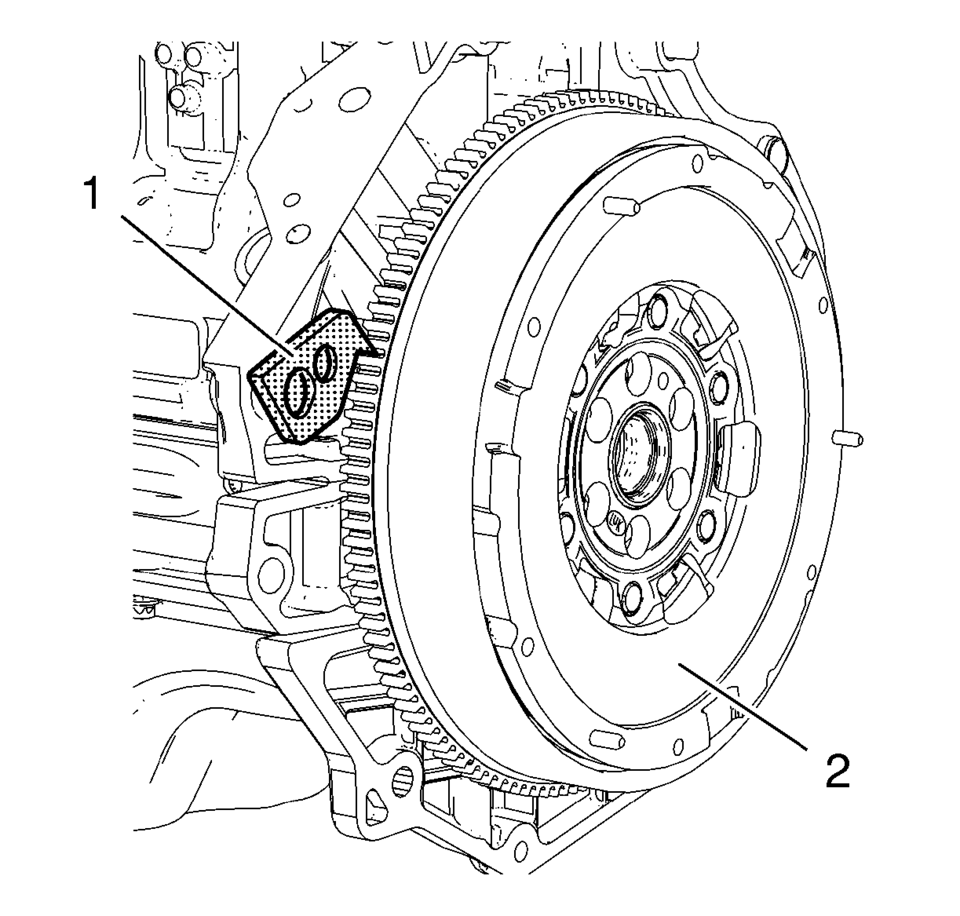
- Install EN-652 holder (1) to hold the engine flywheel (2).
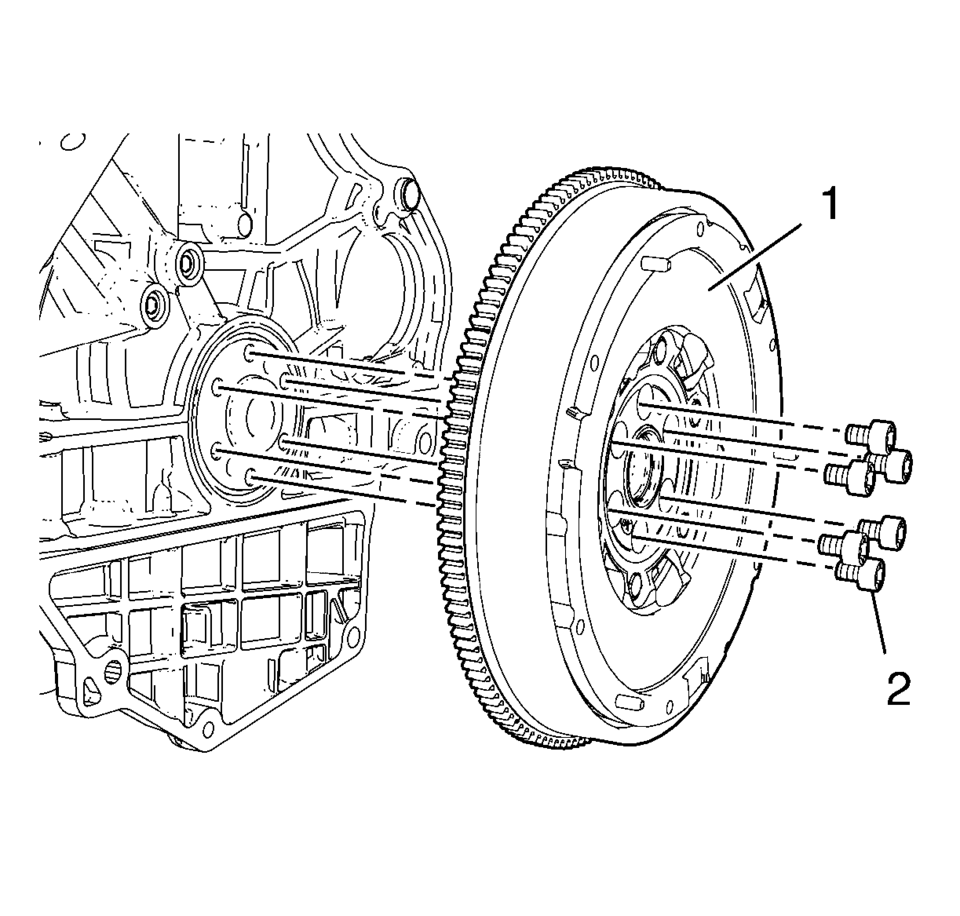
- Remove and DISCARD the 6 engine flywheel bolts (2).
- Remove the engine flywheel (1).
 Engine Flywheel Installation
Special Tools
EN-652 Flywheel Holder
EN-45059 Torque Angle Sensor Kit
For equivalent regional tools, refer to Special Tools.
Clean the thread in the crankshaft.
Install the cra ...
 Engine Flywheel Replacement
Engine Flywheel Replacement
Callout
Component Name
Preliminary Procedure
Remove the clutch pressure and driven Plate . Refer to ...
Other materials:
Tire Inspection
We recommend that the tires, including the spare tire, if the vehicle has one,
be inspected for signs of wear or damage at least once a month.
Replace the tire if:
The indicators at three or more places around the tire can be seen.
There is cord or fabric showing through the tire's rubb ...
Replacing LATCH System Parts After a Crash
Warning: A crash can damage the LATCH system in the vehicle. A damaged
LATCH system may not properly secure the child restraint, resulting in serious
injury or even death in a crash. To help make sure the LATCH system is working
properly after a crash, see your dealer to have the system ...
Ignition Coil Replacement
Special Tools
EN-6009 Remover and Installer Ignition Coil
For equivalent regional tools, refer to Special Tools.
Removal Procedure
Remove the engine wiring harness guide (1) from the cylinder head.
Disconnect the ignition coil electrical connector (2).
...

0.0106