
Chevrolet Sonic Repair Manual: Engine Front Cover and Oil Pump Disassemble
- Engine Front Cover Disassemble
-
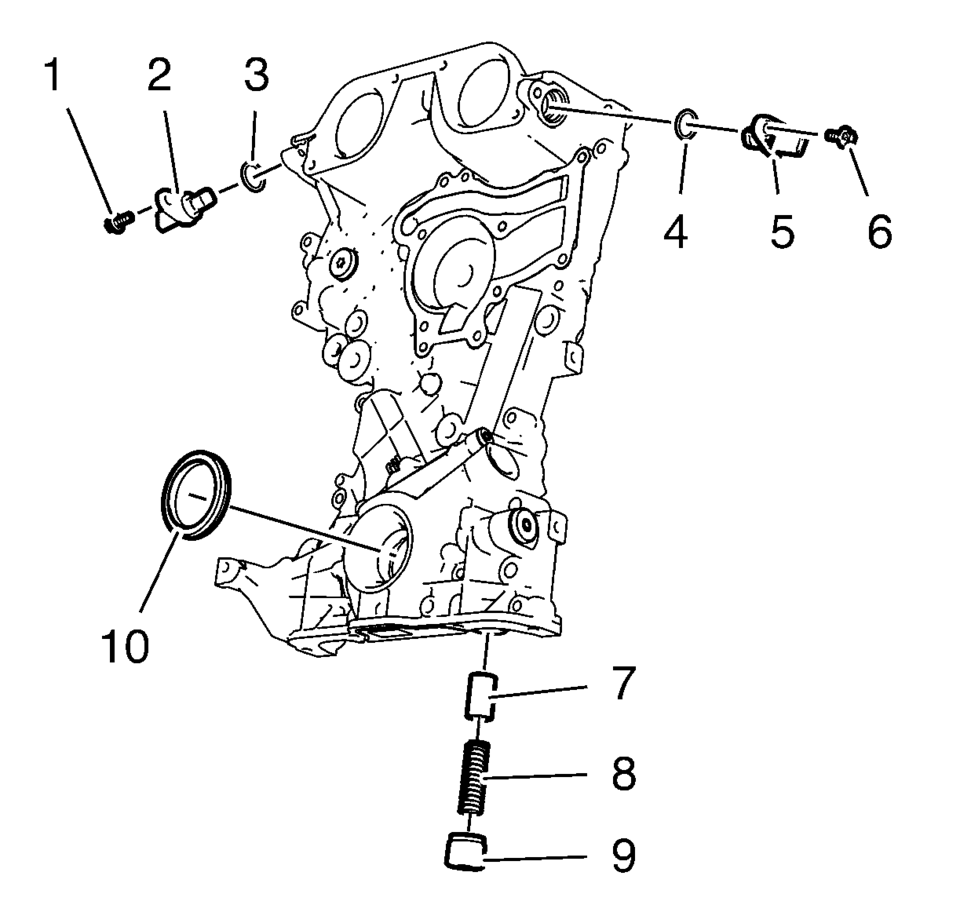
- Remove the intake camshaft position sensor bolt (1).
- Remove the intake camshaft position sensor (2) and the seal ring (3).
- Remove the exhaust camshaft position sensor bolt (6).
- Remove the exhaust camshaft position sensor (5) and the seal ring (4).
- Remove the oil pressure relief valve (7, 8 and 9)
- Remove the crankshaft front oil seal (10).
- Oil Pump Removal
-
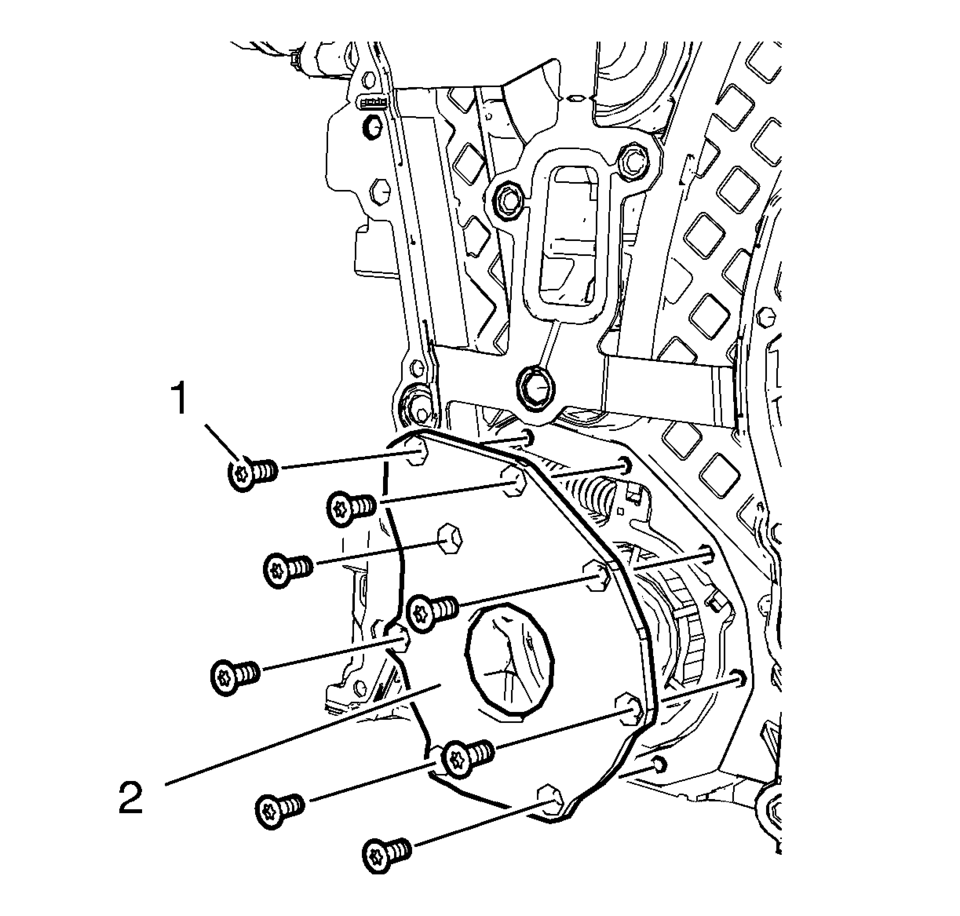
- Remove the 8 oil pump cover bolts (1).
- Remove the oil pump cover (2).
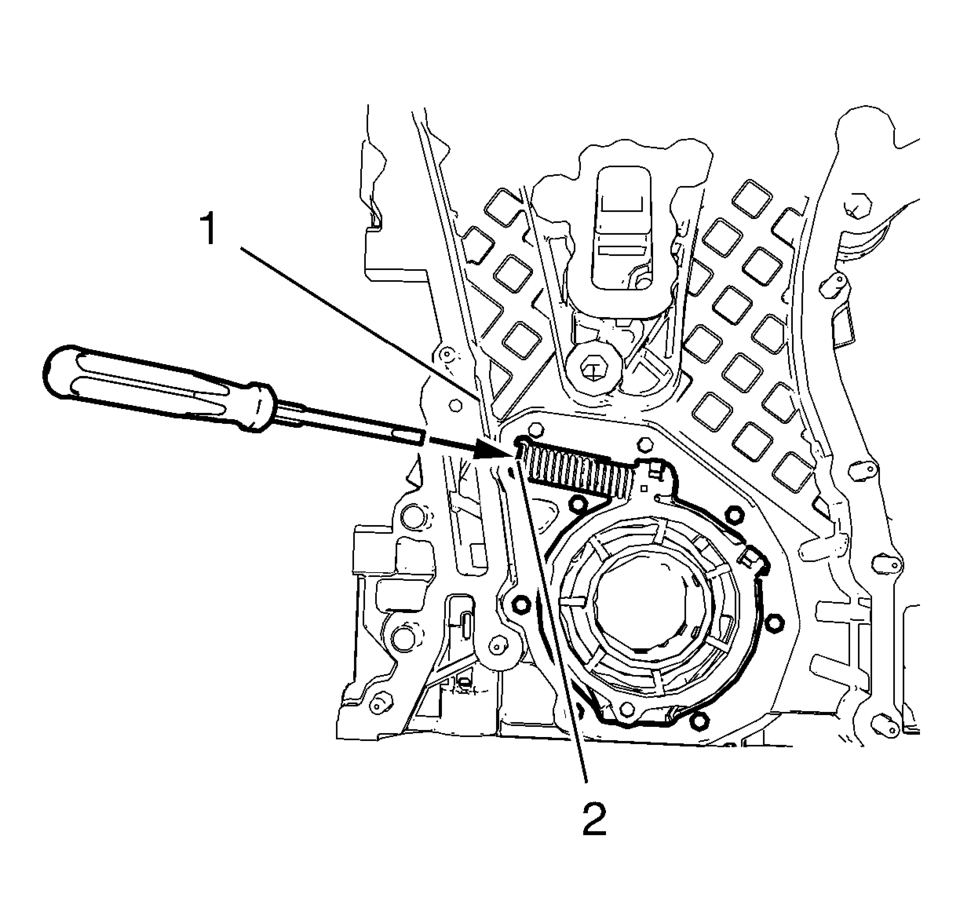
- Protect the engine front cover edge (1) with a suitable piece of plastic.
- Compress the oil pump slide spring with a screw driver and remove the oil pump slide spring along with the oil pump slide spring pin.
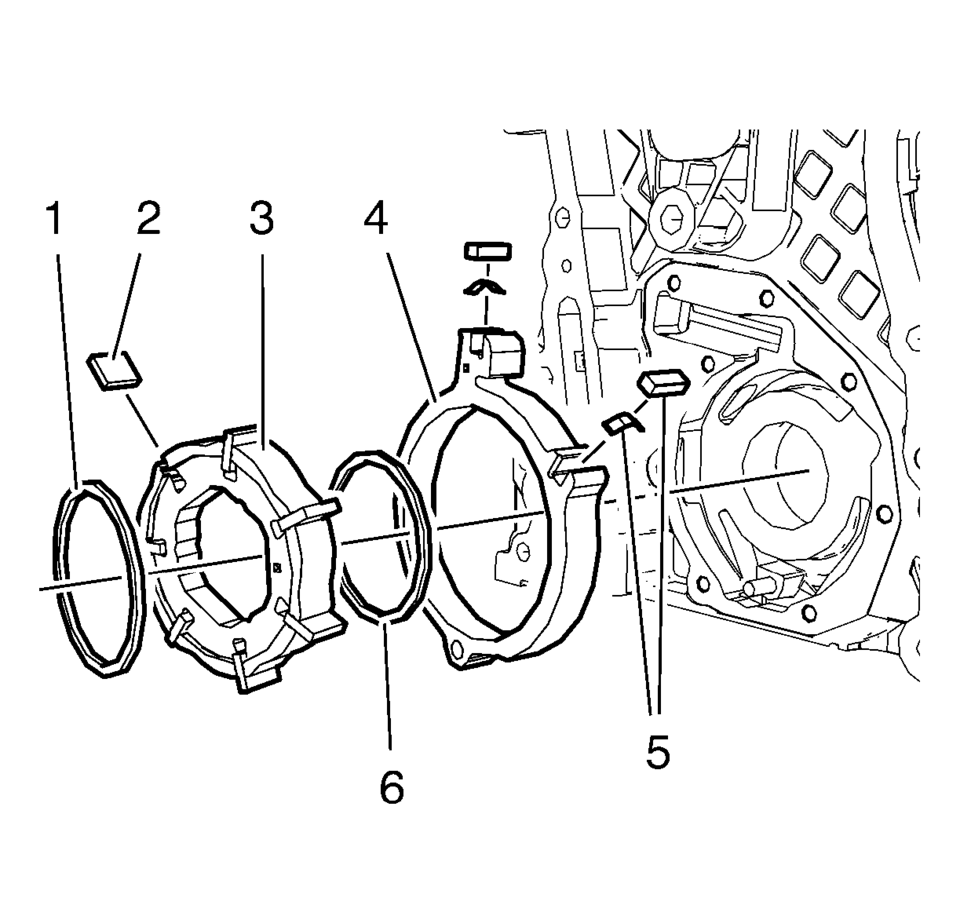
- Remove the oil pump components in the following order:
- Outer oil pump vane ring (1).
- Oil pump vane rotor (3) and the 7 oil pump vanes (2).
- Inner oil pump vane ring (6).
- Oil pump slide (4) and the 2 oil pump slide seals with the 2 oil pump slide seal springs (5).
Warning:
Before removing the spring, cover the spring with a towel to prevent the spring from flying and possibly causing damage or personal injury.
Note:
Position a screw driver between the oil pump slide spring windings (2).
Note:
Mind the installation position of the oil pump components.
 Engine Front Cover and Oil Pump Cleaning and Inspection
Engine Front Cover Cleaning Procedure
Clean the engine front cover sealing surface.
Warning: Wear safety glasses when using compressed air in
order to prevent eye injury. ...
 Engine Front Cover and Oil Pump Installation
Special Tools
EN-952 Fixing Pin
EN-953-A Fixing Tool
EN-49977-100 Transmitter Disc Fixation
EN-49977-200 Fixing Tool
For equivalent regional tools, refer to Special Tools.
...
Other materials:
How Does an Airbag Restrain?
In moderate to severe frontal or near frontal collisions, even belted occupants
can contact the steering wheel or the instrument panel. In moderate to severe side
collisions, even belted occupants can contact the inside of the vehicle.
Airbags supplement the protection provided by safety belts ...
Lower Anchor and Top Tether Anchor Locations
(Top Tether Anchor): Seating positions
with top tether anchors.
(Lower Anchor): Seating positions
with two lower anchors.
To assist in locating the lower anchors, each seating position with lower anchors
has two labels, near the crease between the seatback and the seat cushion.
To ass ...
Basic information
The front and rear sonar system in the Nissan Armada is designed to assist the
driver during parking and low-speed maneuvers by detecting obstacles around the
vehicle. Using ultrasonic sensors integrated into the front and rear bumpers, the
Nissan Armada provides audible tones and visual i ...

0.0065