
Nissan Armada 2025-2026 Owner's Manual: Hill descent control system
Basic information
WARNING
- Do not rely solely on the Hill Descent Control system in the Nissan Armada to regulate speed on steep downhill slopes. Always maintain full control of the vehicle and use the brake pedal when necessary. Extra caution is required on slippery, muddy, icy, or extremely steep surfaces, as improper speed control may lead to loss of control and serious injury.
- The Nissan Armada Hill Descent Control system may not maintain speed effectively under all driving conditions or loads. Always be ready to apply the brakes manually to ensure safe operation.
CAUTION
If the Hill Descent Control system in the Nissan Armada is used continuously for extended periods, the temperature of the Vehicle Dynamic Control (VDC) actuator may rise. In such cases, the system may temporarily deactivate, and the indicator light will blink. If the light does not remain steadily illuminated after blinking, discontinue use of the system until it cools down.
The Hill Descent Control system in the Nissan Armada automatically applies controlled braking to help maintain a steady and safe speed when descending steep or slippery slopes, particularly in off-road conditions, without requiring constant driver input.
This system is especially useful when driving below approximately 20 MPH (30 km/h), where engine braking alone may not be sufficient to control vehicle speed in 4WD mode.
When driving forward downhill, the Nissan Armada speed can be adjusted using the brake or accelerator pedal. When reversing downhill, the system maintains a controlled speed automatically.
Hill descent control switch
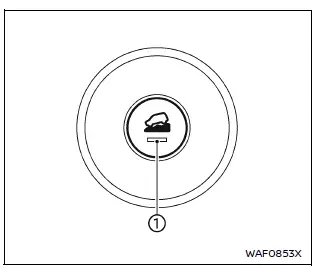
To activate the Hill Descent Control system in the Nissan Armada, press the hill descent control switch.
When activated, both the switch indicator and the corresponding indicator light in the instrument cluster will illuminate, confirming system operation.
Additionally, the brake lights will illuminate while the Nissan Armada system is actively applying braking force to control vehicle speed.
To enable the Hill Descent Control system, the following conditions must be met:
- The transmission must be in a forward or reverse gear.
- The 4WD system must be set to 4H or 4L (if equipped), and vehicle speed must be below 20 MPH (30 km/h).
- The hill descent control switch must be turned ON.
If the accelerator or brake pedal is pressed while the system is active, the Nissan Armada Hill Descent Control system will temporarily pause operation. Once the pedals are released and conditions are met, the system will resume automatically.
If the Hill Descent Control indicator light blinks, it means that the system conditions are not fully satisfied or the system has been temporarily disengaged.
To deactivate the system, press the hill descent control switch again to turn it OFF.
 Hill Start Assist system
WARNING
Never depend solely on the Hill Start Assist system in the Nissan Armada
to prevent rollback when starting on an incline. Always remain attentive and
keep full control of the vehicle ...

Other materials:
Low Fuel Warning Light
This light comes on for a few seconds when the ignition is turned on as a check
to indicate it is working. If it does not come on, have it fixed.
This light comes on when the vehicle is low on fuel.
The low fuel warning light comes on when there are approximately 6.0 L (1.7 gal)
of fuel rema ...
Front Wheelhouse Liner Inner Front Extension Replacement (Left SIde)
Front Wheelhouse Liner Inner Front Extension Replacement
Callout
Component Name
Preliminary Procedure
Remove the tire and wheel assembly. Refer to Tire and Wheel Removal and
Installation.
1
Fron ...
Manual Shift Shaft Seal Installation
Manual Shift Shaft Seal Installation
Callout
Component Name
1
Manual Shift Shaft Seal
Special Tool
DT-49101 Seal Installer
For equivalent regional tools, refer to Special
Tools.
...

0.0046