
Chevrolet Sonic Repair Manual: Hood Hold-Open Rod Replacement
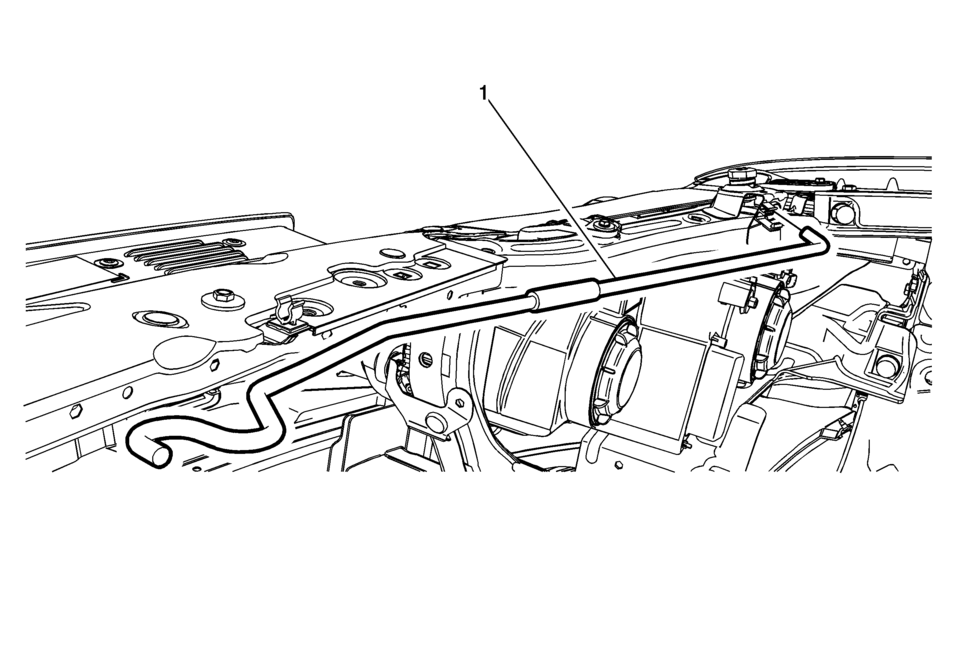
|
Callout |
Component Name |
|---|---|
|
1 |
Hood Hold-Open Rod Warning: When a hood hold open device is being removed or installed, provide alternate support to avoid the possibility of damage to the vehicle or personal injury. Procedure
Open the retainer and remove the hood hold-open rod. |
 Hood Hold-Open Device Warning
Warning: When a hood hold open device is being removed or installed,
provide alternate support to avoid the possibility of damage to the vehicle
or personal injury.
...
 Hood Primary Latch Release Cable Handle Replacement
Hood Primary Latch Release Cable Handle Replacement
Callout
Component Name
Preliminary Procedure
Remove the front side door ope ...
Other materials:
Rear Seat Head Restraint Guide Replacement
Rear Seat Head Restraint Guide Replacement
Callout
Component Name
Preliminary Procedure
Remove the rear seat head restraint. Refer to Rear Seat Head Restraint
Replacement
1
Rear Seat Head Restra ...
Front Disc Brake Pads Replacement
Removal Procedure
Warning: Refer to Brake Dust Warning.
Note: Always replace disc brake pads in axle sets.
Inspect the fluid level in the brake master cylinder reservoir.
If the brake fluid level is midway between the maximum-full point and
the minimum allowab ...
Basic information
WARNING
Riding in the cargo area of a Nissan Armada is extremely hazardous. In
the event of a collision, occupants in these areas face a significantly higher
risk of severe injury or fatal consequences.
Never allow passengers to occupy any part of the Nissan Armada that is
not specifi ...

0.0061