
Chevrolet Sonic Repair Manual: Rear Side Door Upper Rear Trim Panel Replacement (Hatchback)
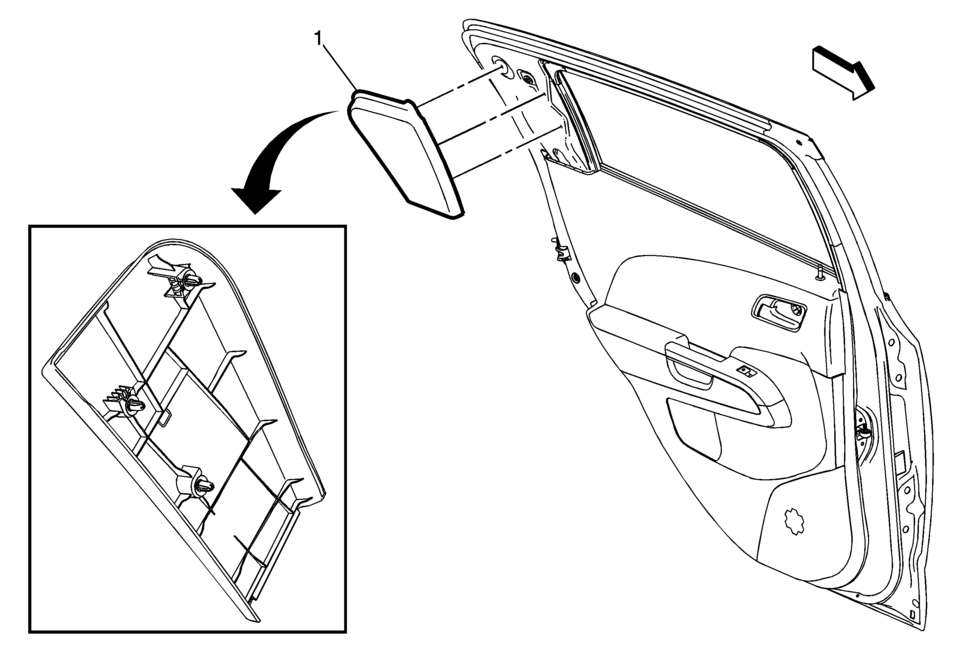
|
Callout |
Component Name |
|---|---|
|
1 |
Rear Side Door Upper Rear Trim Panel Assembly Procedure
Pull the door upper rear trim panel away from the rear side door. |
 Rear Side Door Upper Hinge and Lower Hinge Replacement
Rear Side Door Upper Hinge and Lower Hinge Replacement
Callout
Component Name
1
Rear Side Door Upper Hinge to Body Bolts ...
 Rear Side Door Weatherstrip Replacement - Body Side
Rear Side Door Weatherstrip Replacement - Body Side
Callout
Component Name
Preliminary Procedures
Remove the upper center pillar tr ...
Other materials:
Aluminum Wheel Porosity Repair
Raise and support the vehicle. Refer to Lifting and Jacking the Vehicle.
Remove the tire and wheel. Refer to Tire and Wheel Removal and Installation.
Inflate the tire to the manufacturer specified pressure as stated on the
tire.
Submerge the tire/wheel into a water bath in order t ...
Wheel Stud Replacement
Special Tools
CH 43631 Ball Joint Separator
For equivalent regional tools, refer to Special Tools.
Removal Procedure
Raise and support the vehicle. Refer to Lifting and Jacking the Vehicle.
Remove the tire and wheel assembly. Refer to Tire and Wheel Removal
and In ...
Clutch Master Cylinder Reservoir Hose Replacement
Removal Procedure
Note: Before disconnecting the reservoir tank hose, remove
the clutch/brake fluid from the reservoir tank.
Remove the clutch master cylinder reservoir hose (1)
from the reservoir tank.
Remove the clutch master cylinder reservoir ...

0.0072