
Chevrolet Sonic Repair Manual: Underbody Rear Side Rail Extension Replacement
- Removal Procedure
-
- Disable the SIR System. Refer to SIR Disabling and Enabling.
- Disconnect the negative battery cable. Refer to Battery Negative Cable Disconnection and Connection.
- Remove all related panels and components.
- Visually inspect the damage. Repair as much of the damage as possible.
- Remove the sealers and anti-corrosion materials from the repair area, as necessary. Refer to Anti-Corrosion Treatment and Repair.
- Locate and mark all factory welds.
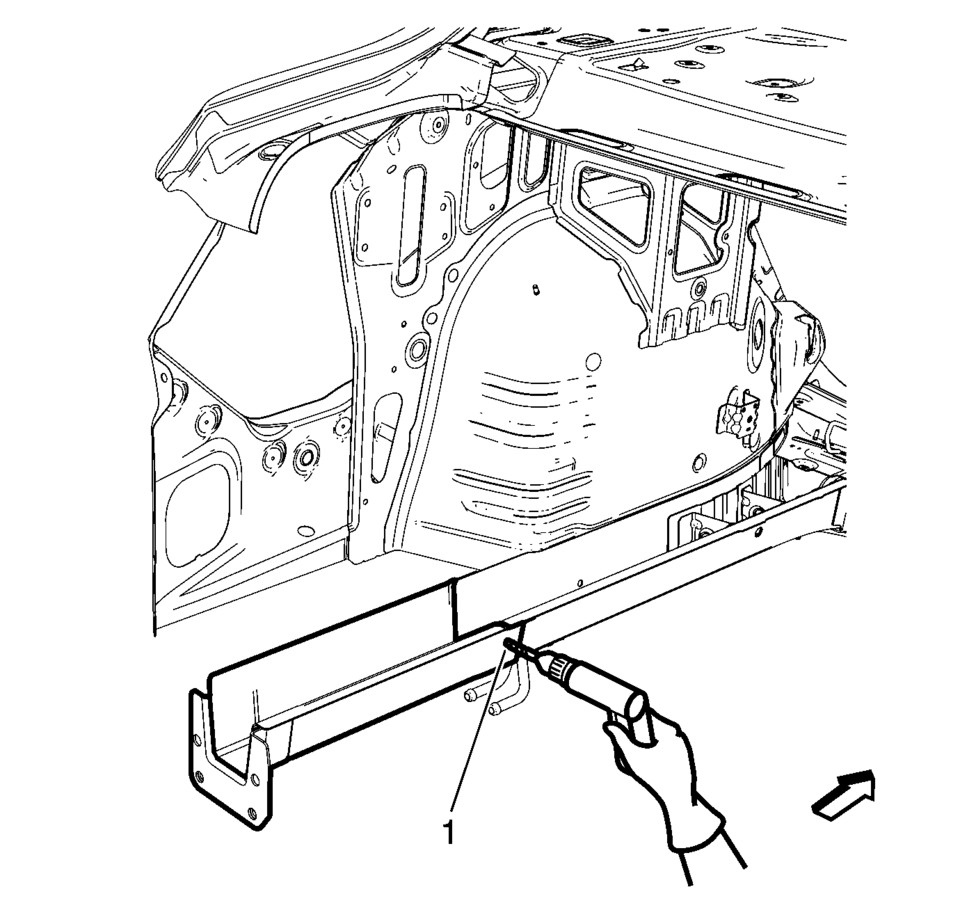
- Drill all factory welds (1). Note the number and location of welds for installation of the service assembly.
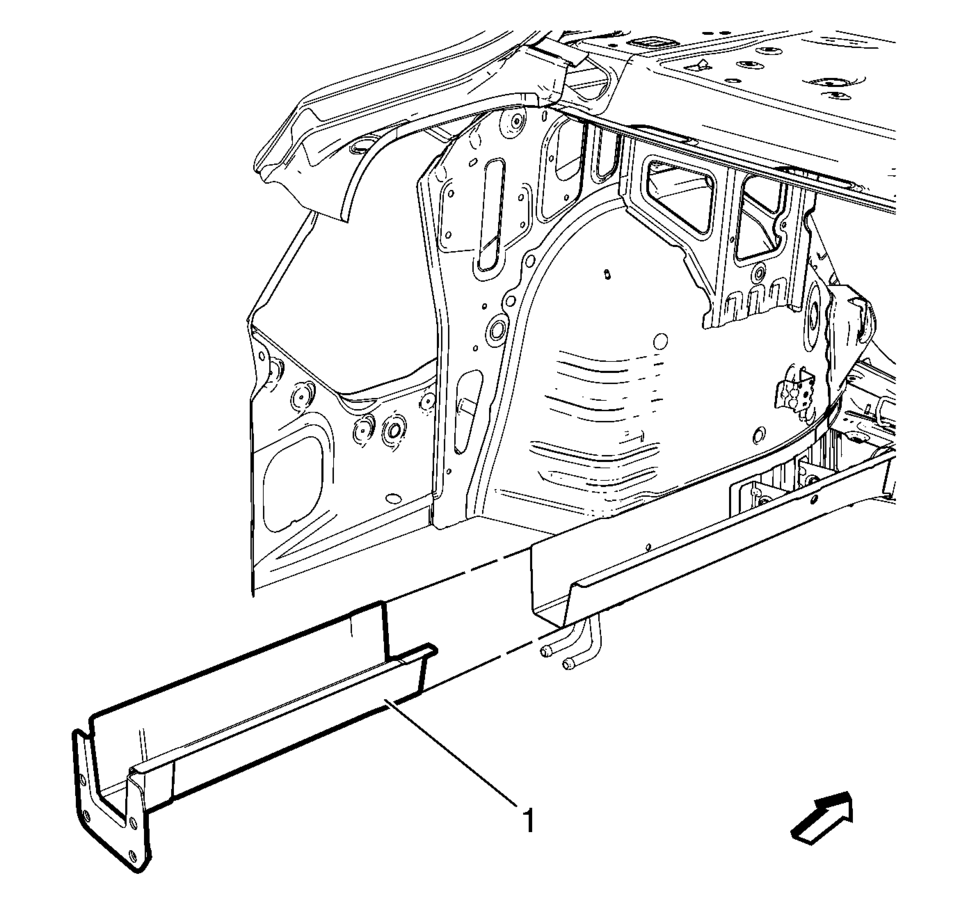
- Remove the damaged rear side rail extension (1).
Warning:
Refer to Approved Equipment for Collision Repair Warning.
Warning:
Refer to Glass and Sheet Metal Handling Warning.
- Installation Procedure
-
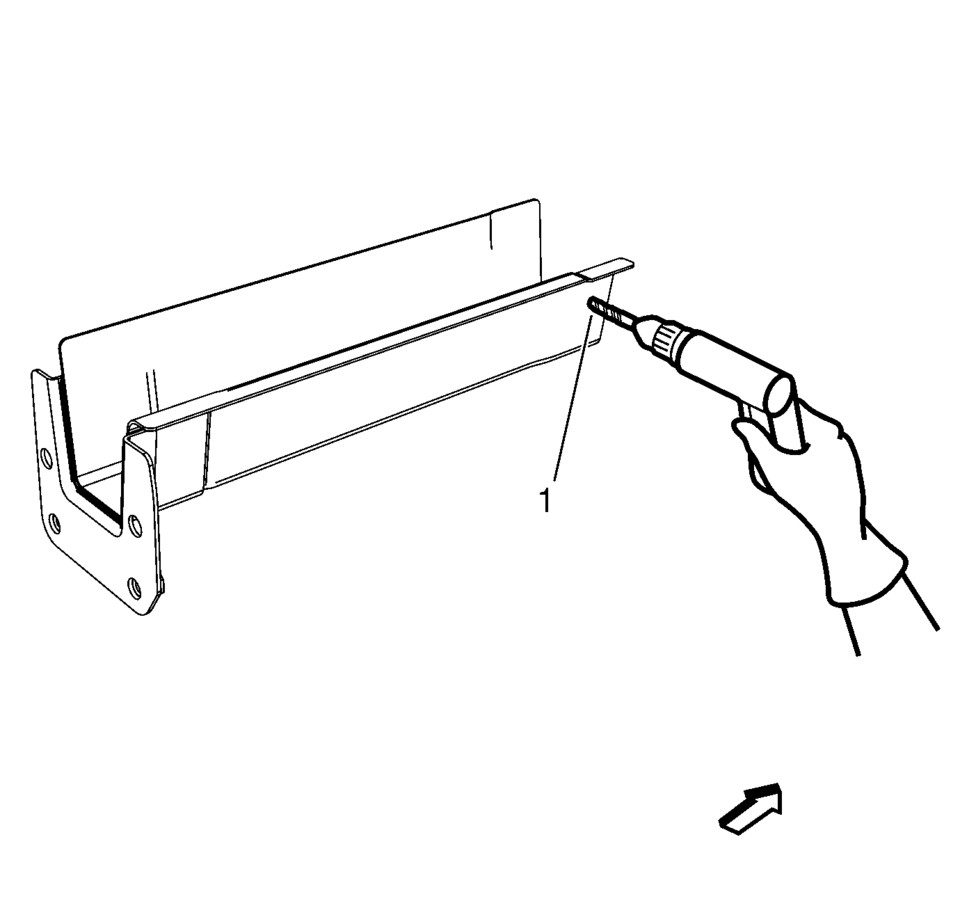
- Drill 8?€‰mm (5/16?€‰in)
holes for plug welding along the edges of the rear side rail extension (1) as noted from the original panel.
- Clean and prepare the attaching surfaces for welding.
- Position the rear side rail extension on the vehicle (1).
- Verify the fit of the rear side rail extension.
- Clamp the rear side rail extension into position.
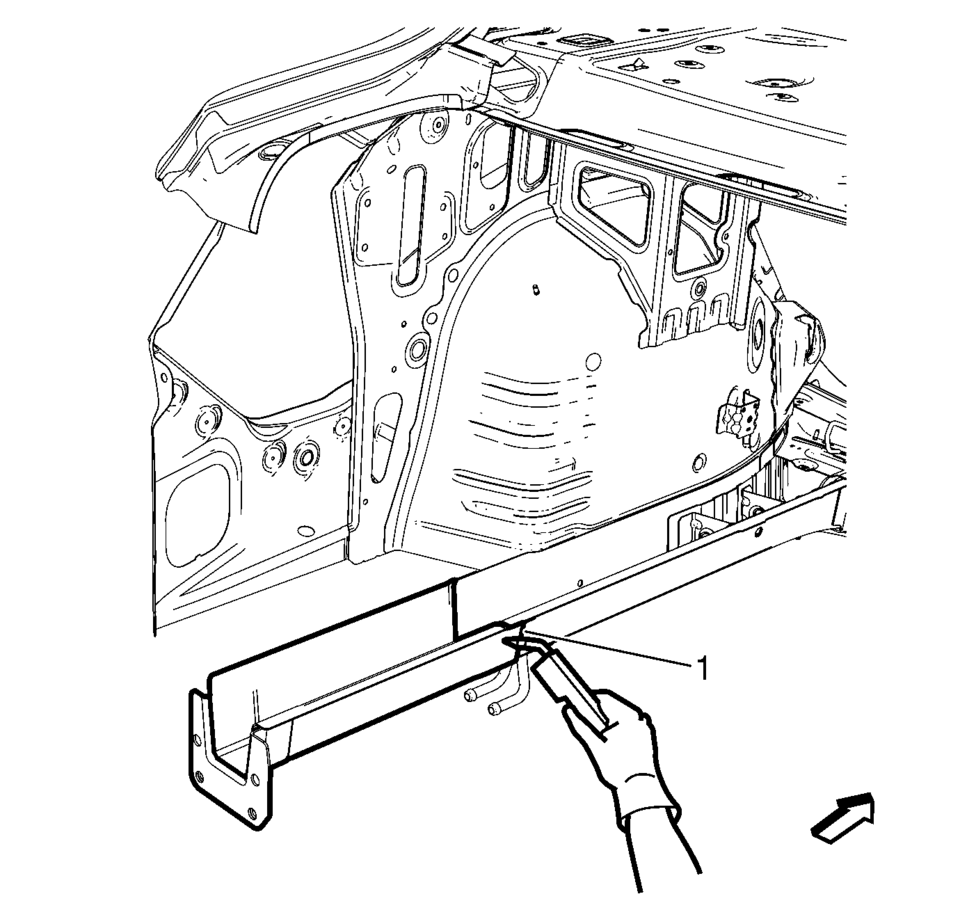
- Plug weld accordingly (1).
- Apply the sealers and anti-corrosion materials to the repair area, as necessary. Refer to Anti-Corrosion Treatment and Repair.
- Paint the repaired area. Refer to Basecoat/Clearcoat Paint Systems.
- Install all related panels and components.
- Connect the negative battery cable. Refer to Battery Negative Cable Disconnection and Connection.
- Enable the SIR system. Refer to SIR Disabling and Enabling.
- Drill 8?€‰mm (5/16?€‰in)
 Special Tools
Illustration
Tool Number/ Description
EN-45059
J-45059
Angle Meter
...
 Spoilers/Aero
...
Other materials:
Rear Side Door Outer Panel Replacement
Removal Procedure
Warning: Refer to Glass and Sheet Metal Handling Warning.
Note: According to different corrosion warranties, only the
regional mandatory joining methods are allowed.
Disable the SIR System. Refer to SIR Disabling and Enabling.
Dis ...
Front Wheel Drive Shaft Seal Replacement - Left Side
Front Wheel Drive Shaft Seal Replacement - Left Side
Callout
Component Name
Preliminary Procedure
Raise and support the vehicle. Refer to Lifting and Jacking the
Vehicle.
Remove the front wheel drive shaft from the transm ...
Special Tools
Illustration
Tool Number/Description
207649
Rod Hairpins
547324
Flange Screws
EN-232
KM-232
J-21867-L40
Oil Pressure Check Adapter
...

0.0074